Arten von Rubriken
Note
Diese Dokumentation wurde mithilfe einer KI-gestützten maschinellen Übersetzung übersetzt. Übersetzungen erfolgen unverbindlich und ohne Gewähr für ihre Richtigkeit oder Vollständigkeit. Die englische Version dieses Inhalts ist die offizielle und maßgebliche Quelle.
Die Rubriken sind in einer Tabelle mit Zeilen und Spalten angeordnet:
Die Zeilen stellen Kriterien dar, die viele Lehrkräfte als Aufgabenstellungen oder zu bewertende Bereiche betrachten (z. B. Inhalt, Organisation oder Zitate).
Die Spalten stellen die Leistungsstufen dar, z. B. Ausgezeichnet, Befriedigend oder Verbesserungsbedürftig.
Wie die Punkte oder Prozentsätze berechnet werden, hängt von der von Ihnen gewählten Rubrik ab.
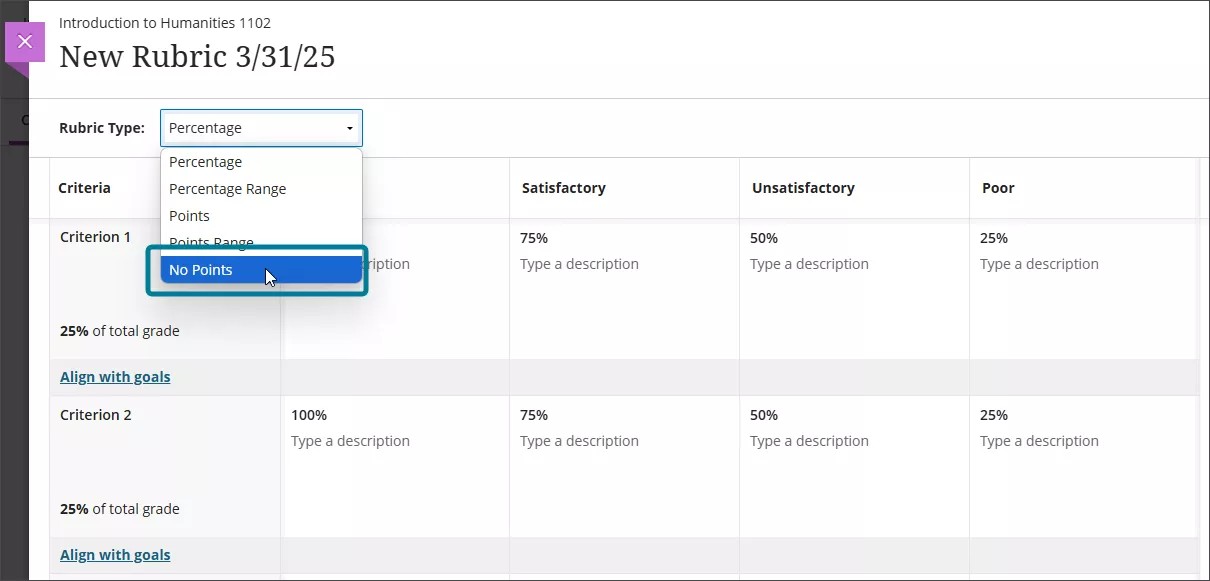
Rubriktypen
Sie können mehrere Arten von Rubriken in einem Kurs erstellen:
Auf Prozentwert basierende Rubriken
Auf dem Prozentbereich basierende Rubriken
Auf Punkten basierende Rubriken
Auf dem Punktbereich basierende Rubriken
Rubriken ohne Punkte
Auf Prozentwert basierende Rubriken
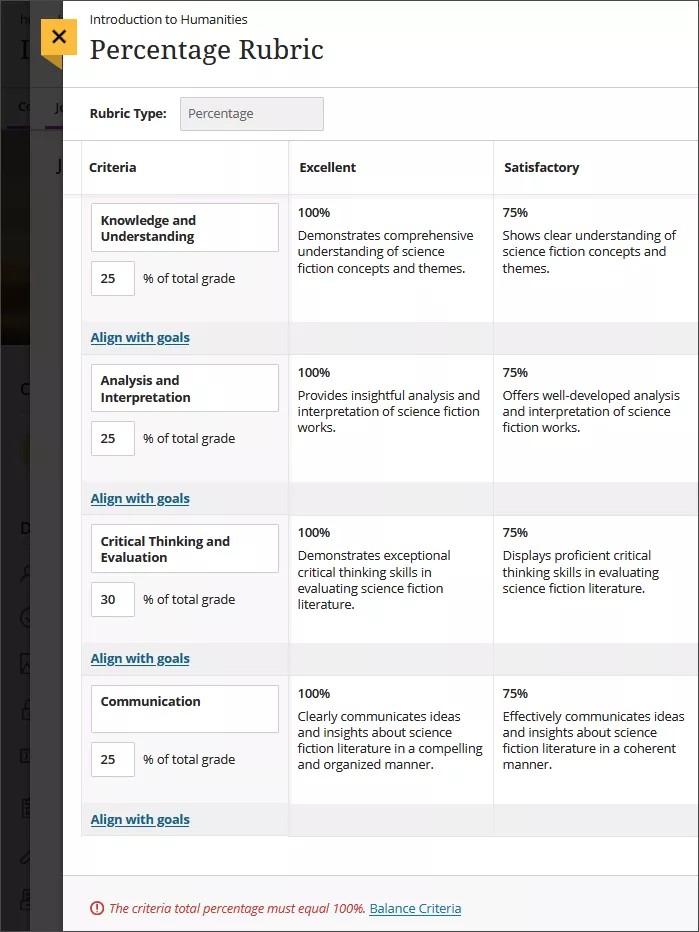
In Prozent-Rubriken wird jedem Kriterium (Zeile) ein prozentuales Gewicht zugewiesen. Die Gewichtung aller Kriterien muss 100 % betragen.
Die Leistungsniveaus (Spalten) legen fest, wie viel Gewicht das jeweilige Kriterium für einen Teilnehmer hat. Bei einem Wert von 80 % werden beispielsweise 80 % der Gewichtung des Kriteriums vergeben.
Sie können die prozentuale Gewichtung für jedes Kriterium unabhängig voneinander bearbeiten, und Sie können auch die prozentualen Werte für jede Leistungsstufe bearbeiten. Eine Leistungsstufe muss auf 100 % festgelegt werden.
Wenn die Prozentzahlen der Kriterien nicht 100 % ergeben, wird eine Warnmeldung angezeigt. Sie können Kriterien für den Ausgleich auswählen, um die Prozentsätze automatisch anzupassen oder sie manuell zu aktualisieren.
Auf dem Prozentbereich basierende Rubriken
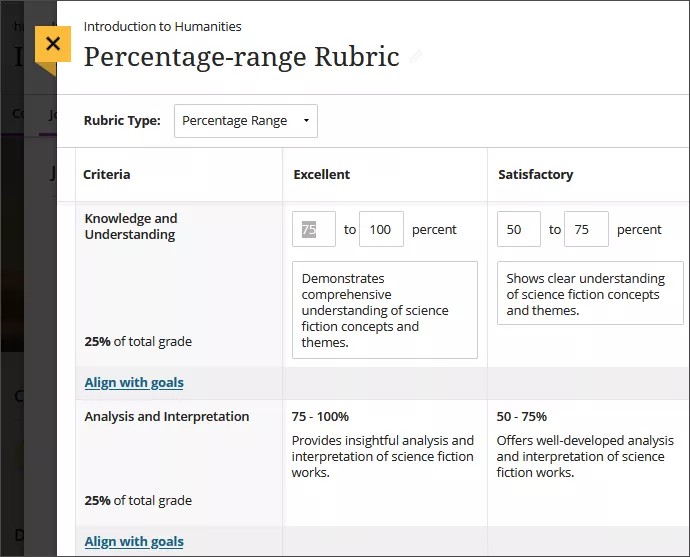
In Rubriken mit prozentualen Abstufungen wird für jede Leistungsstufe ein prozentualer Bereich anstelle eines einzelnen Wertes verwendet.
Wenn Sie bewerten, wählen Sie einen Prozentsatz innerhalb des festgelegten Bereichs für eine Leistungsstufe. Das System berechnet die Endnote auf der Grundlage der Kriteriengewichtung, des ausgewählten Prozentsatzes und der für die bewertete Aufgabe verfügbaren Gesamtpunkte.
Auf Punkten basierende Rubriken
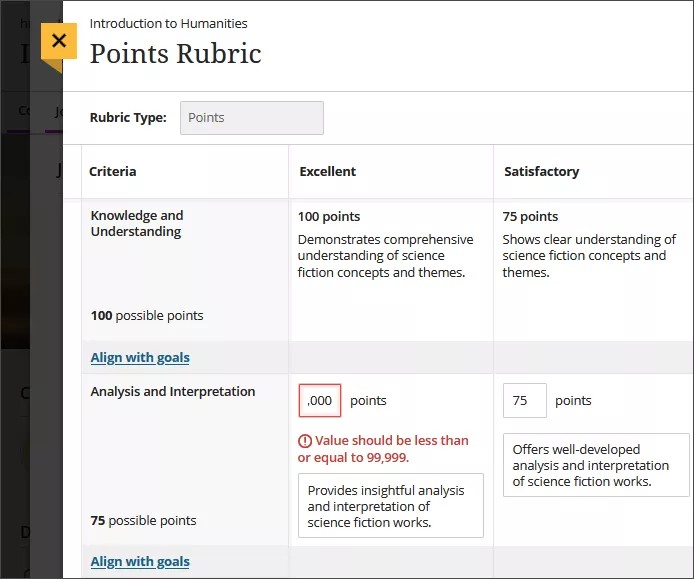
Bei punktbasierten Rubriken werden den Leistungsstufen (Spalten) Punkte zugeordnet. Diese Punktewerte bestimmen die maximale Punktzahl, die für jedes Kriterium (Zeile) erreicht werden kann.
Die Gesamtpunktzahl des Kriteriums wird automatisch als Summe der Punkte in seinen Leistungsstufen berechnet. Wenn Sie den Punktwert einer Stufe bearbeiten, wird die Gesamtsumme des Kriteriums automatisch aktualisiert.
Es dürfen nur ganze Zahlen verwendet werden. Die Gesamtzahl der verfügbaren Punkte in der Rubrik muss kleiner oder gleich 99.999 sein.
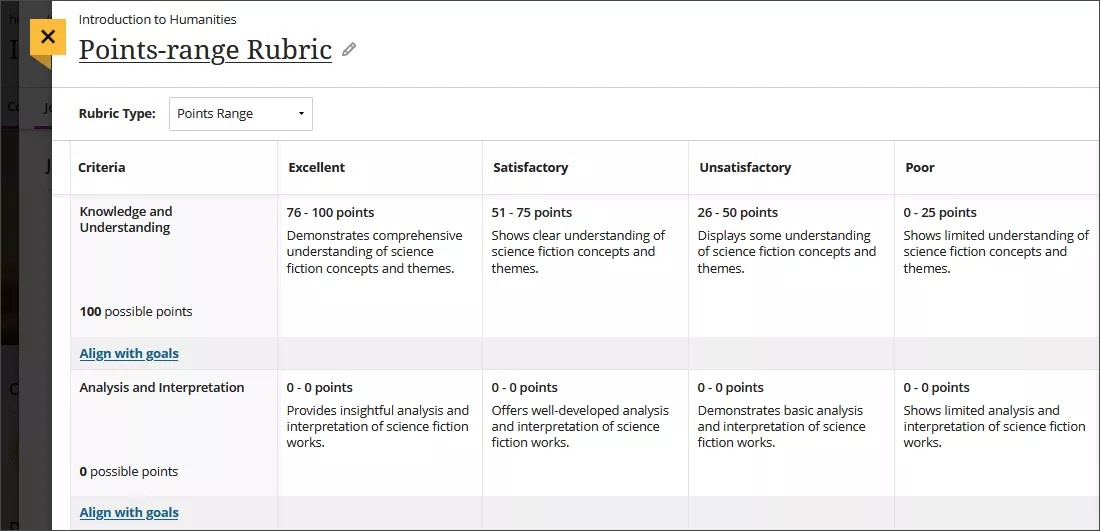
Auf dem Punktbereich basierende Rubriken
In Rubriken mit Punktesystem wird für jede Leistungsstufe ein Bereich von Punktwerten anstelle eines einzigen Wertes verwendet.
Bei der Bewertung wählen Sie einen Punktwert innerhalb des festgelegten Bereichs. Anhand dieses Wertes berechnet das System die Punktzahl für das Kriterium und summiert dann die Punkte für alle Kriterien.
Die Gesamtzahl der verfügbaren Punkte in der Rubrik muss kleiner oder gleich 99.999 sein, und die Punktebereiche müssen von niedrigeren zu höheren Werten fortschreiten.
Rubriken ohne Punkte
Rubriken ohne Punkte ermöglichen es den Lehrkräften, die Arbeit der Schüler qualitativ zu bewerten, und zwar auf der Grundlage definierter Kriterien und Rückmeldungen und nicht anhand von Zahlenwerten.
Bei dieser Art von Rubrik liegt der Schwerpunkt auf einer beschreibenden Bewertung und Anleitung, ohne dass eine numerische Punktzahl vergeben wird.