Doppelte Einträge auf der Seite „Kursinhalte“
Note
Diese Dokumentation wurde mithilfe einer KI-gestützten maschinellen Übersetzung übersetzt. Die Übersetzungen werden „wie besehen“ bereitgestellt, ohne Gewähr für ihre Richtigkeit. Die englische Version dieses Inhalts ist die offizielle und maßgebliche Quelle.
Dozenten können die meisten Elemente auf der Seite „Kursinhalt“ duplizieren. Das Duplikat behält alle Inhalte und Einstellungen des Originals bei und wird direkt unter dem Quellelement angezeigt.
Ein Element duplizieren
Verwenden Sie das Menü Weitere Optionen, um auf der Seite „Kursinhalte“ eine Kopie eines beliebigen unterstützten Elements zu erstellen.
Öffnen Sie Ihren Kurs und wechseln Sie zur Seite „Kursinhalte“.
Öffnen Sie das Menü Weitere Optionen (...) für das Element, das Sie duplizieren möchten.
Wählen Sie Duplizieren aus.
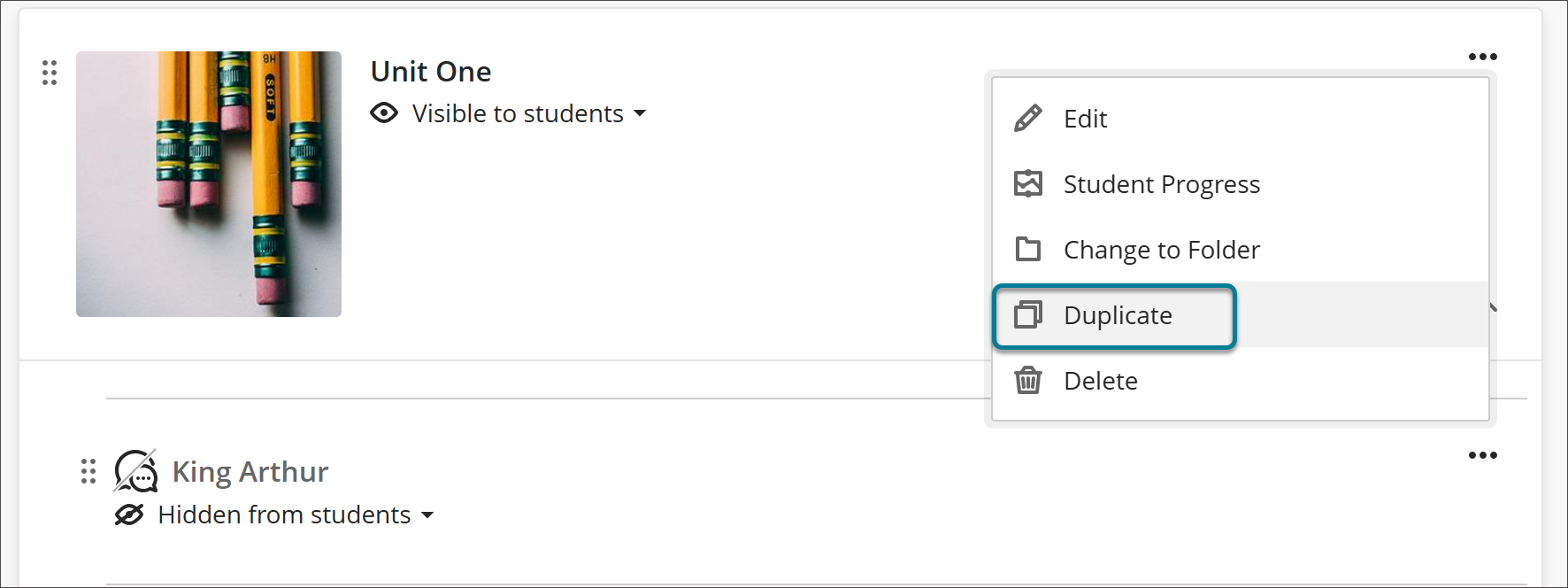
Die Kopie wird unterhalb des Originals angezeigt. Dem Namen des Elements wird „Kopie“ hinzugefügt und die Kopie wird standardmäßig für die Studierenden ausgeblendet.
Benennen Sie die Kopie nach dem Duplizieren um, und nehmen Sie ggf. Änderungen vor, bevor Sie sie für die Schüler sichtbar machen.
Anmerkung
LTI-Elemente unterstützen keine Duplizierung. Die Option Duplizieren wird im Menü Weitere Optionen für LTI-Elemente nicht angezeigt.