오디오 및 비디오 녹화하기
Note
본 문서는 AI 지원 기계 번역을 사용하여 번역되었습니다. 번역본은 '있는 그대로' 제공되며 정확성에 대해 어떠한 보증도 하지 않습니다. 본 콘텐츠의 영문 버전이 공식적이고 권위 있는 원본입니다.
피드백 녹음을 포함하여 학생을 위해 추가한 텍스트와 함께 표시되도록 할 수 있습니다. 교육기관에서 Video Studio 라이선스가 없는 경우에도 평가 피드백을 제공하거나 Flexible Grading에서 작업할 때 전체 Video Studio 워크플로를 사용할 수 있습니다. 이를 통해 피드백 에디터에서 직접 비디오와 오디오를 녹화하거나 업로드할 수 있으며, 자막, 전사, 편집 등의 기능을 사용하여 명확하고 개인화된 커뮤니케이션을 제공할 수 있습니다.
참고
교육기관에서 Video Studio에 라이선스가 없는 경우 피드백 녹화물의 길이는 5분으로 제한됩니다. Video Studio 라이선스가 있는 경우 제한 시간은 20분입니다.
오디오/비디오 피드백 도구로 생성하거나 오디오/비디오 피드백 도구에 업로드한 비디오 및 오디오는 교육기관의 Blackboard 저장소 할당량에 포함되지 않습니다.
피드백 기록하기
교수자 피드백 패널에서 오디오/비디오를 선택합니다.
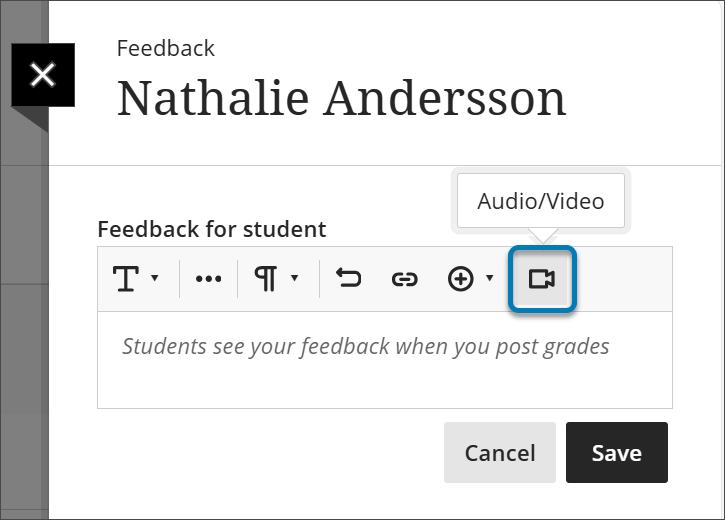
카메라, 오디오, 화면, 오디오 및 화면 또는 카메라 및 화면을 녹화할지 여부를 선택합니다.
피드백 녹음이 끝나면 녹음 종료 버튼을 선택합니다. 동영상 처리가 시작됩니다.
Title 상자에 동영상 제목을 입력하고 Description 상자에 설명을 입력합니다.
동영상을 미리 보려면 재생 버튼을 선택합니다.
만족하면 비디오 저장 버튼을 선택합니다. 비디오를 삭제하려면 X를 선택합니다.
Select the Play button to preview your video.
If you are satisfied, select the Save Video button. If you want to discard the video, select the X.
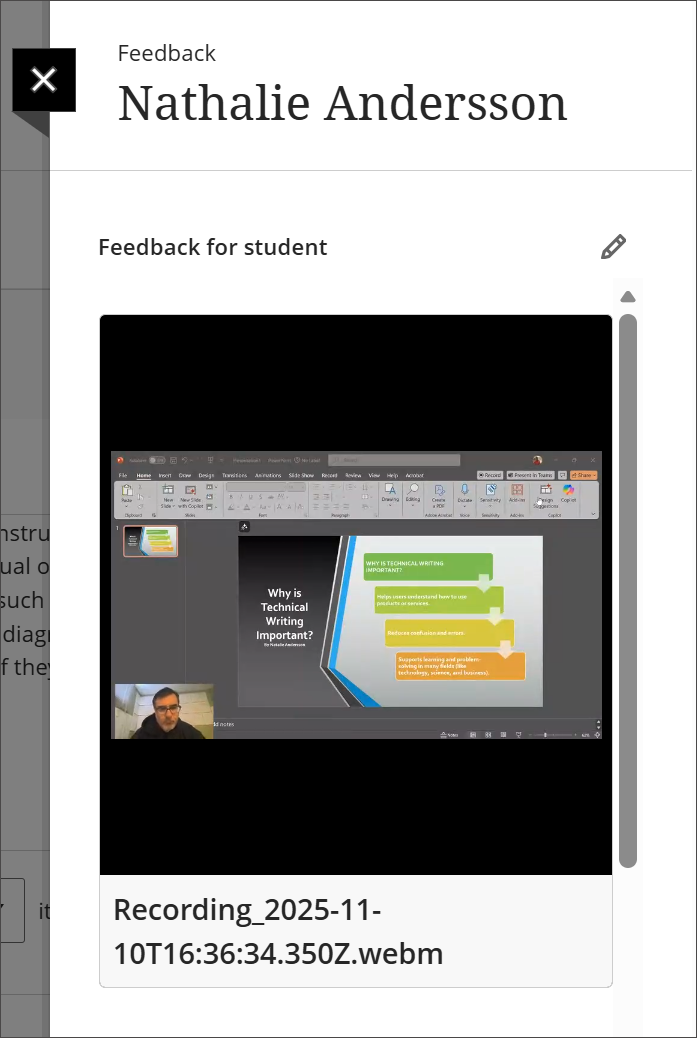
이제 비디오 스튜디오 녹화물이 교수자 피드백 패널에 포함되어 학생이 볼 수 있습니다.
Video Studio로 수행할 수 있는 작업에 대한 자세한 내용은 Video Studio 페이지를 방문하세요.