Blackboard Outcomes
Note
本文档采用 AI 辅助机器翻译。译文仅供参考,不保证准确性;此内容的英文版为官方权威版本。
Blackboard Outcomes 通过集成学习成果衡量功能扩展了 Blackboard。这使机构能够直接在 Blackboard 内衡量、解读和可视化学习结果的表现,同时保持与机构评估实践的一致性。
借助 Blackboard Outcomes,机构可以通过定义全机构范围的绩效标准、确定关键评估以及向教师和学生展示结果,建立一个共享的成果衡量框架,而无需用户离开 Blackboard 体验。这些功能支持对跨课程、项目和学期的学生学习进行一致的纵向测量,支持机构的持续改进。
Blackboard 提供了学习发生的教学与评估环境,而 Outcomes 则为机构评估和报告提供了更全面的行政管理和分析工具。
如需有关成果的完整信息(包括结果管理、评估报告和行政工作流程),请访问 Outcomes 帮助网站。
注意
必须为机构提供 Blackboard Outcomes。请联系您的客户团队以获取进一步支持。
Access Outcomes in Blackboard
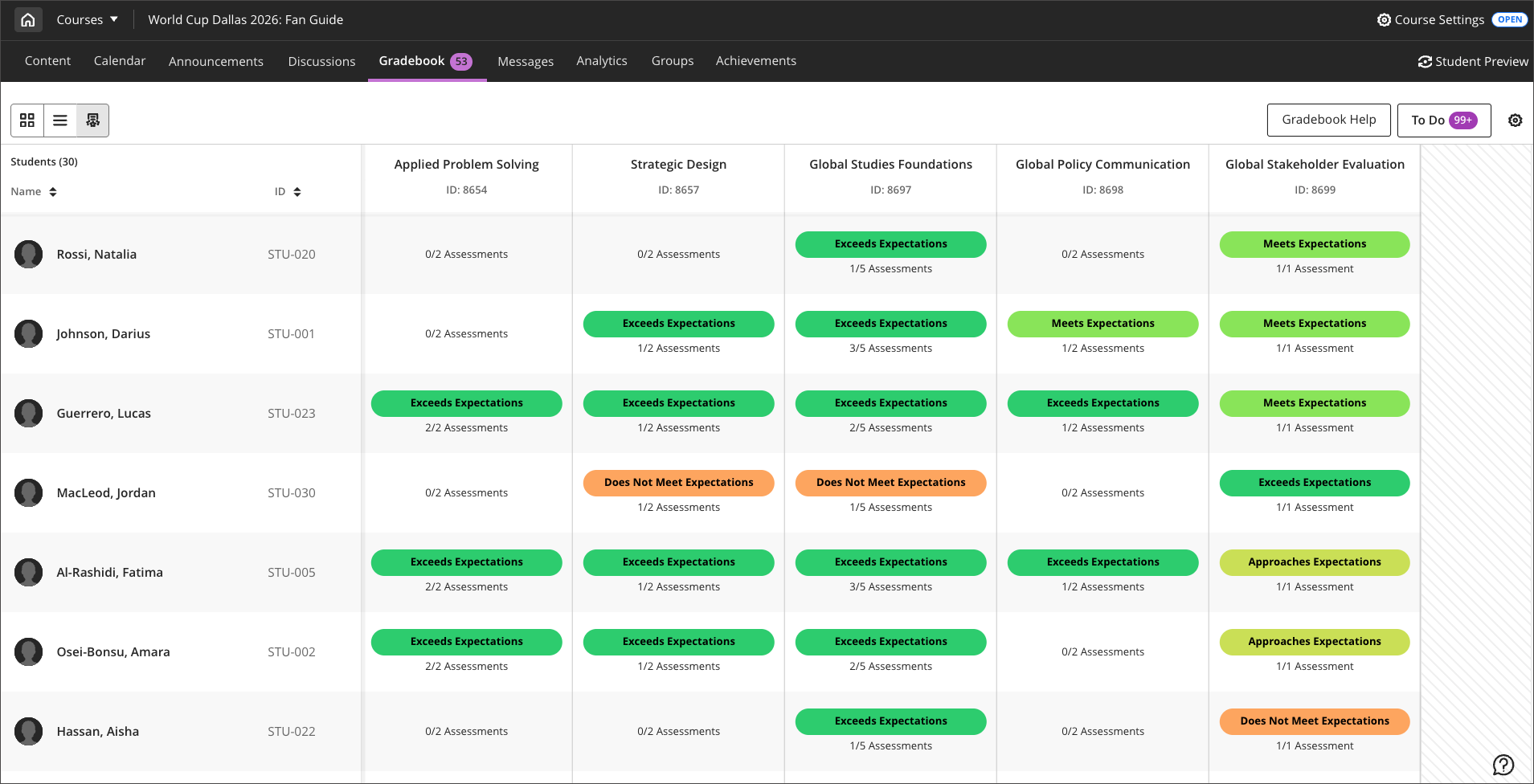
In the gradebook, select the Mastery icon to open the overall mastery view. This view shows student mastery levels across outcomes, assignments, and competencies aligned to the course. The view displays achievement levels for each student across assessments, making it easier to monitor progress, identify learning gaps, and support student success as part of everyday teaching practices.
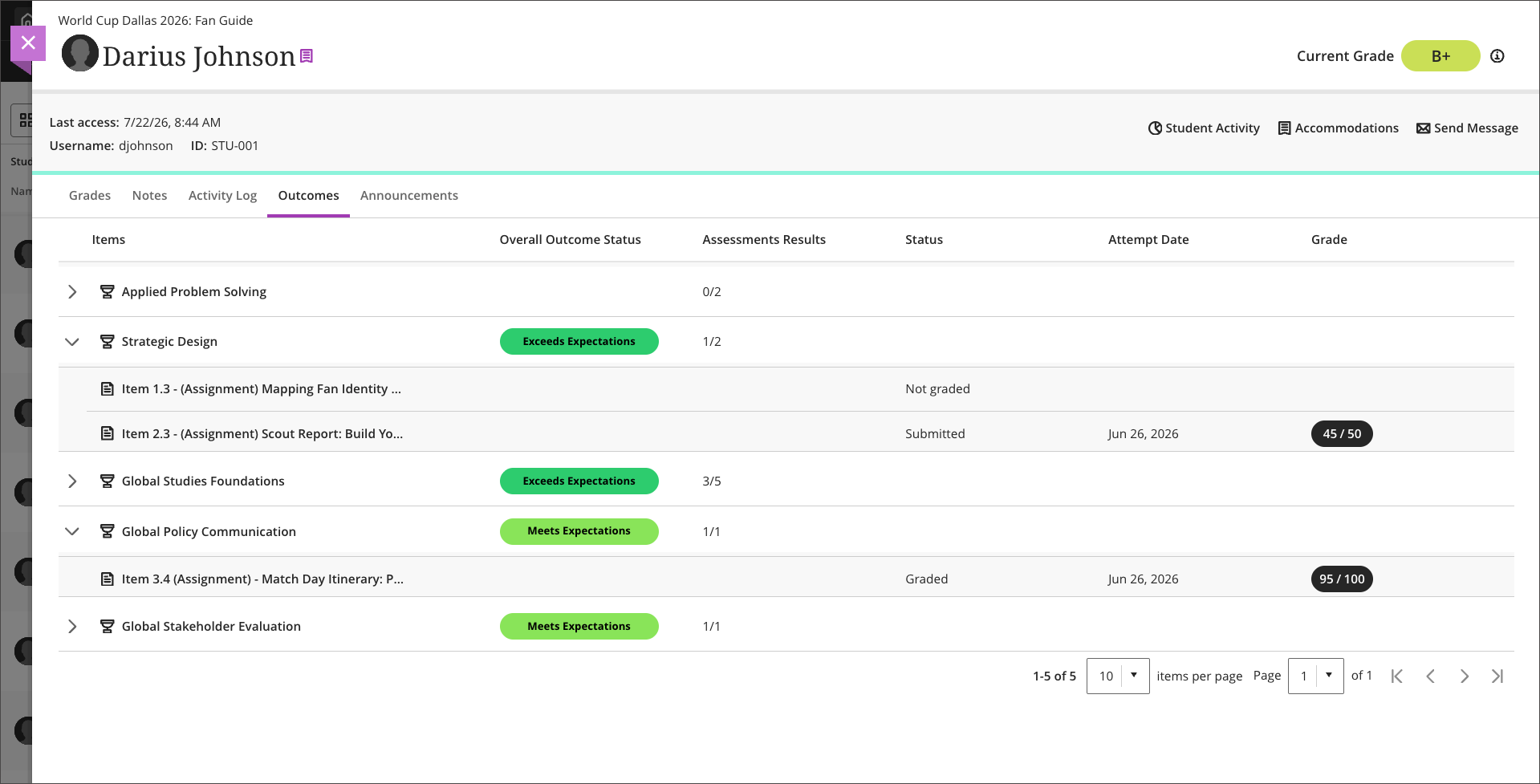
Select a student's name then navigate to the Outcomes tab to view that student's mastery of outcomes, skills or competencies with achievement of aligned assessments.
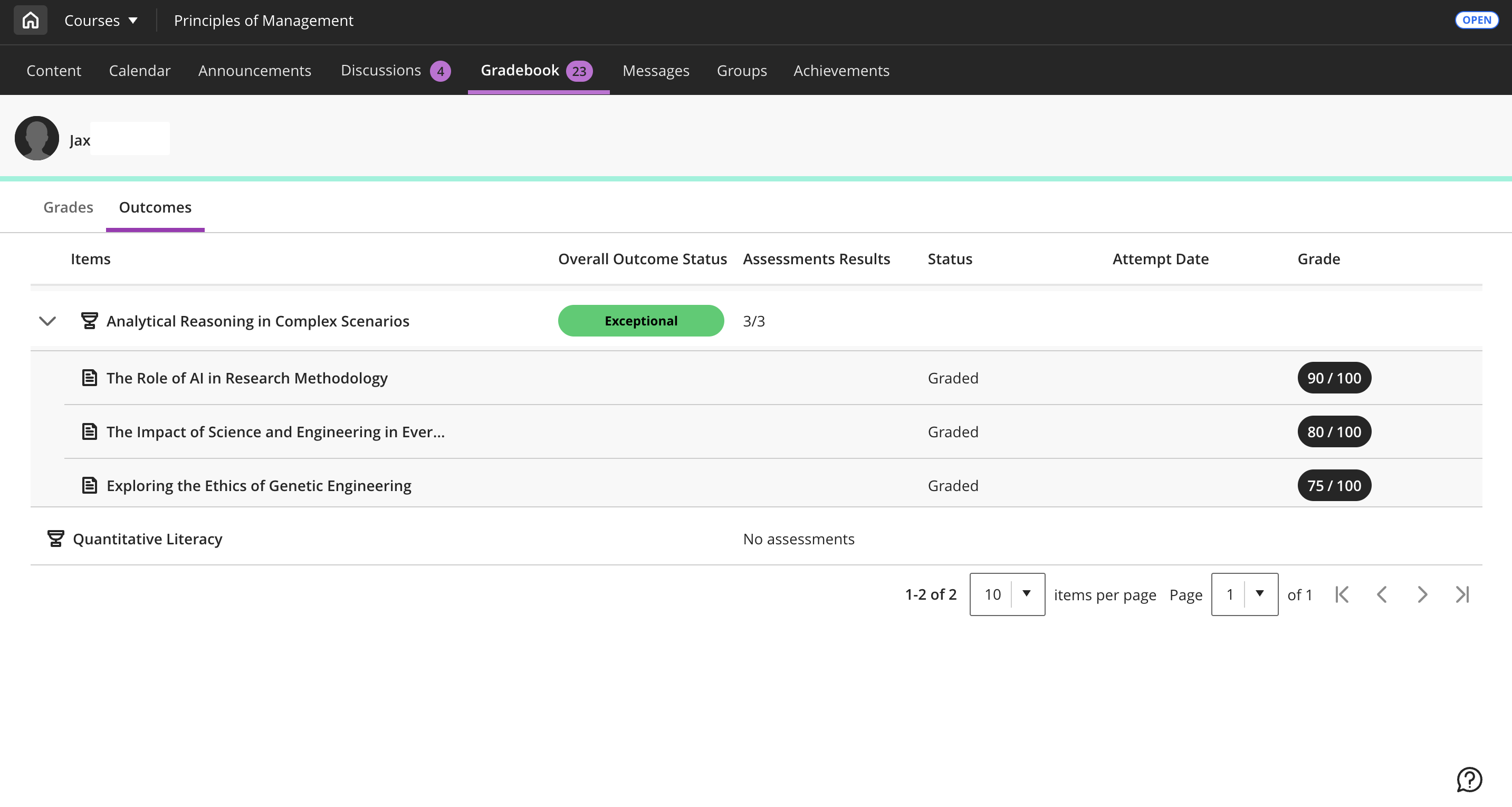
学生对 Blackboard Outcomes 的视角
如果机构和课程启用了 Blackboard 成果,学生可以在成绩簿的 outcomes 选项卡中查看 outcomes。
After Blackboard Outcomes is configured for the institution, instructors can select to show or hide the Outcomes tab for students. The Mastery outcomes tab for students setting is located in Mastery Gradebook - Visibility Settings.
Configure Blackboard Outcomes
Outcomes and Goals cannot both be enabled concurrently. Before enabling Outcomes, ensure that the configuration for Goal are turned off. You can manage Goal configurations in the Goal section of Administrator Tools > Tools and Utilities > Tools.
To enable Outcomes, navigate to Administrator Tools > Courses > Course Settings > Course Tools. In the Tools section, toggle on Outcomes for Instructors.
Additionally, Blackboard Outcomes must be provisioned for the institution. Contact your account team for further support.