学习对象存储库
Note
本文档采用 AI 辅助机器翻译。译文仅供参考,不保证准确性;此内容的英文版为官方权威版本。
存储在学习对象仓库 (LOR) 中的对象更新会自动同步到所有使用该对象的课程和组织。这样,使用该对象的每个开放课程版本都将是相同的。
同步
对学习对象资源库中的对象所做的更改会自动应用到课程和组织中的所有关联对象。
将为学习对象存储库中的对象同步以下设置:
称谓
正文
描述
课堂对话
目的和标准
学生可见
对学生隐藏
学习模块缩略图
为学习模块缩略图设置替代文本或标记为装饰性图像
学习模块是否为强制学习顺序
学习模块或文件夹的内容
这些设置已锁定,教师无法覆盖。
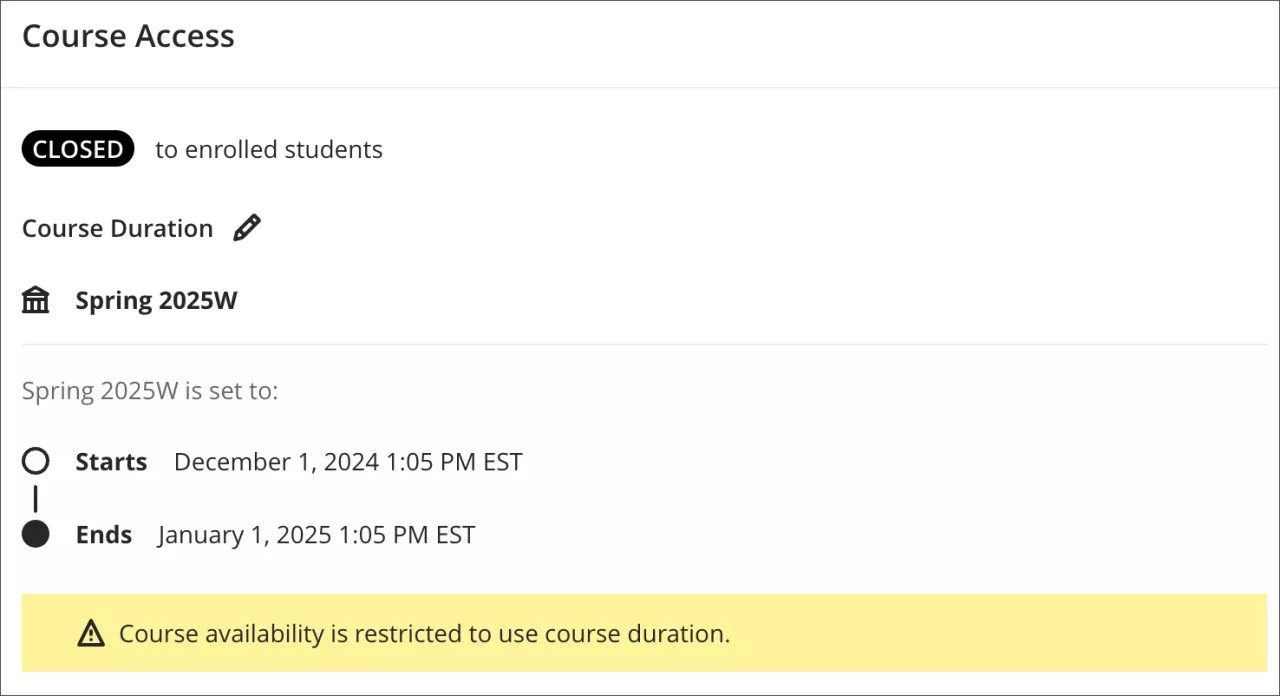
当课程结束或标记为已完成时,对对象的更改不会应用。我们通过查看课程结束日期或学期结束日期(如果是学期的一部分)来判断课程是否已结束。
同步时间表
同步更改不会立即生效。LOR 会等待对对象的编辑完成后才开始同步过程。一旦启动,更新就会作为队列任务发送出去,并应用到相关对象中。目前系统一次处理一个同步请求,因此大量同步(如 1,000 个对象)需要时间。
防止学生的同步更改被标记为不完整
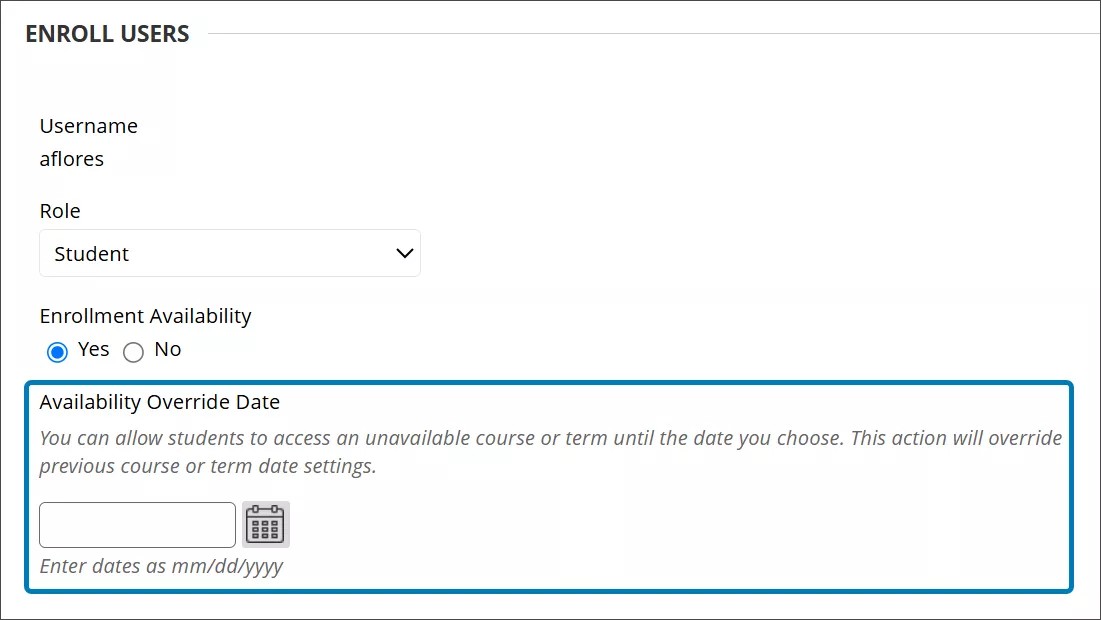
对于被标记为未完成且需要重新获得课程访问权限的学生,我们建议延长学生的注册日期,而非课程注册日期。延长学生的注册日期可防止在学习对象更新时对课程对象进行更改。
延长学生注册日期的选项位于管理员面板中。
转到课程。
选择课程,然后从菜单中选择注册。
转到编辑学生注册。
在可用性覆盖日期字段中输入新的注册日期。