Encompass Release Notes 6 October 2025
U.S. = 6 October, Monday Evening | Canada = 6 October, Monday Evening| Australia = 7 October, Tuesday Morning
Enhancements
Mobile emails preview option for Email Marketing
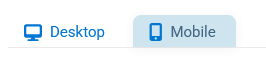
Admins can now toggle between desktop and mobile views when previewing email marketing messages. Previously, previews were only available in a desktop format, which made it difficult to confirm how emails would render on smaller screens. With this update, admins can easily check the mobile layout before sending, giving them more confidence in their design and helping ensure a better experience for recipients on mobile devices.
Accessibility Updates
We made accessibility updates across multiple modules for end user to ensure a more inclusive and compliant user experience.
Semantic list markup and input grouping
Improved semantic list markup and grouping of form inputs so that screen readers properly convey structure and relationships.
Focus indicators and link distinction
Ensured focus indicators are visible on all interactive elements and that links are visually distinct from surrounding text.
Minimum text contrast for readability
Updated text and background combinations to meet WCAG contrast requirements, improving legibility for low-vision users.
Clearer link text and control labels
Clarified link text and button labels to provide more accurate descriptions for assistive technologies.
Correct labeling for the radio group field type and search inputs
Corrected labeling for radio buttons and search fields so grouped options are announced accurately by screen readers.
Accessible form controls and landmarks
Enhanced accessibility of form controls and information regions to provide clearer navigation and consistent structure.
DOM parsing errors and focus management
Resolved DOM parsing issues that previously caused inconsistent focus behavior, making navigation more predictable.
Semantic heading markup across forms
Corrected heading markup so screen readers interpret page structure properly and allow faster navigation.
Missing semantic elements added
Provided missing semantic elements to give clearer context and improve the reading experience for assistive technologies.
Informational images and keyboard consistency
Ensured decorative images do not interfere with screen readers and improved overall keyboard navigation.
Consistent headings and ARIA roles
Resolved issues with DOM errors, heading hierarchy, and ARIA role consistency to strengthen screen reader support.
Clearer billing step in review forms
Improved review forms so the “Billing Information” step now displays headings correctly for better clarity and accessibility.
More accurate membership form inputs
Refined membership form inputs to ensure personal information fields are consistently validated and labeled.
Resolutions
Functional Area | Reference | Description |
|---|---|---|
Directories | 2594532 | Fixes an issue where directory configuration menus were not accessible and advanced search links were broken. Previously, clicking the advanced search link appended an incorrect URL fragment, preventing users from accessing the advanced display. Now, advanced search links now load correctly. |
Email Marketing | 2617889 | Fixes an issue where the reporting homepage for segmented emails was not displaying the email name, which made tracking results confusing. Email names now display consistently. |