Text Editor Menu

Paragraph format |  |
Bold |  |
Italics |  |
Underline |  |
Strike through |  |
Subscript |  |
Superscript |  |
Left align, Center align, Right align, Justify |  |
Numbered list, bulleted list |  |
Insert special character |  |
Link *Read about the Advanced tab below |  |
Unlink |  |
Remove format |  |
Font color |  |
Background color |  |
Font size |  |
Token Manager |  |
Document Manager |  |
Still in development |  |
Link -Advanced tab definitions:
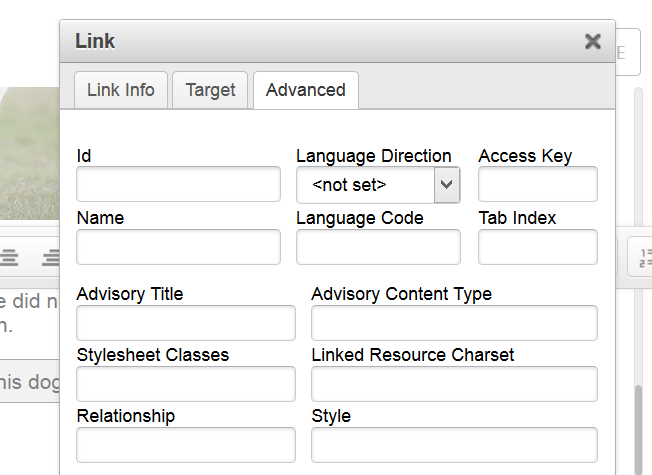 |
Access key is an attribute that sets a shortcut key for an element. For example, if a user were using Internet Explorer and were to hit [Alt] + C then this link would be "clicked". <a href="#" accesskey="c">Access Key</a>
Language Code refers to what language the content is written using. W3schools.com offers a complete list of what values can be applied here.
Tab Index is used to set the order in which an element is selected when a user uses the "tab" key for navigating the message.
Advisory Title is a title for the element. W3schools.com offers a list of what values can be applied.
Advisory Content Type sets the content type of the element. For example, a button may have a type of "submit" or "reset". W3schools.com offers a list of what values can be applied.
Stylesheet Classes is used enter a CSS class for the element.
Linked Resource Charset specifies the character encoding for an element (likely won't be used).
Relationship specifies the relationship between the current element and the document. For example, you can tell Google and other search engines not to index a specific link by setting a rel="nofollow" attribute. W3schools.com offers useful information about this element.
Style is used to add inline CSS styles to an element.