Profile Form Exit Options - Account Activation Form
The options available under Manage Forms > Form Exit for the First Time Login / Account Activation profile form are the following:
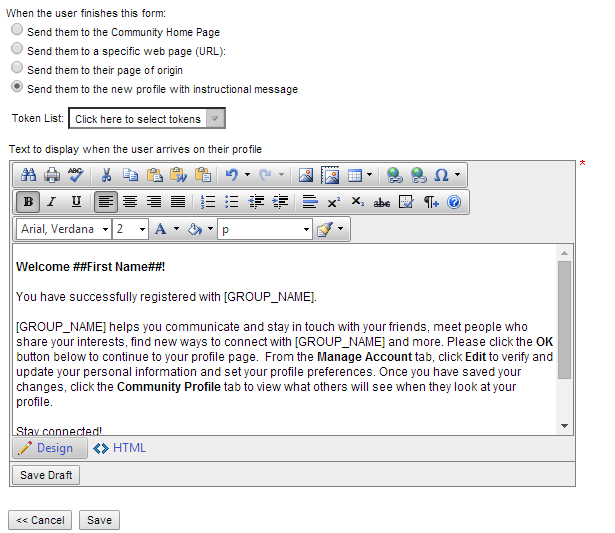
When the user finishes this form:
Send them to the Community Home Page -Directs them to your site's home page
Send them to a specific web page (URL): - Enter the URL for the page you want the constituent directed to
Send them to their page of origin - User will be returned to the page they started on
Send them to the new profile with an instructional message
Displays a text editor. You can edit the default verbiage as needed. This verbiage will display in an overlay message when the member lands on their profile page.