Encompass Release Notes 18 August 2025
Please note the product releases for the environments are scheduled as follows:
U.S. = 18 August, Monday Evening | Canada = 18 August, Monday Evening| Australia = 19 August, Tuesday Morning
Enhancements
Manage Email Lists and Segments efficiently
Admins using the Email Marketing tool can now sort their email lists and segments by Name, Type, Creator, Date Created, and Audience Size. This new sorting functionality, which includes a new "Date Created" column, makes it faster and more intuitive to manage large amounts of data. Also you can now perform bulk deletions of email lists and segments directly within the UI, a feature that significantly improves the speed and convenience of maintaining a clean and organized data environment.

Add loading indicator and block duplicated GTE report requests
Prevents admins from unintentionally submitting multiple GTE report export requests by mistake. A visible loading indicator now appears when a report is being processed, and the export button is temporarily disabled during this time. This reduces accidental duplication and helps improve system performance.
New form type for ambassador challenge requests
We introduced a new “Ambassador Request Form” type that allows submissions to be flagged with an ambassador status automatically. This supports the streamlined challenge approval flow and simplifies volunteer setup
Ambassador challenge approval flow
A new auto-approval setting helps prevent unreviewed ambassadors from being assigned, ensuring that only vetted ambassadors are published.
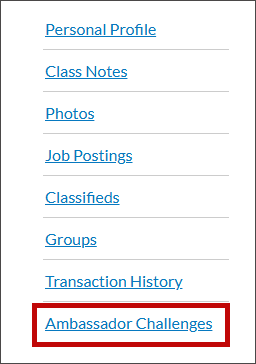
Access ambassador challenge pages from user profile view
There is now a direct link to ambassador challenge pages within the user profile view for users marked as ambassadors. This improves accessibility and reduces navigation time for volunteers managing or participating in challenges.
Accessibility Updates
We made accessibility updates across multiple modules to ensure a more inclusive and compliant user experience. Proper ARIA role and label attributes were added to common fields like Date of Birth in forms to improve assistive technology support. We also made improvements to radio button groupings and refinements to contrast.
Resolutions
Functional Area | Reference | Description |
|---|---|---|
Profile Management | 2611218 | We fixed an issue that prevented the profile field display settings page from loading. Admins can now access and configure display rules for user profiles without error. |
Email Templates | 2611270 | We resolved an issue where configured style settings (e.g., fonts, colors) in the template editor were not applying to the final output. Now, email design is rendering accurately. |
Event Registration | 2582399 | Previously, custom fields included in recon reports were not maintaining the correct order set by the admin. Field arrangement now exports correctly. |
Billing Page | 2490146 | We corrected an issue where the label “Or pay with card” was shown even when no secondary payment gateway was configured. This label is now hidden to prevent confusion. |
Forms | 2605032 | Previously, billing step content appeared on the wrong form step. The billing header now displays only at the appropriate point in the submission process. |