Schedule - General Campaign
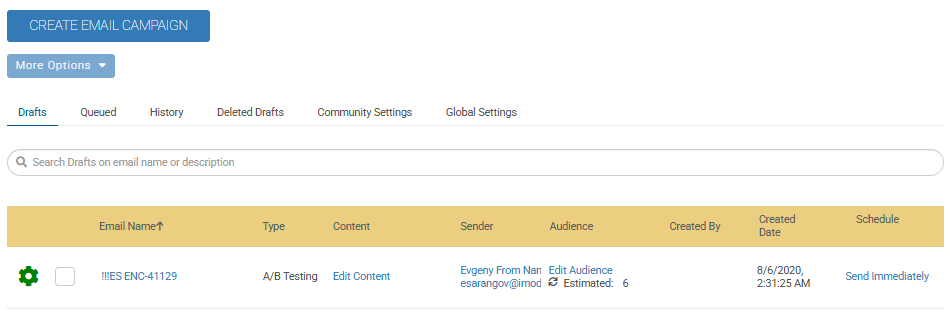
From the Email Home Drafts area, you will see an option to Schedule for General Campaigns.
The Schedule button enables you to define when an email communication should be sent as part of a release or notification process. It provides multiple scheduling options, allowing you to either send emails immediately, schedule them for future dates, or configure recurring email deliveries.
 |
Actions on this Page
You can use the following sections to manage audiences.
Prerequisites
To know more about roles and permissions, navigate to Email Marketing Admin Rights
Access Method
From the Email Home Drafts area, navigate to Schedule.
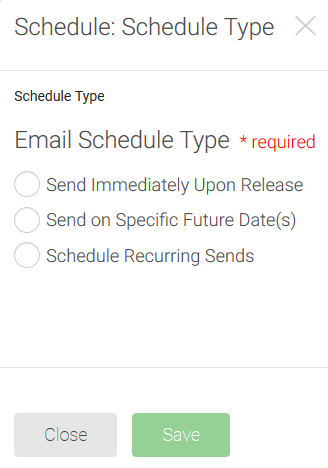
Send Immediately Upon Release
Select Schedule to open the Schedule Type display on the screen.
Select the Send Immediately Upon Release radio button.
Click the Save button. You will be moved back to the Email Home Drafts area. The General Campaign Draft will display Send Immediately.
Send on Specific Future Date(s)
Select Schedule to open the Schedule Type display on the screen.
Select the Send on Specific Future Date(s) radio button.
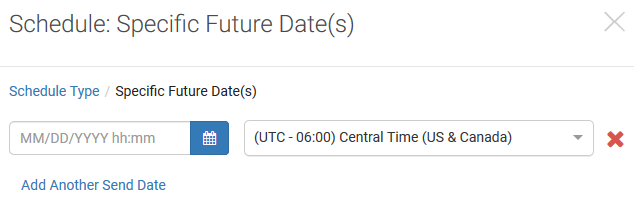
Select the Next button. You will be presented with an option to pick your date and time as well as set the time zone.
Note
The time will default to 12:00 AM; however, you can change the time.
The time zone will default to what your computer is set to.
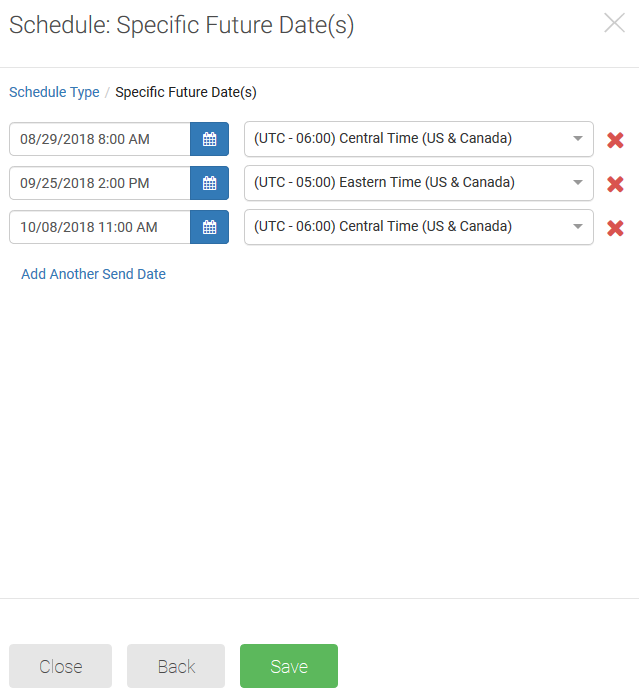
If you need to select an additional send date, select Add Another Send Date. Another box will display so you can set the date, time, and time zone.
Once all of the dates are assigned, select the Save button. You will be moved back to the Email Home Drafts area. The General Campaign Draft will display the first send date and indicate how many additional dates are selected.
Note
Once scheduled, all emails will default to display in your computer's time zone.
Schedule Recurring Sends
Select Schedule to open the Schedule Type display on the screen.
Select the Schedule Recurring Sends radio button.
Click the Next button. You will need to set the Send Time and Time Zone (will default to what your computer is set to), Start Date, and Repeat Until date.
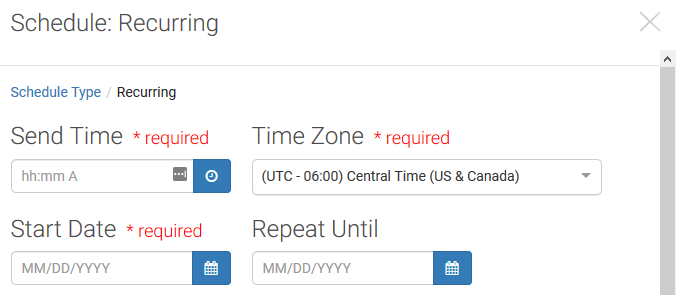
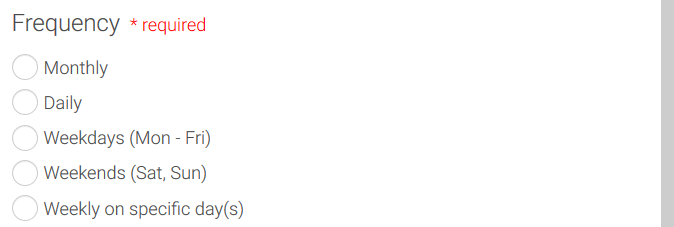
Select the Frequency option you want to use.
Note
Additional information may need to be provided based upon the frequency you select.
Click Save. You will be moved back to the Email Home Drafts area. The General Campaign Draft shows the recurring frequency you set up.