Single Email Detail View
Once you have selected a single instance of an email, you will see detailed information.
Metrics appear as they are received, in near-real time without refreshing the page.
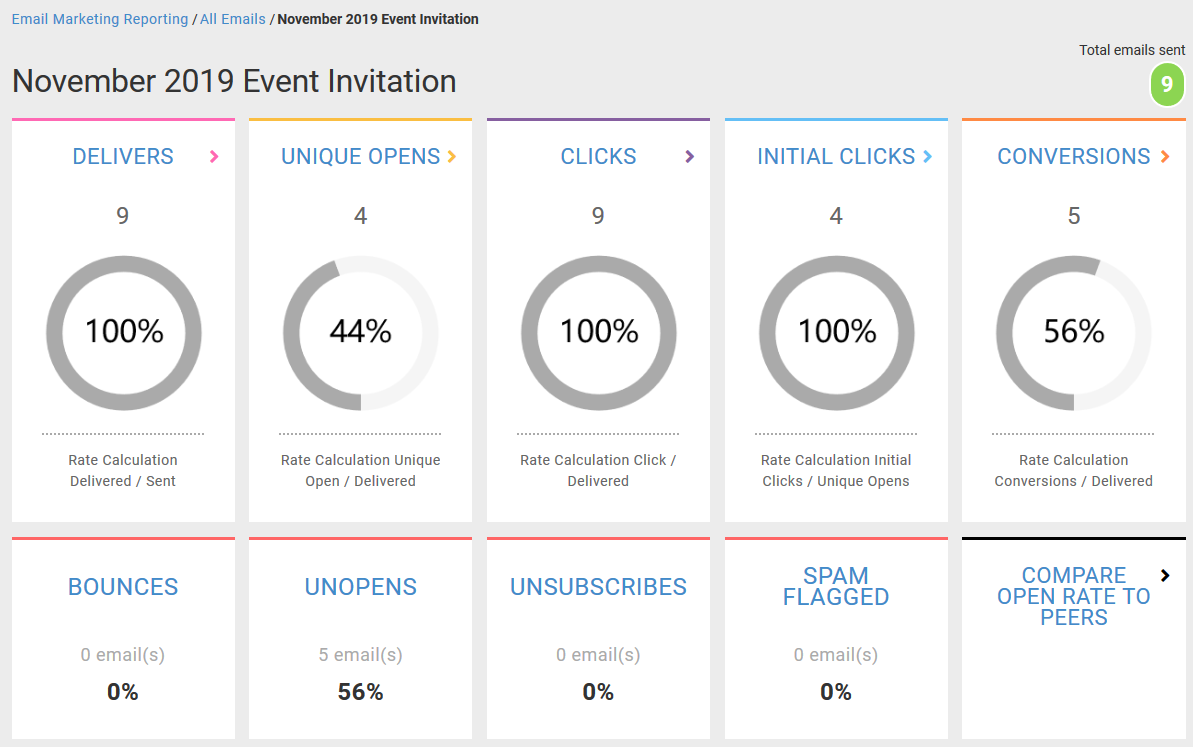
Displays two rows of key metric call-outs which highlight various counts and percentages for an email.
Compare Open Rate to Peers links to the Engagement Activity Graph.
The formula for each donut chart rate is listed below the percent.
The key metric call-outs are clickable and resolve to drill-down reports. IMPORTANT: Drill down reports are only available for for messages after 1/1/2018.
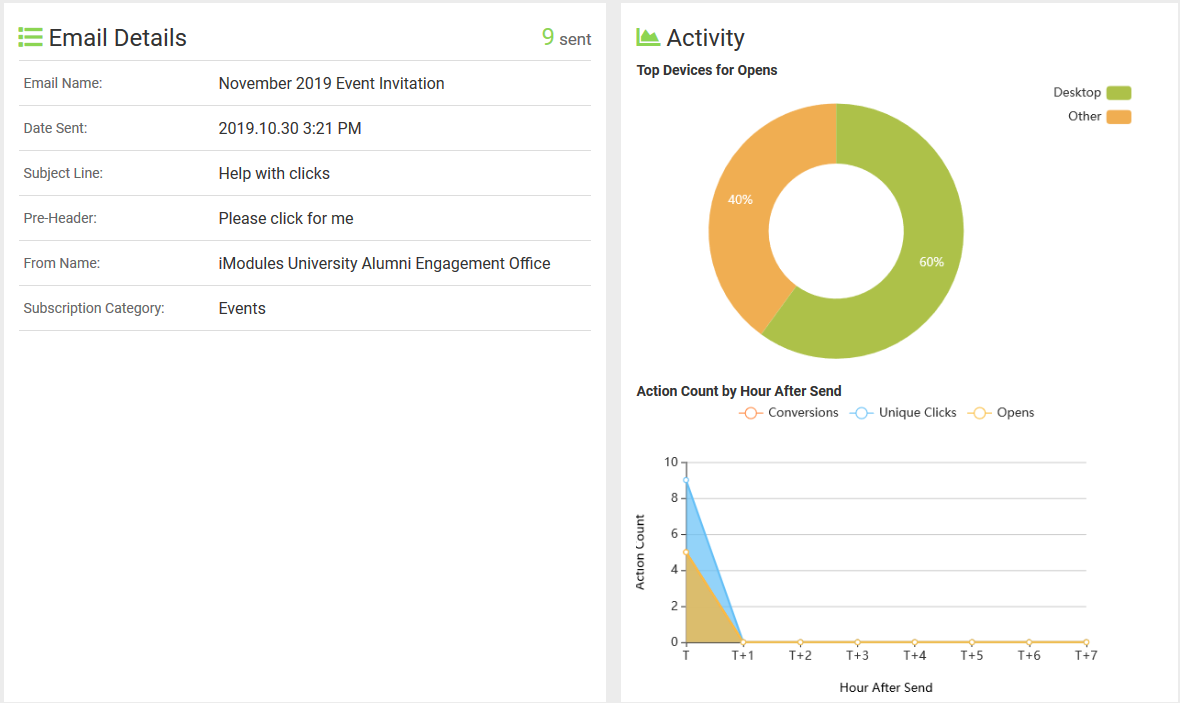
Displays email details such as Email Name, Date Sent, and Email Category to provide context.
The Activity quadrant
Highlights response metrics each hour after sending
Will show a graph of Opens By Device
Drill down reports will provide information on which Lists/Segments were used to build the Audience.
If the List/Segment has been deleted, a message will display indicating that the information can't be shown.