Encompass Release Notes: January 8th, 2024
Please note the product releases for the environments are scheduled as follows:U.S. = 8th January, Monday Evening | Canada = 8th January, Monday Evening
| * Australia = Released on 7th November, 2023
Enhancement
Email Marketing
Active/Inactive Senders
This feature enables users to manage senders effectively:
On the Senders Screen, the users can now inactivate senders through the Gear menu.
A tab bar featuring Active and Inactive tabs is added: The Active tab will contain presently active senders, while the Inactive tab contain currently inactive senders. If there are no inactive senders, a message will indicate that there are no inactive senders.
When a sender is inactivated the Gear menu provides the Activate option for the reactivation of the sender.
Inactive senders are no longer visible in sender lists or during email configuration searches. If associated with drafts or queued items, a pop-up informs about their usage and suggests updating campaigns before inactivation.
Note: Inactivation is exclusively available for Senders linked to Email Campaigns in the History tab.
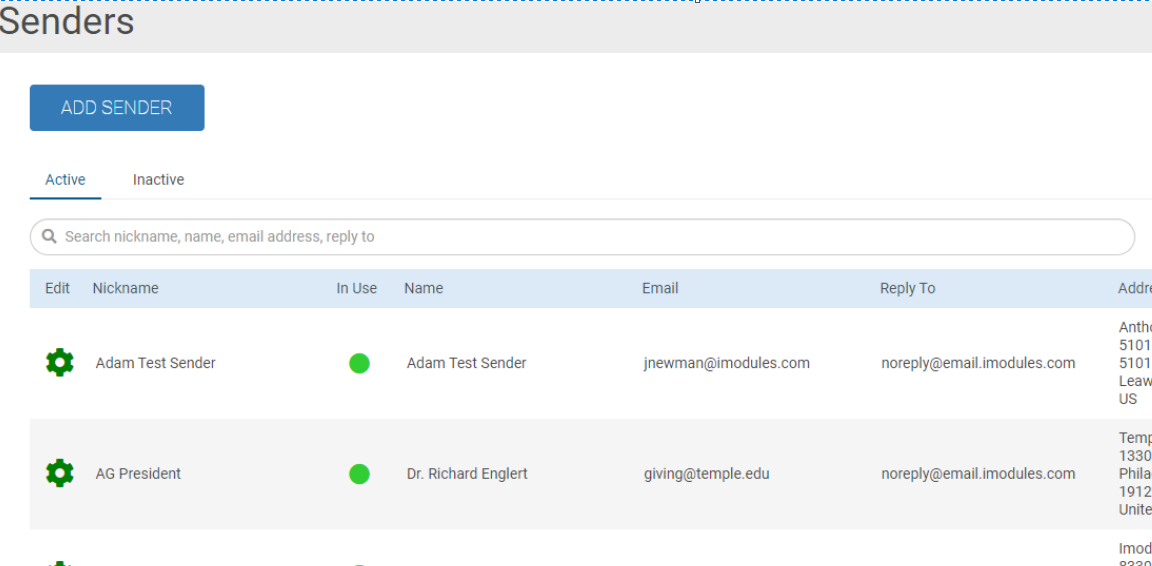
Note: Except for the 'In Use' column in the Active tab, the columns are the same in both the Active and Inactive tabs.
Giving
Added a New Admin Control Functionality
The Hide Challenge option is added to the challenges dropdown menu. This option is visible only to admins and gives them control over the user visibility of challenges.
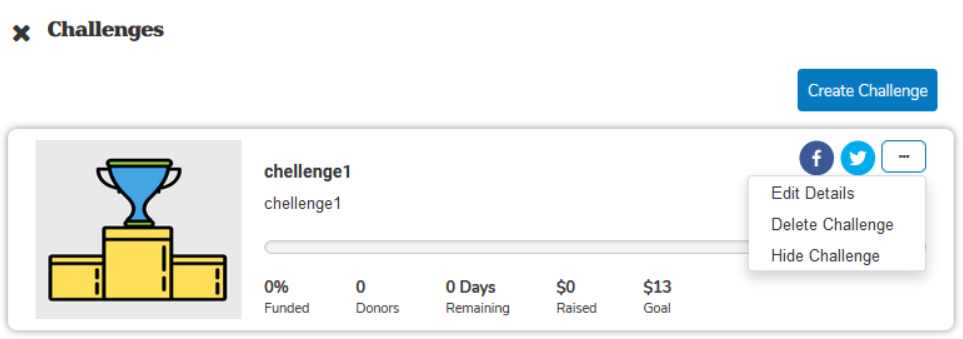 |
When the admins select the Hide Challenge option, the option changes to Publish Challenge.
Note: When the dropdown is opened, the Hide Challenge option is initially visible: The Publish Challenge option is selected by default.
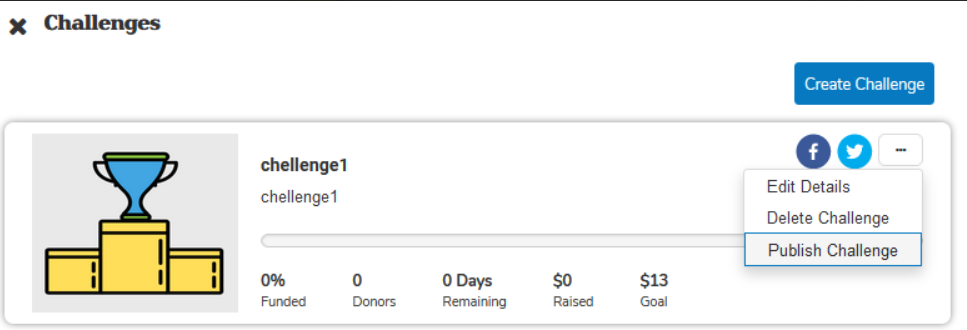 |
Events Reporting Option to Include Non-commerce Submission Details
Added an events reporting option that compiles event data from all types of events (site or community) and combines details from both commerce and non-commerce submissions into a single comprehensive report.
Users can now include non-commerce event report submissions by selecting the Include non-commerce event report submissions option in the Configure Data tab.
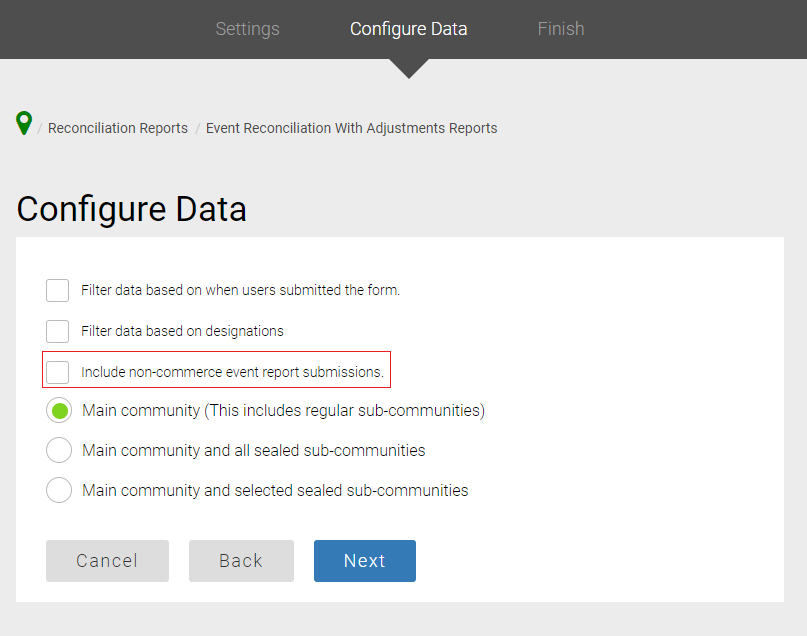 |
Following are the standard non-commerce fields that are included in the report
Community Name
Community Id
Form Id
Form Name
member_id
first_name
last_name
Registered By
Foundation
System Updates According to Web Content Accessibility Guidelines (WCAG)
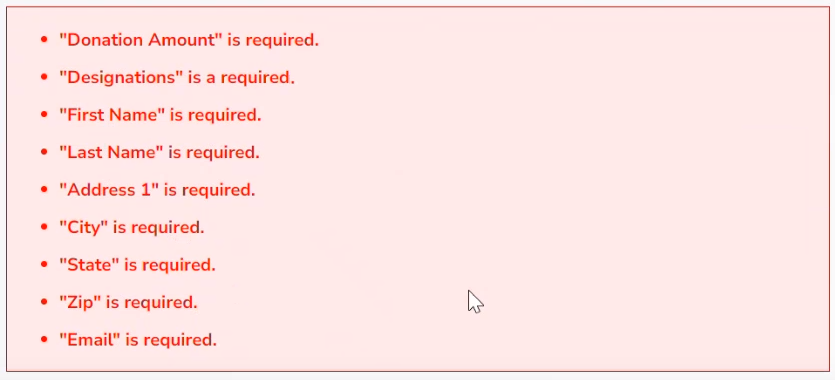
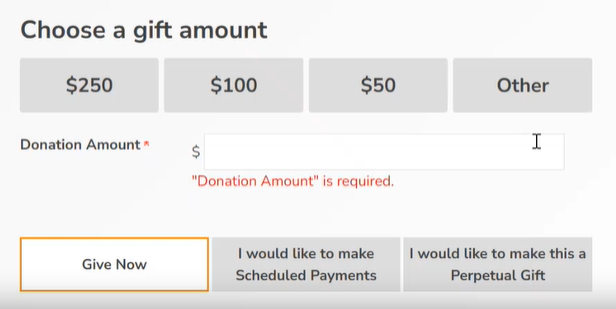
Gift Information Form - Alerts For Required Fields
When required fields are left blank on the Gift Information form and the user proceeds to the next page, the system has been updated to ensure that NVDA (Non-Visual Desktop Access) reads all alerts.
 |
 |
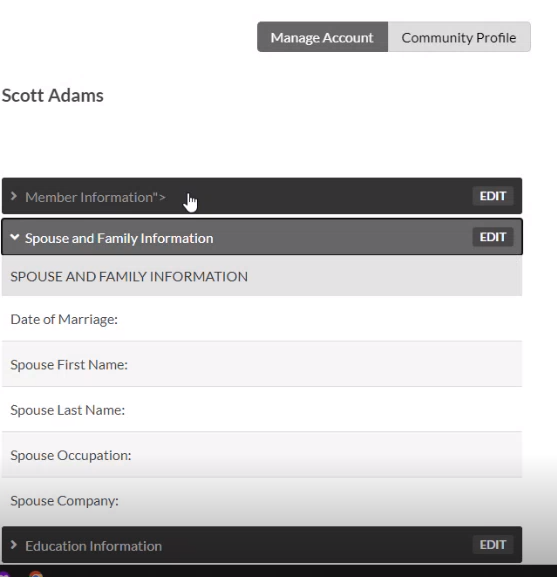
Community Profile Page Keyboard Navigation and Interactive Elements Focus
The community profile page has been enhanced to improve keyboard navigation:
Users can now easily navigate through each accordion using the TAB key.
By pressing the SPACE/ENTER button on the keyboard, users can expand the current accordion they are in.
Also, this update ensures that only interactive elements are included in the focus to improve accessibility.
 |
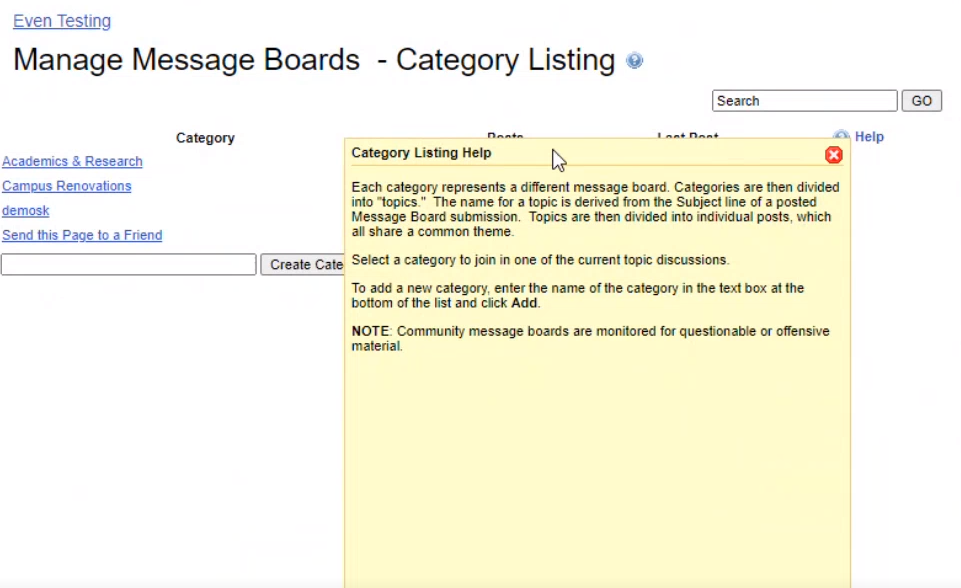
Manage Message Board - Category Listing
On the Category Listing page, the Help link has been converted to a button. When the Help dialogue opens, the page in the background becomes inaccessible until the Help dialogue box is closed. This change is intended to focus user attention on the Help dialogue and prevent interaction with the background page while it is open.
 |
Profile Navigation
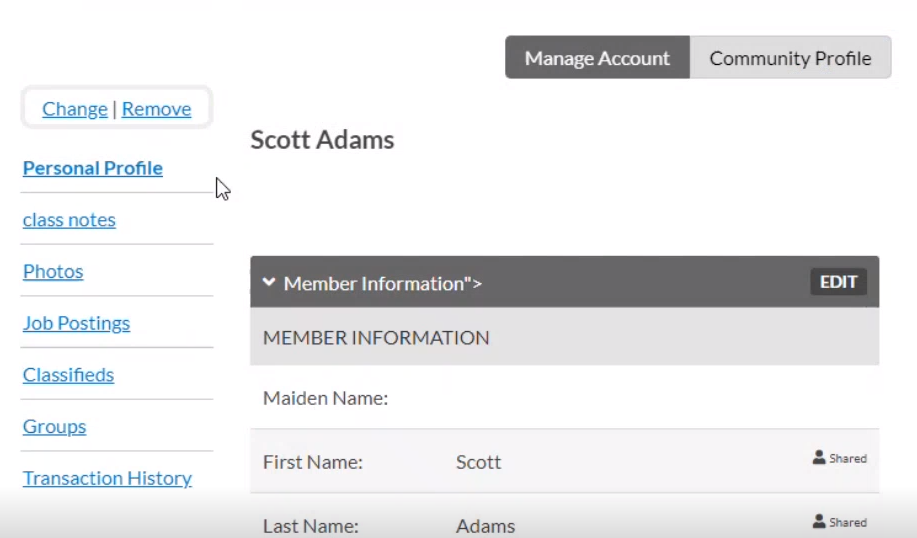
The side menu and top-right menu (containing the Manage Account and Community Profile tabs) have been updated to function as a tab list. By indicating the element that serves as a container for a set of tabs, users can more easily understand the page's structure. This helps in organizing and navigating content efficiently.
Added a label that describes the purpose of the set of tabs enhancing clarity for users.
Highlighted the tab currently in use, making it easier for users to know which part of the content they are using. This is important for helping users navigate and understand the information.
 |
Resolution
Functional Area | Reference | Description |
Giving | 234261 | The Campaign Perpetual Indicator (CPI) omitted gifts received through perpetual transactions when the initial perpetual transaction schedule was not set. Now, the CPI includes payments from perpetual transactions, in the overall goal, regardless of the initial payment schedule date. |
Giving | 208276 | On the donation form, when hidden values were applied in a step, the values became unavailable when proceeded and returned to the step or resubmitted the step. Updated the system to ensure that the hidden values remain on the record and are not removed when navigating back to the step where the values are applied. |
Giving | 230749 230608 | The font size in the admin navigation was very small on some pages. Now, the font sizes are legible and consistent on all pages. |
Giving | N/A | When a user clicked the browser's back button after logging out, the page navigated to the previous page instead of the login page. |
Giving | 238579 | The new admin access report's Date Added and Last Logged In columns showed incorrect data. Both columns now display data correctly: Date Added shows when admin rights were added, and last Logged In displays the most recent login timestamp to the community. |
Foundation | 172452 | Found scenarios in which imports into a scoreboard module were displayed in other scoreboard modules that shared identical control IDs. Now, import details are only being reflected in the module where the data is imported. |
Email Marketing | 245155 | When using the upgraded editor, the campaign copying functionality was not working correctly when the copied campaign's name was longer than 100 characters. Rectified the functionality and ensured that even when the campaign's name is longer than 100 characters the name will be automatically truncated as has always been the case with the older editor. |
Email Marketing | 241515 242736 | Using the Manage Version button in the email editor did not effectively switch content between versions. When a version was selected using the Manage Version button, the displayed version was different from the one selected. |