Dynamic Content Style Manager
The Dynamic Content Style Manager makes it easy to create a consistent look and feel for the content that is being pulled from outside email marketing. A unique styling tool is needed because emails can't use the same style sheet that controls how the content looks on its source website.
Note
Only Super Admins will have access by default. Anyone else who needs access must be placed into the Email Template and Style Manager administrative right.
Basics
All sites start out with a blank state, with no default styles created.
Styles can be added, edited and duplicated.
Every style added must be assigned to a layout.
Styles with the same layout cannot have the same name.
The red Undo Changes button resets the style to the most recently saved version.
If you want to apply a border, be sure to set a pixel width and a color. By default the borders are set to 0 px.
Button style settings sprinkled throughout the style manager interface allow you to control:
border color
border width
background color
text font
text color
text size
padding will make the button small, medium or large
Increasing corner radius will round a buttons corners.
How do styles and layouts fit together?
If a style setting is not used by a layout, the setting will not change how the dynamic content item looks
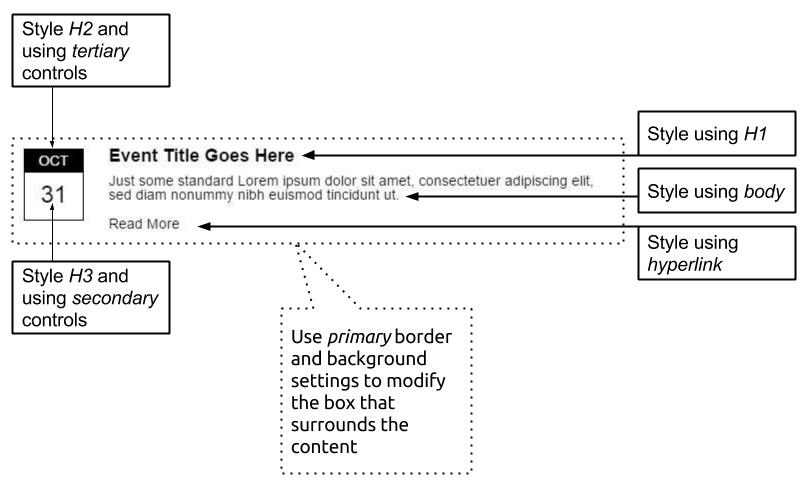
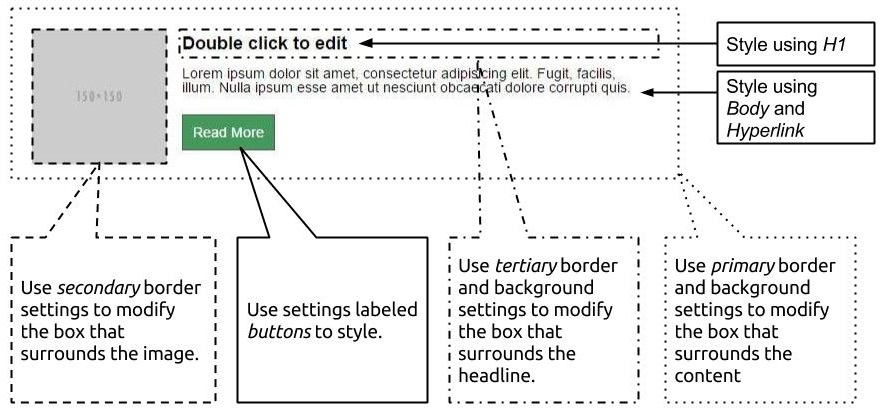
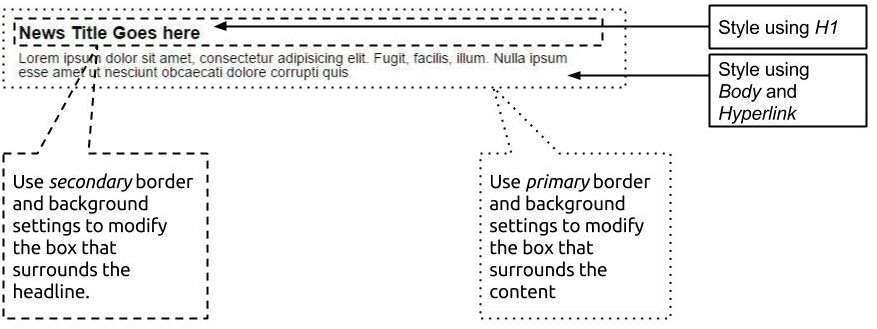
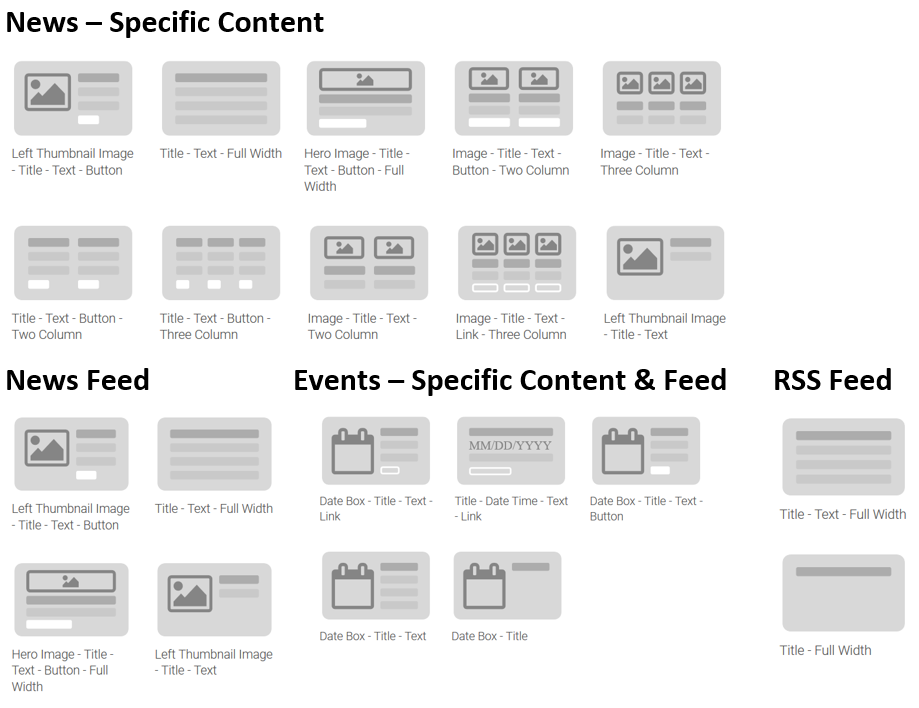
Layouts and the Dynamic Content Types They Work With
Email Marketing: Dynamic Content Layouts
Looking for some Dynamic Content Styles to use as a starting point for your website? Visit our Style Guide page for step-by-step instructions!