Full-Site SSL Implementation
Implementation Overview
For most clients, the process for implementing full-site SSL for your institution is as simple as contacting Encompass Support.
To determine how many SSL certifications you need, please do the following:
Log into the backend of your Encompass site
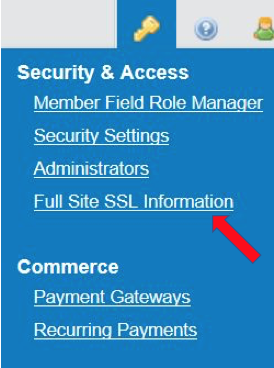
From the Gold Key menu in the upper right-hand corner, select the link titled Full-Site SSL Information
Review the table and instructions contained on the Full-Site SSL Information page
Based on the table report, determine the number of SSL certificates required to support your site
Contact Support and let them know the total number of SSL certificates required for your site