Release Notes - September 11 & 12, 2017
Please note that product releases are scheduled as followed by environment: Canadian = Monday evening | Australian = Tuesday morning | U.S. = Tuesday evening
Product Functionality
Donations: Giving Transaction Export *BETA-testing
This export is for clients who would like to have both the gift and designation details of a transaction consolidated into one export. This export type will be available across all GIDs and is designed to only combine all giving form transaction data within a specific GID.
Where can I access additional information about this product and/or submit feedback?An additional page listing known issues and product functionality can be found here on our FAQ. If you would like to provide feedback on this product you may access the form here.
Where can I access this new export?
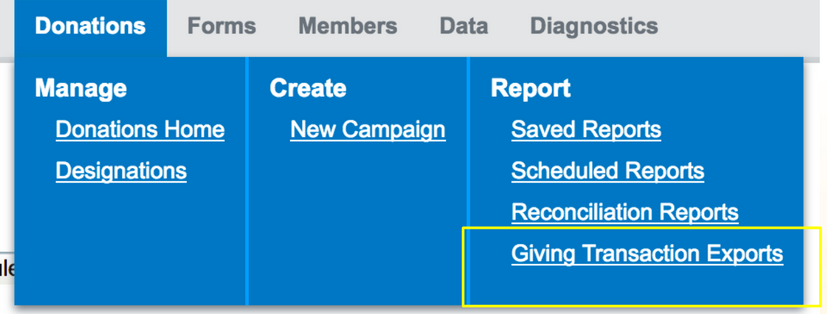
A new menu item will display under the admin option of Donations --> Report. You can also access a new tab under Reconciliation Reports from the admin tab interface.
 |
How will this export work?
A new recon exporting option will be present below the current reconciliation tab that will launch a new table and option for the setup wizard. The wizard will allow for additional configurations including: date filtering, scheduling, notification emails and SFTP file retrieval if this option is enabled on your site.
Will this export allow custom fields to be added?
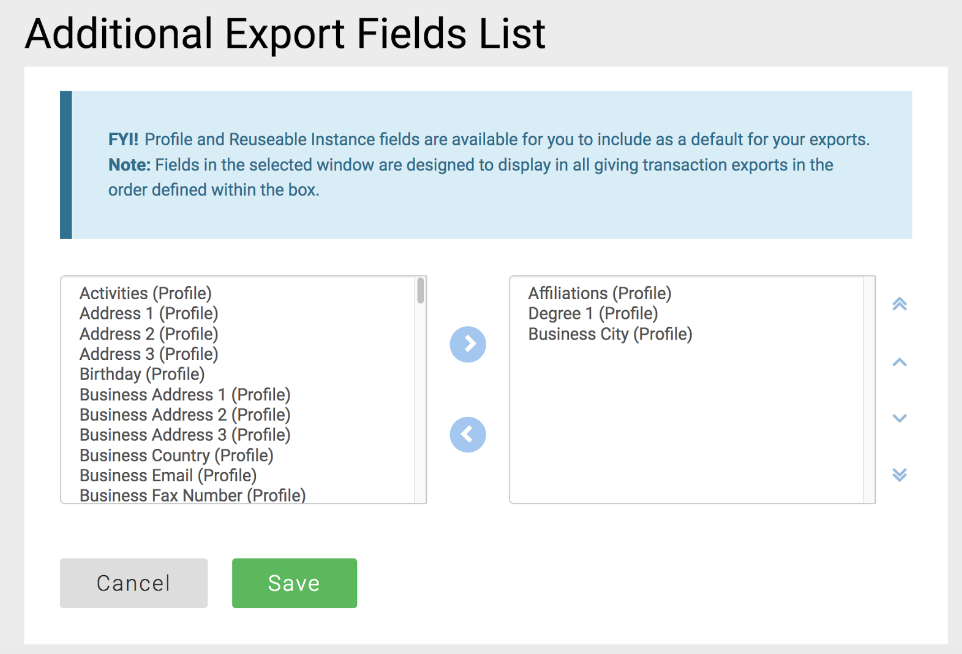
Additional Export Field list option will allow admins to add both Profile and Re-usable Instance fields to their export. Once the configuration of fields has been selected, this will establish a standard for all giving transaction exports to include these fields. This can be a unique configuration per GID, not per export within the same GID.
 |
Will Adjustments and Offline Transactions display in this export?
This export will pull in giving transactions across multiple campaigns for the date range defined. By design it will not include offline transactions for reconciliation purposes and because adjustments for giving are extremely rare and commonly keyed into a client's offline database when they occur, adjustments will not display in the file.
Will fields marked as "Allow export of this field: = false" be exportable in this export?
Fields marked at GID=1 to not allow exporting will not be accessible in this recon regardless of admin type.
Why does the donation amount repeat on the designation rows for that transaction?
The donation amount repeats on each respective row to provide the total amount available for selected designations. If a client would like to sort on this field for a specific transaction ID, they will know the amount drafted today 'Order Total', amount available for allocation for all designations 'Donation Amount', and amount allocated to each designation 'Designation Allocation'.
 |
If recurring transaction, you would expect to see amount drafted today 'Order Total', total gift amount that is available for allocation for all designations 'Donation Amount', and current collected amount allocated to each designation 'Designation Allocation':
 |
What column layout can we expect for this export?
Commerce Identifiers (unique per client)
Community Name
Community ID
Campaign Name
Campaign ID
Constituent ID
Member ID
First Name
Last Name
Reuseable and additional Profile Fields (Defined by client - unique per GID)
Order Total
Transaction ID
Purchase Date
Authorization Code
Customer Trans Number
Retrieval Code
Appeal Code
Donation Amount
Designation Name
Designation ID
Designation Allocation
Designation Percent
Designation Instructions aka Filled In Value
Billing Name
Credit Card Type
Billing Email
Billing Phone
Billing Street 1
Billing Street 2
Billing City
Billing State
Billing Zip
Billing Country
Scheduled Payments Active
Payment Frequency
Total Scheduled Amount
Next Payment Date
Payments Remaining
Payment Type
Amount to Date
First Payment Date
Original Trans ID
Event Name
Event ID
Designation Identifiers (unique per client)
What are supported special characters for Designation and Commerce Identifiers names/column headers?
forward slash
back slash
underscore
pound
hyphen
space
period
alphanumeric
apostrophe
ampersand
open/close parenthesis
comma, colon, semi colon
question mark
Any characters used for naming purposes outside of this list runs the potential risk of creating errors in SQL to successfully export data.
Issue Resolution
Events
ENC-29064 - Resolved issue where cloned events did not have full attendee list functionality. The fix ensures the attendee list is reachable from both admin and attendee's list button on the event. Admin can also edit columns on attendee list.
Events with Donations
ENC-20601 - Resolved issue where admins who submitted event registrations with a donation and skipped billing were prompted with a message the gift was not successful.