Sending Proof of Completion
The Send Proof of Completion option allows Students to send an email receipt to the course instructor (Responsible Faculty) from their completed survey list. This is for anonymous surveys only. The manager needs to enables this feature, it is set per survey (as needed) or on the survey template (recommended).
Go to the Survey Administrations - Find the Survey - Click on the survey name
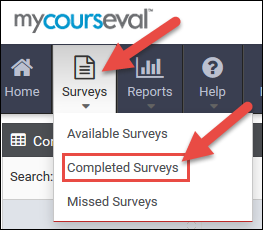
Once the students submit the survey they will need to go to the 'Surveys' menu and click 'Completed Surveys.'
The student needs to locate the course with the completed survey and click the 'Send Proof' link.
The students will then see this message.
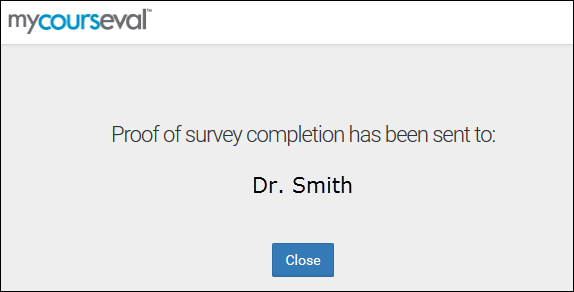
The students will not be able to click 'Send Proof' again once sent for the course.
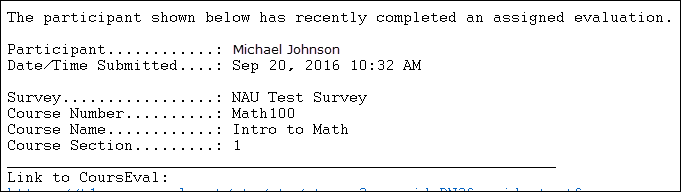
The course instructor would receive this email after the student clicks 'Send Proof'.