Adding Faculty Questions - Instructors
Log into Course Evaluations
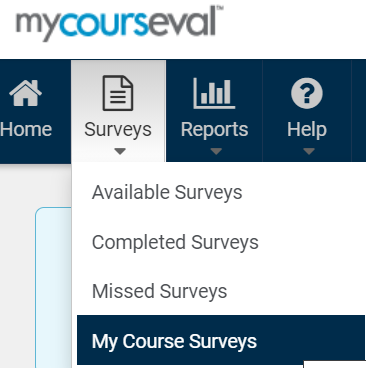
Click on the Surveys Icon in the menu bar
Select the My Course Surveys option
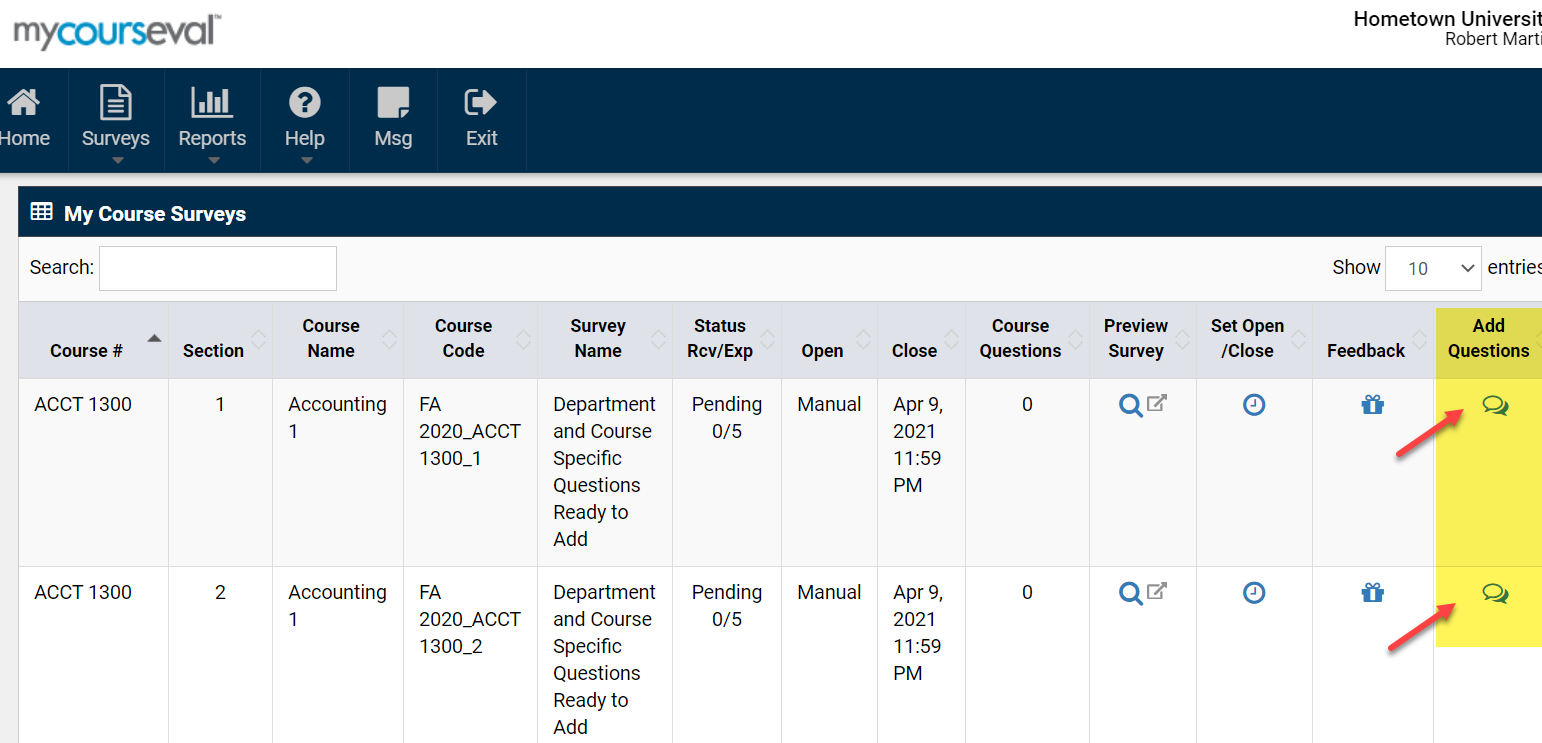
Click the Add Questions icon for a specific course
Note: If the school has not enabled this function the icon will not appear
Review the questions that are already selected in the list of Core Questions
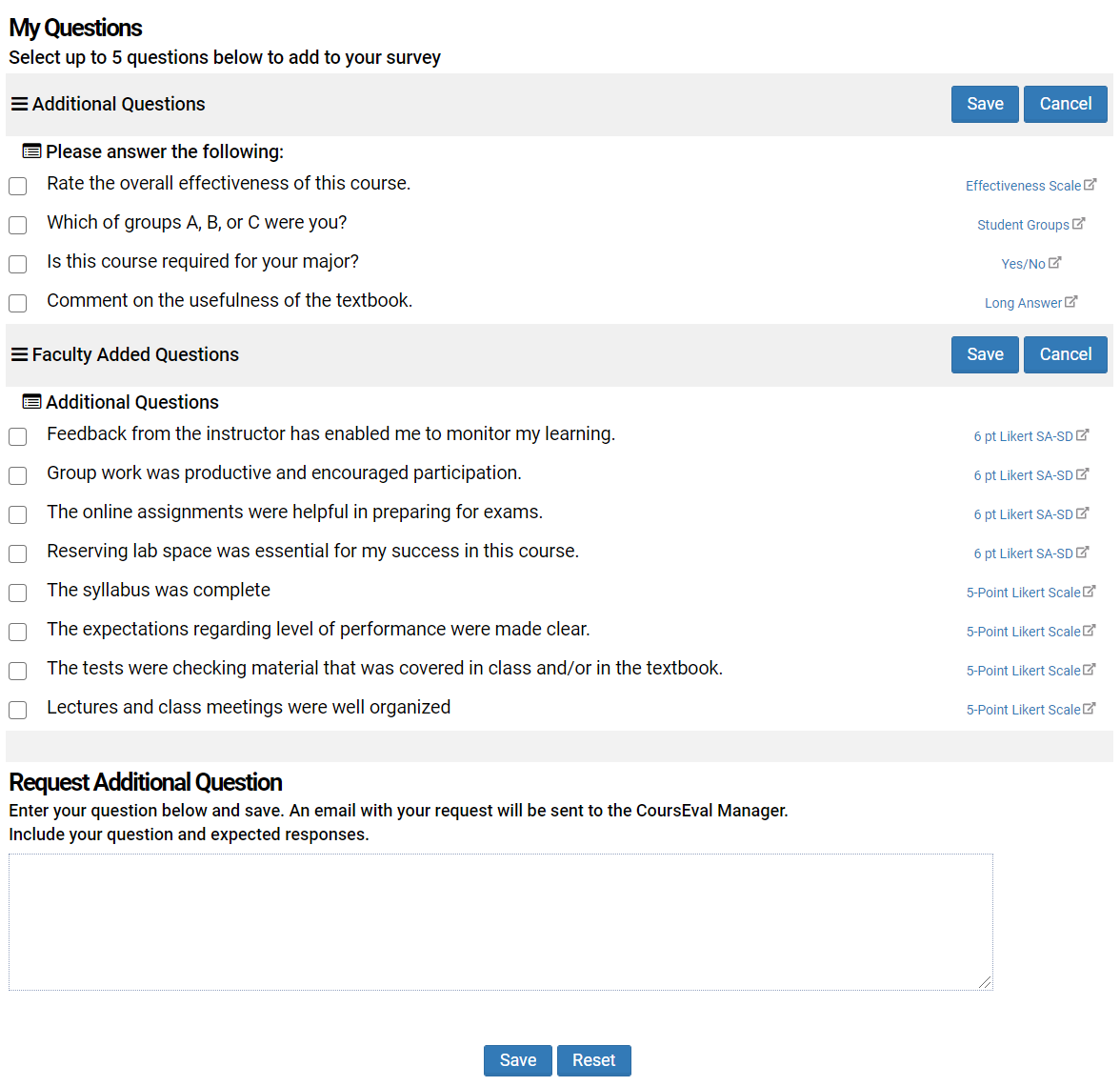
Select the questions from the available list
There is a limit to the number of questions that can be selected as the school can set a maximum number of questions to be chosen
Faculty may request additional questions at the bottom of the page, if this function is enabled
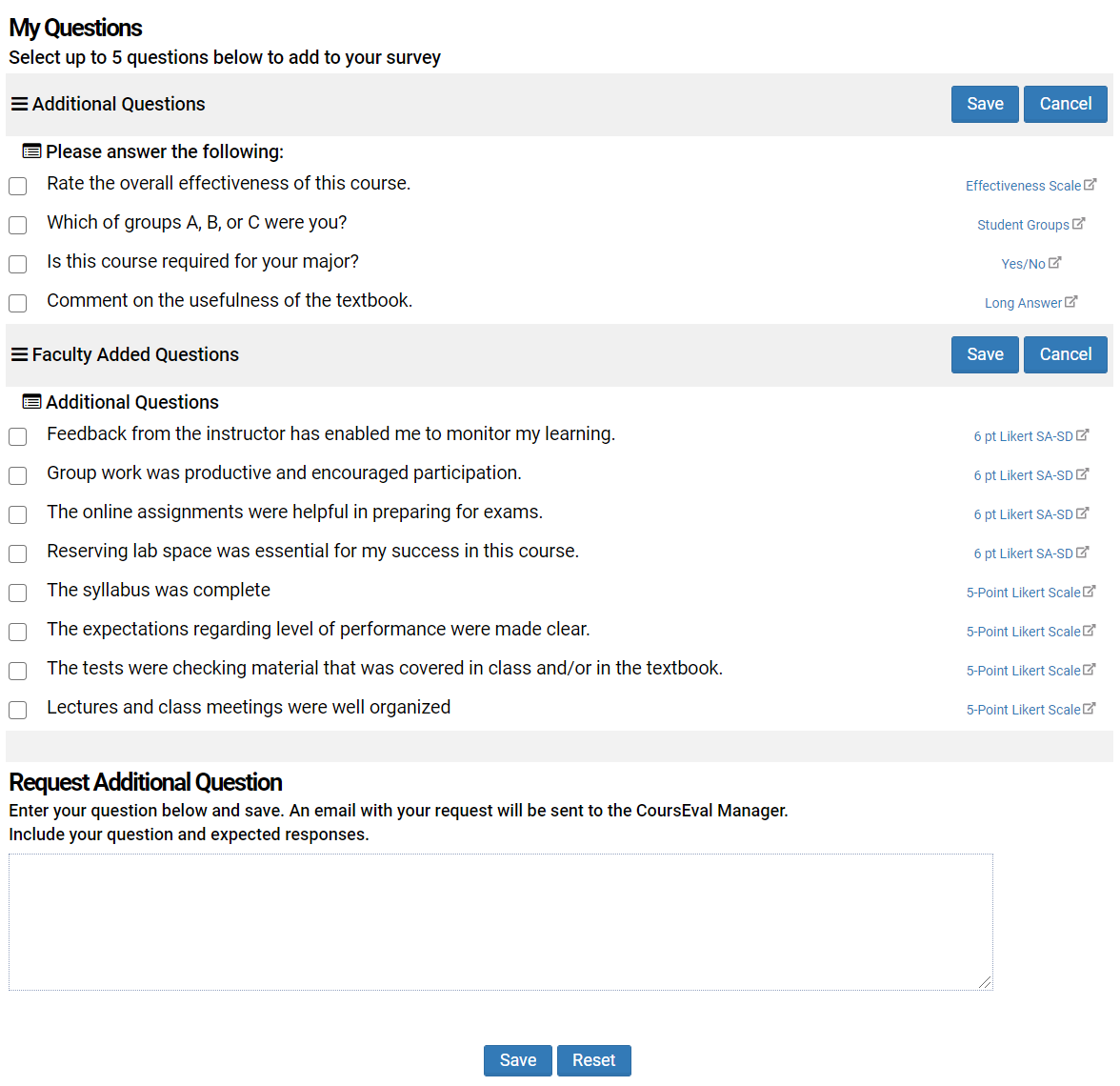
Save the selected questions
Preview the survey

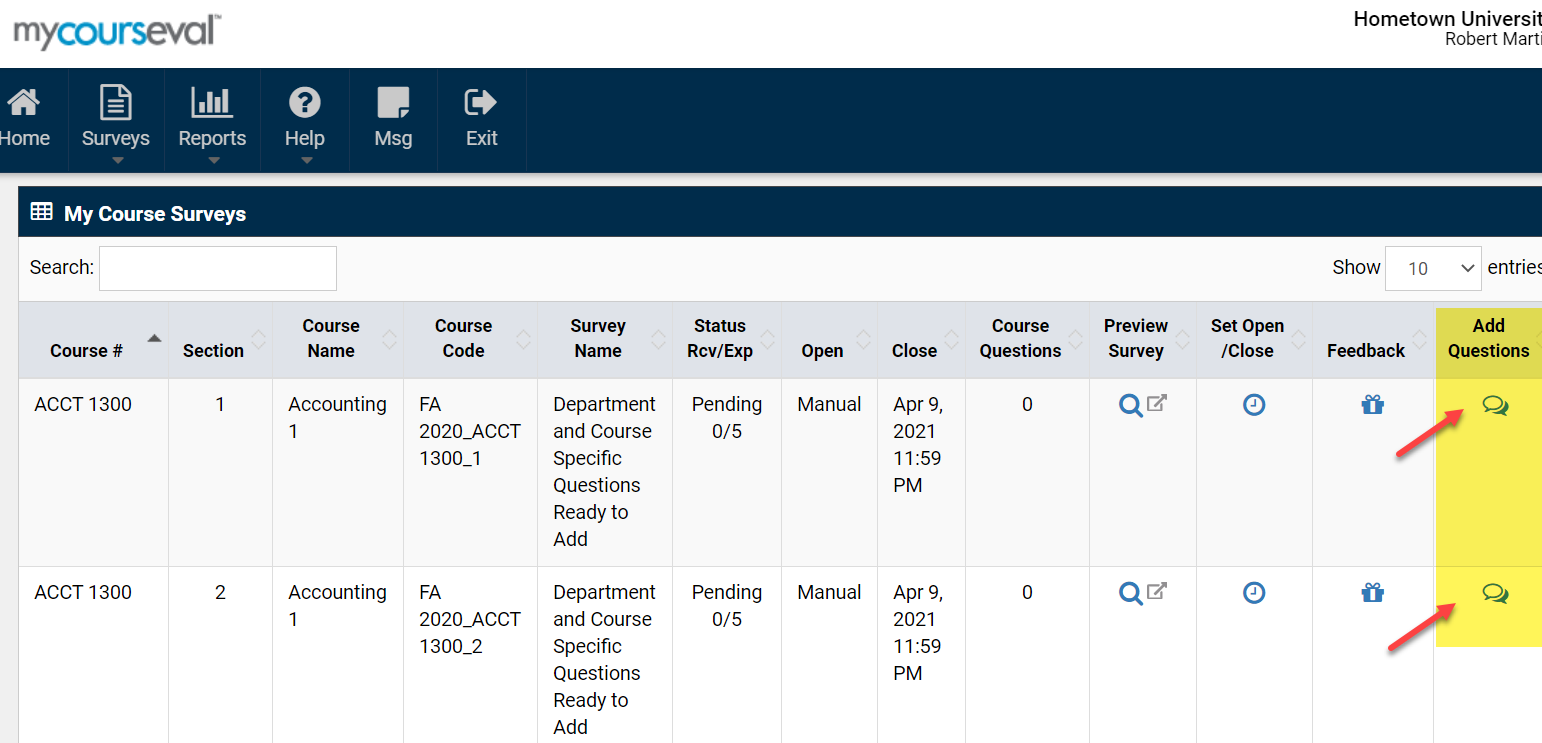
NOTE: Questions can only be added to surveys up until the time when responses are received