Setting Up Question Catalogs
Question Manager Hierarchy Components:
Catalog(s)
Categories
Sub-Categories
Questions
The Question Catalog is used to organize Questions on a high level, by the subject or usage. For example, the catalog named 'University Wide' would contain the universal questions that apply to all course/faculty-based surveys. The catalog organizes the Question Categories to make them easier to find when creating a survey or template. The catalog name is only seen by the Course Evaluations Manager.
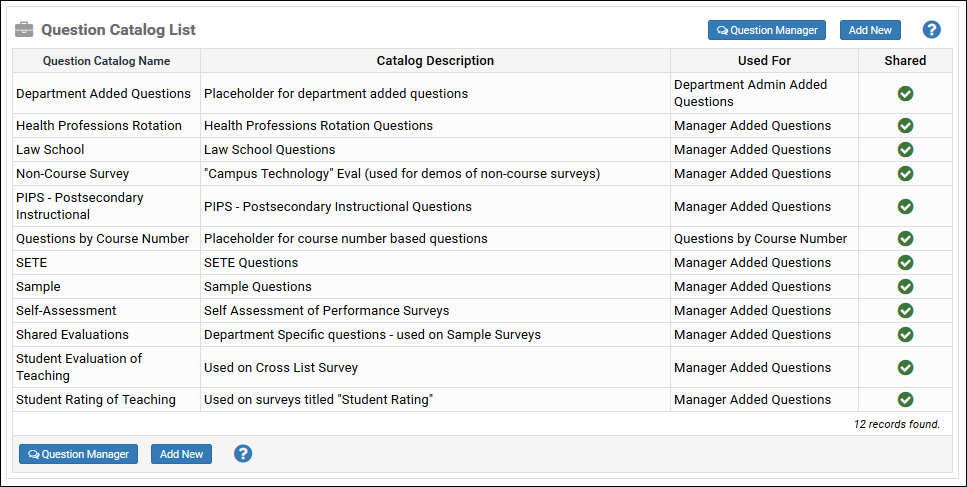
Here are other examples of catalogs:
Adding a Question Catalog
Click the Survey Menu
Go to the Question Manager
Click Question Catalogs
Click Add New
Enter the Catalog Name, Description, and check the box if it should be Shared with all databases, if needed
Click Save
NOTE: To edit a catalog, just click on the name in the list.