Faculty Setting Up Custom Windows
Faculty have the ability, if enabled by the Course Evaluations Manager, to set custom windows for their courses.
Log into the Course Evaluations Response Portal.
Go to the Surveys Menu - My Course Surveys.
Click on the clock icon under Set Open/Close.
Set dates and times within the survey open and published deadline windows.
Save
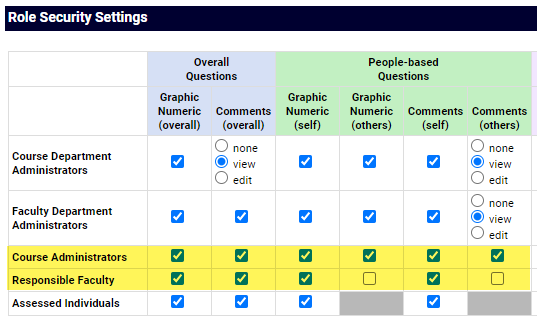
Important Note: The Survey Results Access chart needs to be filled in for this feature to show for faculty users. This can be found in the Manager Portal->Survey menu->Survey->Results Access