Add a Course-Level Accommodation to a Student
From Details & Actions in a course, under Roster, select View everyone in your course.
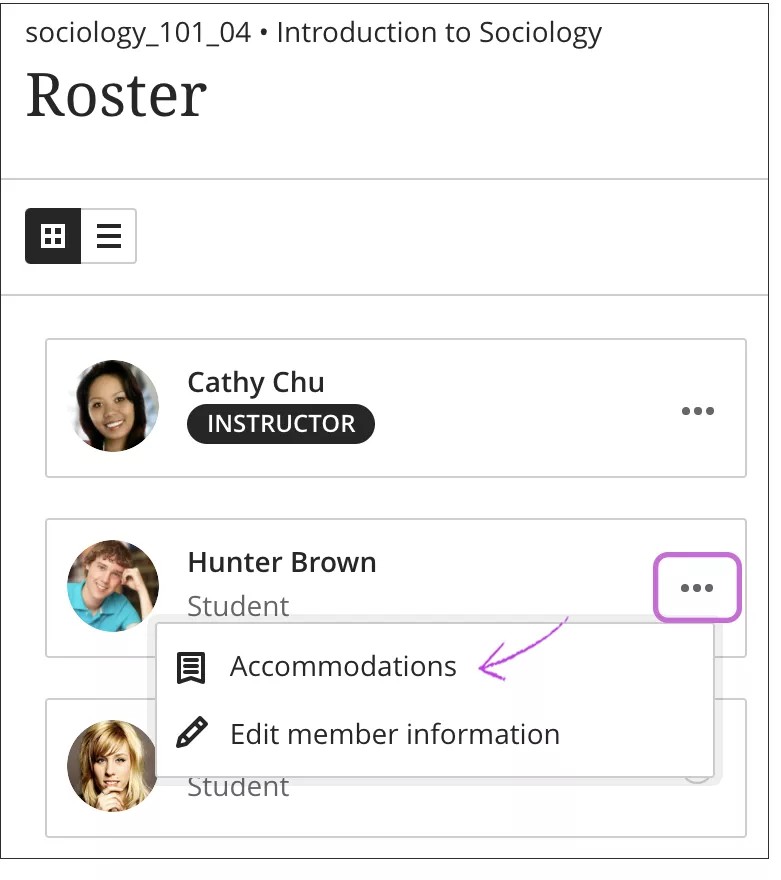
On the Roster page, open the student's menu and select Accommodations.
Select an accommodation for the student:
Due date accommodation: Students with a due date accommodation may submit work any time after the due date for no penalty and their work won't be labelled as late in the gradebook.
Time limit accommodation: These students have more time to finish their work during timed assessments. You can select Unlimited or specify the percentage of extra time needed to honor this accommodation. NOTE: These accommodations do not apply to discussions.
Note
If you add a time limit accommodation after students have started submissions, you'll receive a warning that time limits for previously submitted work will update.
Time limit accommodations and time limit settings combined
If a student has a time limit accommodation and you allow more time to complete an assessment in the settings, the times are combined.
You add a time limit of 10 minutes to an assessment. You allow 50% extra time to complete the assessment. Each student has 15 minutes total time.
Student A has a time limit accommodation of 50% extra time.
Student A:
15 minutes to complete the test based on the time limit offered to the whole class
Then, 50% more time based on the accommodation: 8 minutes
Total: 23 minutes to complete the assessment
Though this student receives a message when the final 8 minutes begins, this work is NOT marked as received after the time limit.
Note
If you delete Student A's time limit accommodation after the student submits work, the work may be marked late by the system.