Observer Role
Athletic advisors, parents, coaches, and other users need to monitor student progress within their courses to support students effectively in their learning journey. The Observer role allows users to see student progress without needing to be instructors. You can create observer associations with students both individually or in bulk using a flat file.
Observers have access to the following information:
Last Access Date. View when the student last accessed the course.
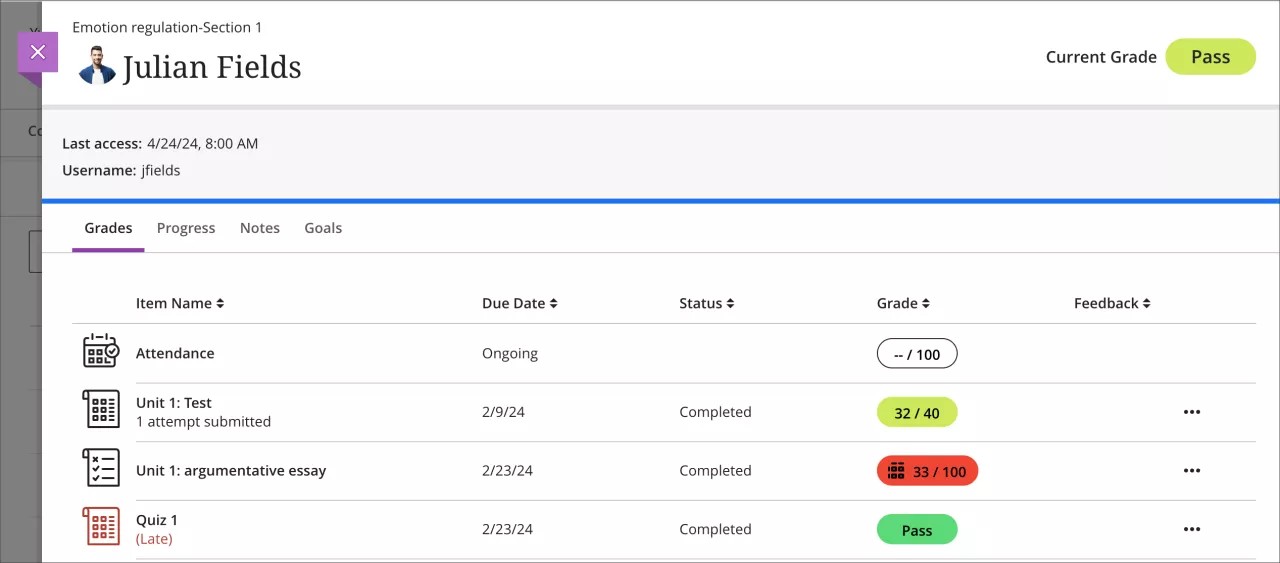
Student’s Grades Tab. This tab provides details on earned grades, including the overall grade, upcoming and past due dates, information on any exceptions granted to the student, and indicators for lateness.
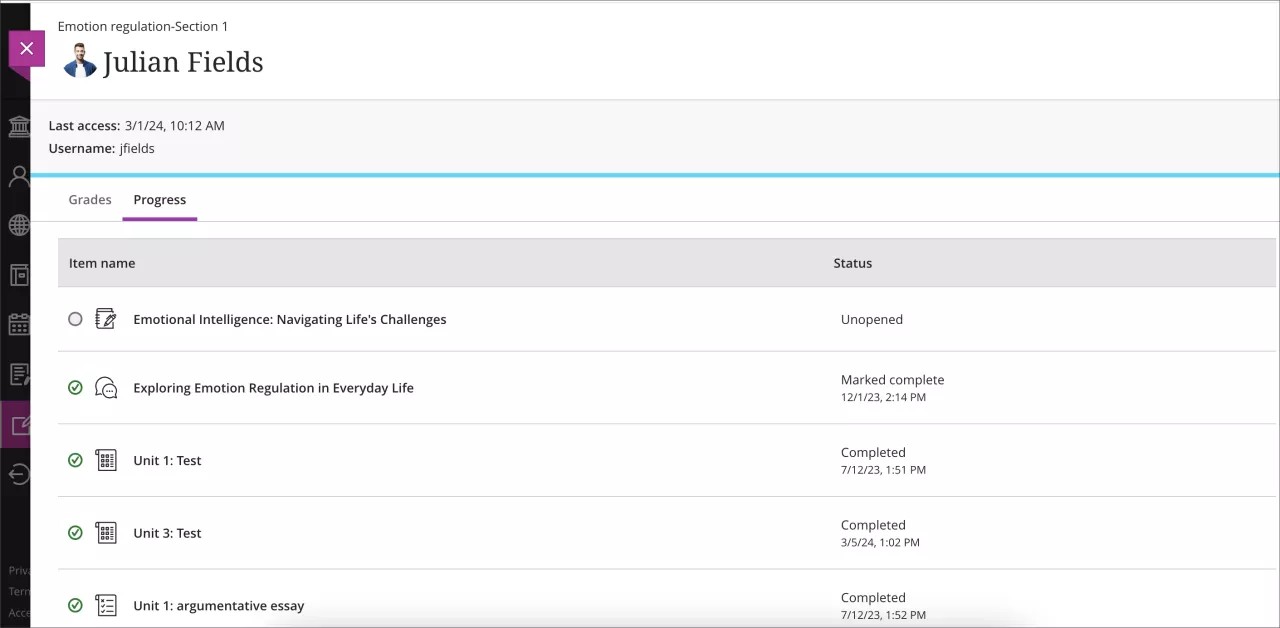
Student’s Progress Tab. This tab is focused on showcasing the student's navigation through the course content. The Progress tab displays elements visible to the student along with their completeness or progress indication. Observers can access Documents and uploaded files and media from the Progress tab.
Note
To view a student's progress, progress tracking must be enabled for the course.
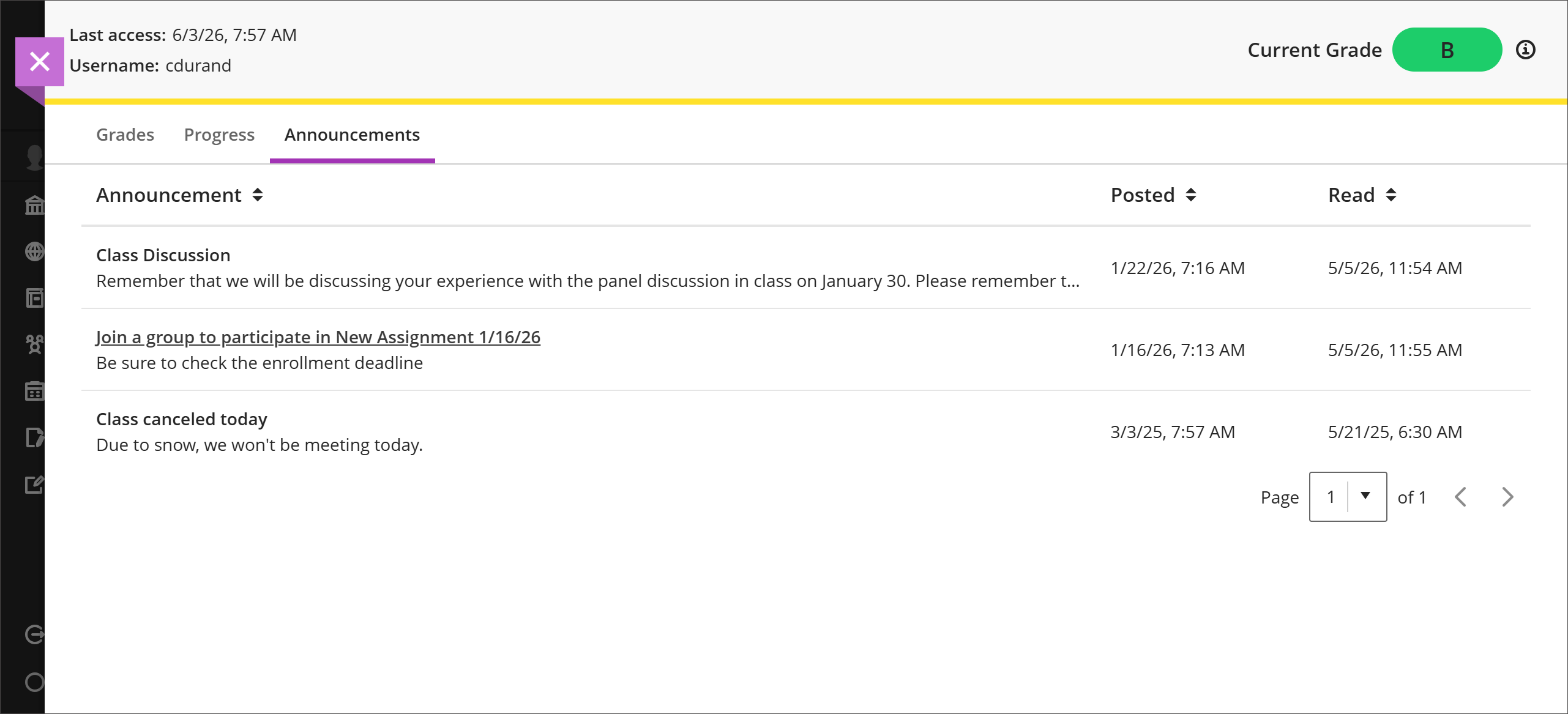
Announcements Tab. This tab lists course announcements, the date and time the announcement was posted, and the date and time the student read the announcement. Observers can sort and page through announcements and expand each one to read the full content.
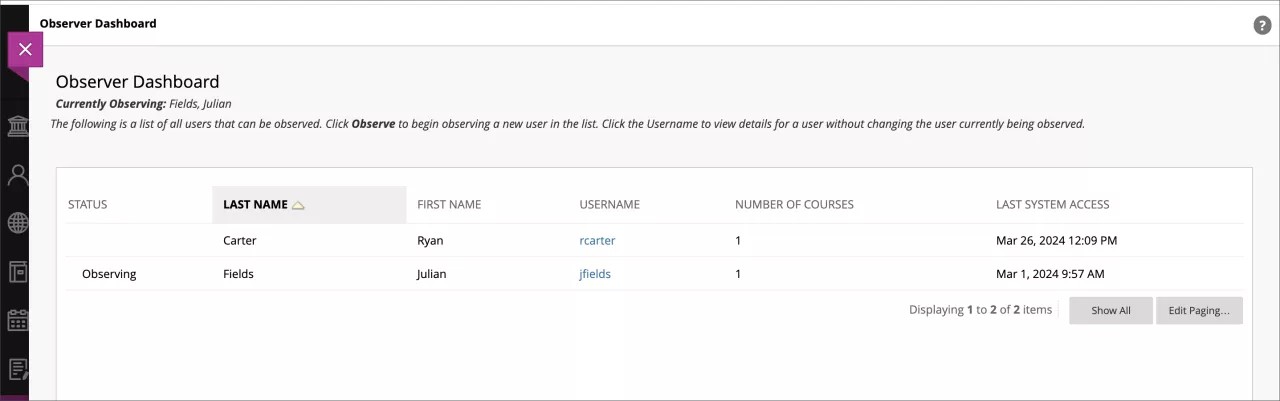
Observers can access a dedicated dashboard where they can select the student they wish to observe and then choose the specific course they want to focus on. Both Original and Ultra courses are accessible and can be observed from this dashboard.
To observe a student, go to Tools. Select Observer Dashboard to go to your dashboard.