Formative Assessments
Formative assessments are an essential component of the teaching and learning process. They inform and shape instruction, guide learning, and support student progress.
Formative assessment options are available for tests and assignments, even if they are already graded.
Label a formative assessment
When you create or edit an assessment, select Formative assessment under the settings panel. This will automatically select Display formative label to students. If you unmark this option, no formative indicator is displayed to students in any section.
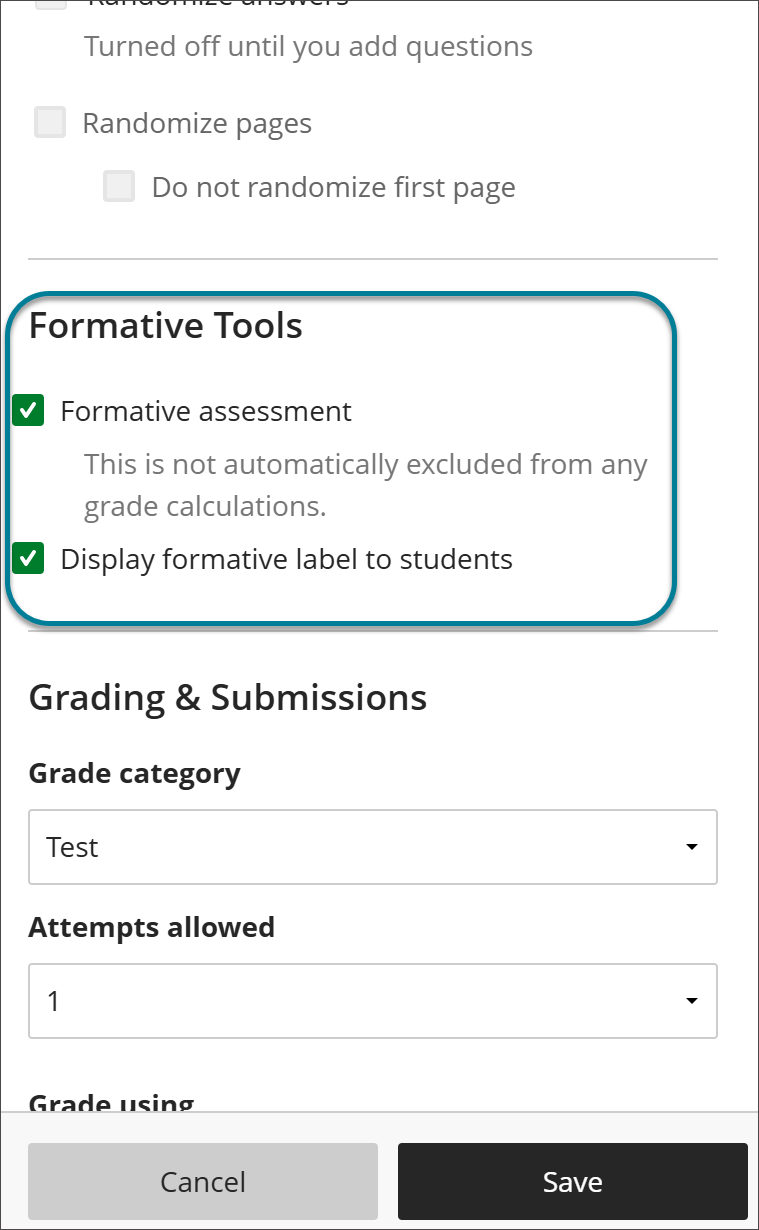
Formative assessments are included in the gradebook calculations by default, but you can edit the grade calculations and exclude the formative assessments.
Formative label
The formative label helps to easily identify formative assessments. This label is always visible for instructors in these areas:
Course content page
Test and assignment settings
Gradebook list and grid views
Student overview
Student activity overview
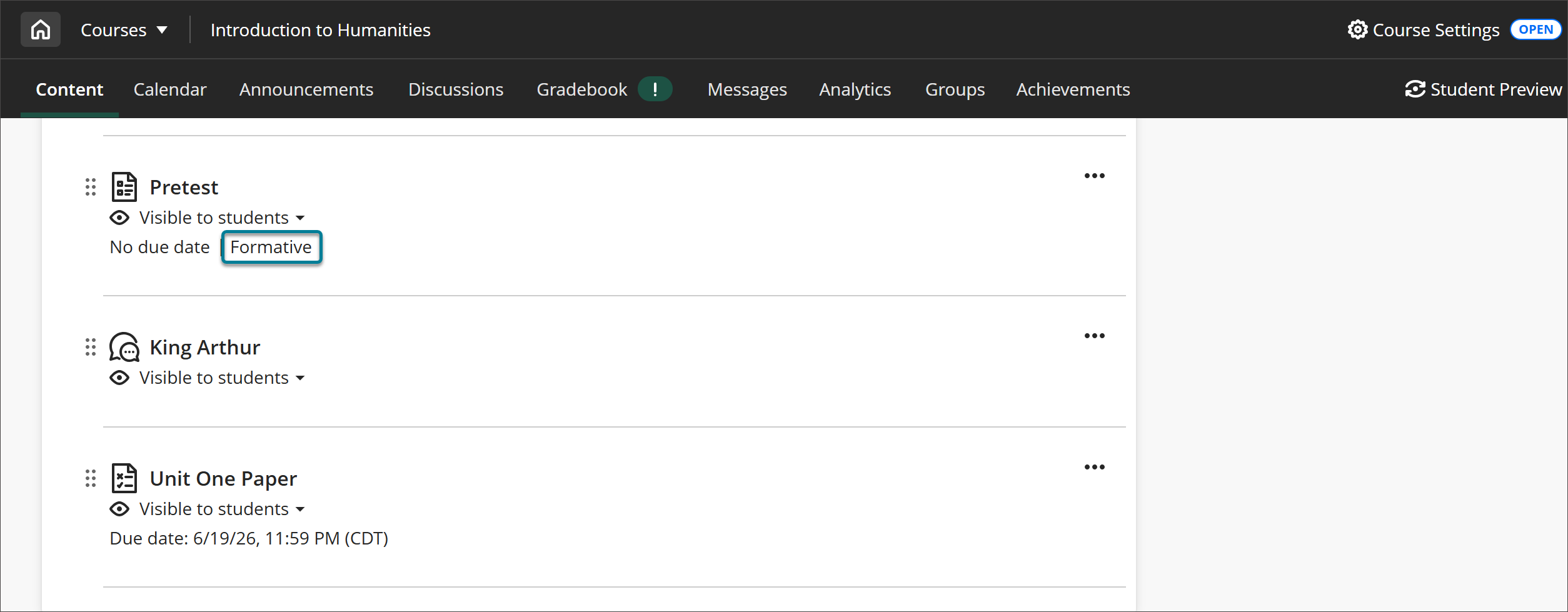
If you choose to display the formative label for students, it is visible for them in these areas:
Course content page
Assessment panel before starting an attempt
Assessment details & information panel during and after an assessment
Assessment header when viewing a submission
Gradebook
Note
If you choose to hide the formative label from students, no indicator about this tool is displayed in any section.
Formative filter in the gradebook
Filters temporarily narrow the displayed data in the gradebook grid view. You can use the formative and summative filters to show the corresponding assessments. Formative assessments are those with the formative setting selected, while summative assessments are those that do not have the formative setting selected.
In the gradebook grid view, select the Filters and views button to open the filters and views panel. From the Types menu, select Formative to display only the formative assessments.