محادثة الذكاء الاصطناعي
Note
تمت ترجمة هذه الوثيقة باستخدام الترجمة الآلية المدعومة بالذكاء الاصطناعي. تُقدَّم الترجمات «كما هي» على وضعها القائم دون أي ضمان بشأن دقتها. تُعد النسخة الإنجليزية من هذا المحتوى هي المصدر الرسمي والمعتمد.
محادثات الذكاء الاصطناعي هي لاستكشاف موضوع أو سيناريو معين مع شخصية الذكاء الاصطناعي التي حددها المدرس الخاص بك. سيقوم المدرس بمراجعة محادثتك مع شخصية الذكاء الاصطناعي بعد الانتهاء من المحادثة.
على سبيل المثال، يريد منك مدرسك أن تفكر بشكل أكبر في حدث تاريخي في مقررك الدراسي. سيقوم مدرسك بإنشاء شخصية ذكاء اصطناعي لمناقشة الموضوع معك. يحدد مدرسك سمات المحادثة الخاصة بشخصية الذكاء الاصطناعي، مثل تعريف شخصية الذكاء الاصطناعي على أنها داعمة. بعد التفاعل مع شخصية الذكاء الاصطناعي، سيُطلب منك التفكير في كيفية مساهمة هذا التفاعل في تعزيز فهمك للموضوع.
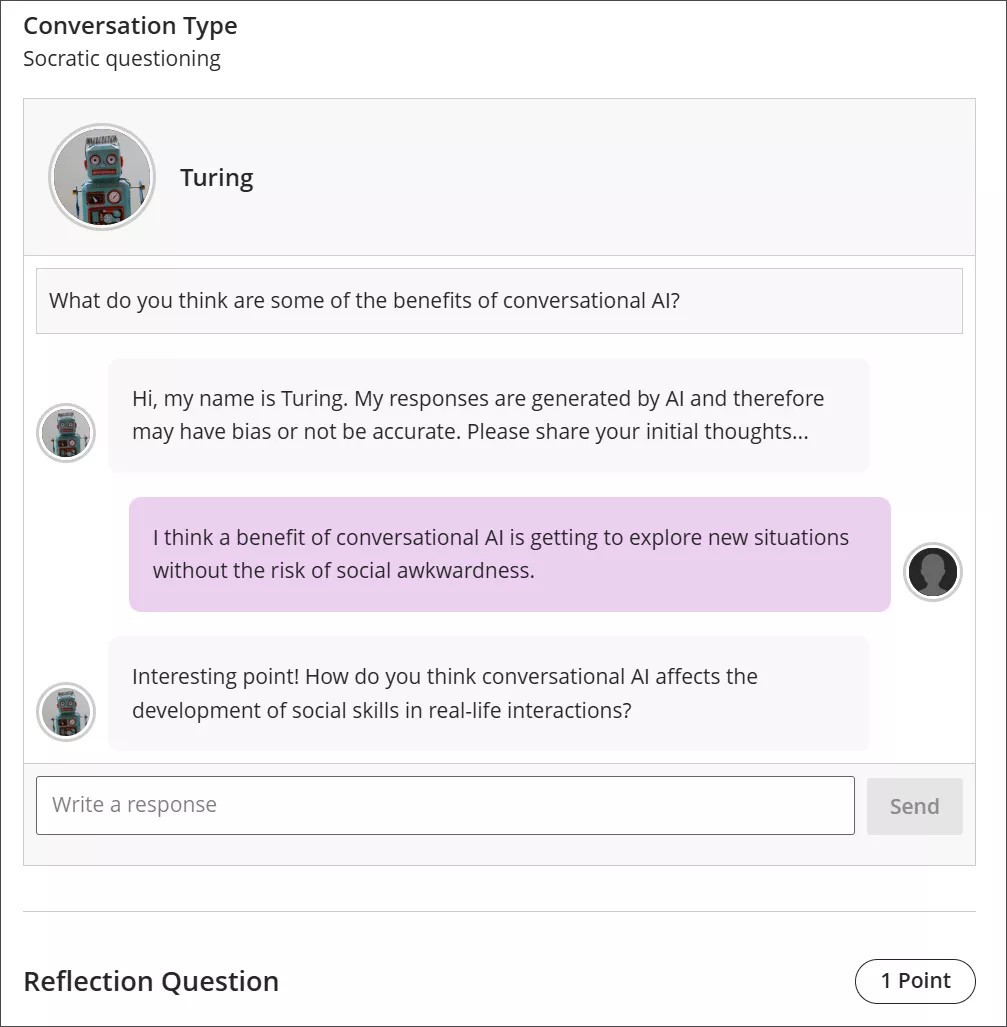
Conversation types
Socratic Questioning conversations encourage you to think critically through continuous questioning. The AI persona won’t tell you that you have a right or wrong answer. It gives you a series of questions so you can explore the topic. When you feel like you’ve fully considered the topic, you can move on to the reflection question.
Role Play conversations are for playing out a scenario with an AI persona. You can get experience with new situations in a way that is close to real life, such as workplace interactions and preparing for interviews.
Pulse Quiz conversations ask you quickfire questions about material you have covered. A host greets you, says how many questions the quiz contains, asks them one at a time, and responds to each answer before moving on. At the end, the host summarizes how you did. Questions are generated as you go, so another student taking the same quiz won’t get the same questions.
Start a conversation
Open the AI Conversation from your course and select Start attempt, then select Start conversation. The conversation opens in its own view with more room for the exchange, and the settings and assessment details are hidden while you work.
The notice explaining that responses are AI-generated and may be inaccurate or contain bias stays visible while you work.
Take part in a conversation
للتفاعل مع شخصية الذكاء الاصطناعي ، أدخل ردك في حقل النص.
لإنشاء فاصل أسطر، استخدم المفتاح Enter على لوحة المفاتيح.
حدد الزر إرسال أو استخدم Shift + Enterلإرسال ردك.
قد يكون لشخصيات الذكاء الاصطناعي تحيز أو غير دقيق. استخدم أفضل حكم في ردودك على شخصية الذكاء الاصطناعي وانعكاسك في المحادثة. إذا حددت أي تحيز أو عدم دقة في تفاعلك مع شخصية الذكاء الاصطناعي ، فيمكنك تضمين ذلك في تفكيرك في المحادثة.
Conversation language
Your instructor can set the language a conversation is conducted in. When a language is enforced, the whole conversation is in that language from the first message onward. You can’t change it partway through: if you ask the AI to continue in a different language, it declines and carries on in the language your instructor set.
Reflect on the conversation
AI personas may have bias or be inaccurate. Use your best judgment in your responses to the AI persona and your reflection on the conversation. If you identify any bias or inaccuracies in your interaction with the AI persona, you can include this in your reflection on the conversation.
ملاحظة
يعد الاستخدام القانوني والأخلاقي والمسؤول للذكاء الاصطناعي أولوية رئيسية لدى Anthology ولتطوير ميزة محادثة الذكاء الاصطناعي. للمزيد من المعلومات حول نهج Anthology في الذكاء الاصطناعي، يرجى زيارة مركز الثقة.