Flashcards
Flashcards help you check what you know before a graded assessment. Your instructor creates the deck, and you work through it at your own pace.
Flashcards aren’t graded. Marking a card as needing practice has no effect on your grade, so you can be honest about what you don’t know yet.
Nota
Your instructor creates the flashcards for a course. You can’t create your own flashcards in Blackboard LMS.
Open a flashcard activity
Flashcard activities appear on the Course Content page alongside the rest of your course material. Select the activity to open it. You can read your instructor’s description of the activity on the Course Content page and inside the activity.
Work through a deck
Read the front of the card and decide whether you know the answer. Select Needs Practice or Feeling Confident.
Flip the card to see the answer and check yourself.
Move to the next card.
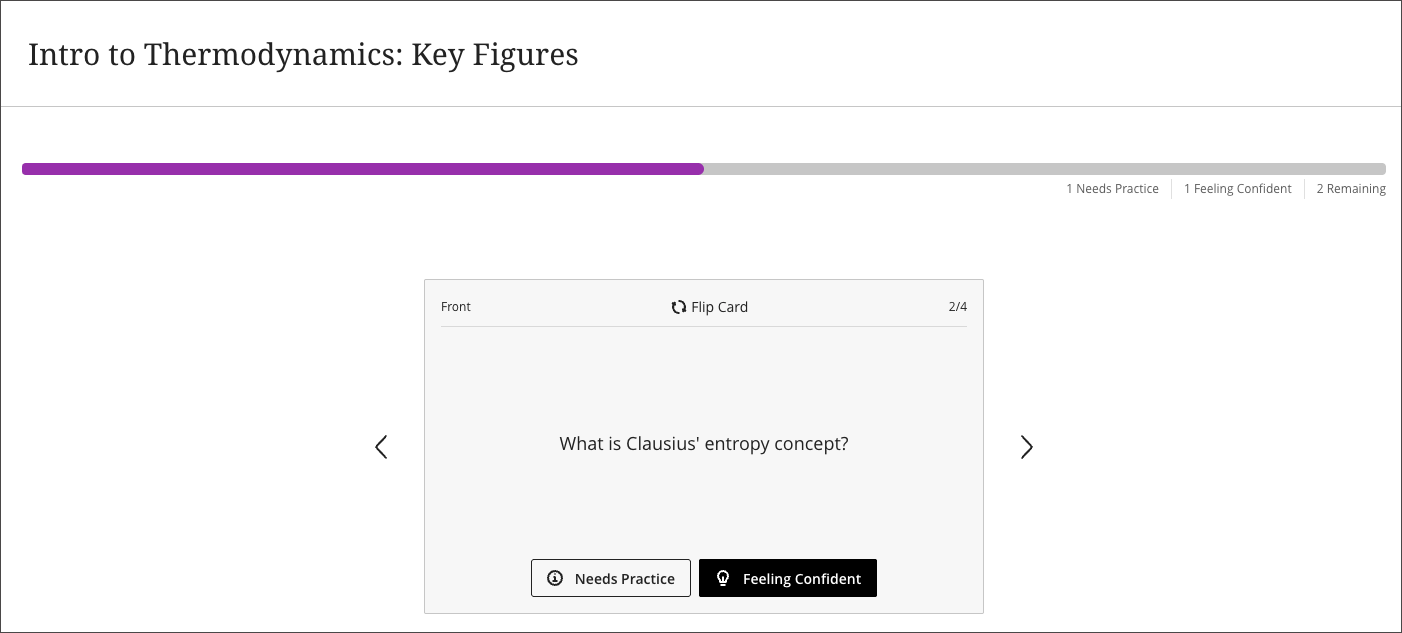
Mark your confidence before you flip. The point is to find out what you actually know, not to score well.
Track your progress
A progress bar runs across the top of the activity. Next to it, counters show how many cards you marked as needing practice, how many you feel confident about, and how many you haven’t marked yet.
Finish a deck
When you reach the end of the deck, you see a breakdown of how you did and can choose what to do next:
Practice the cards you flagged. Work through only the cards you marked as needing practice.
Retry the whole deck. Start again from the first card.
Leave the activity. Return to your course with cards still outstanding. You can come back later.
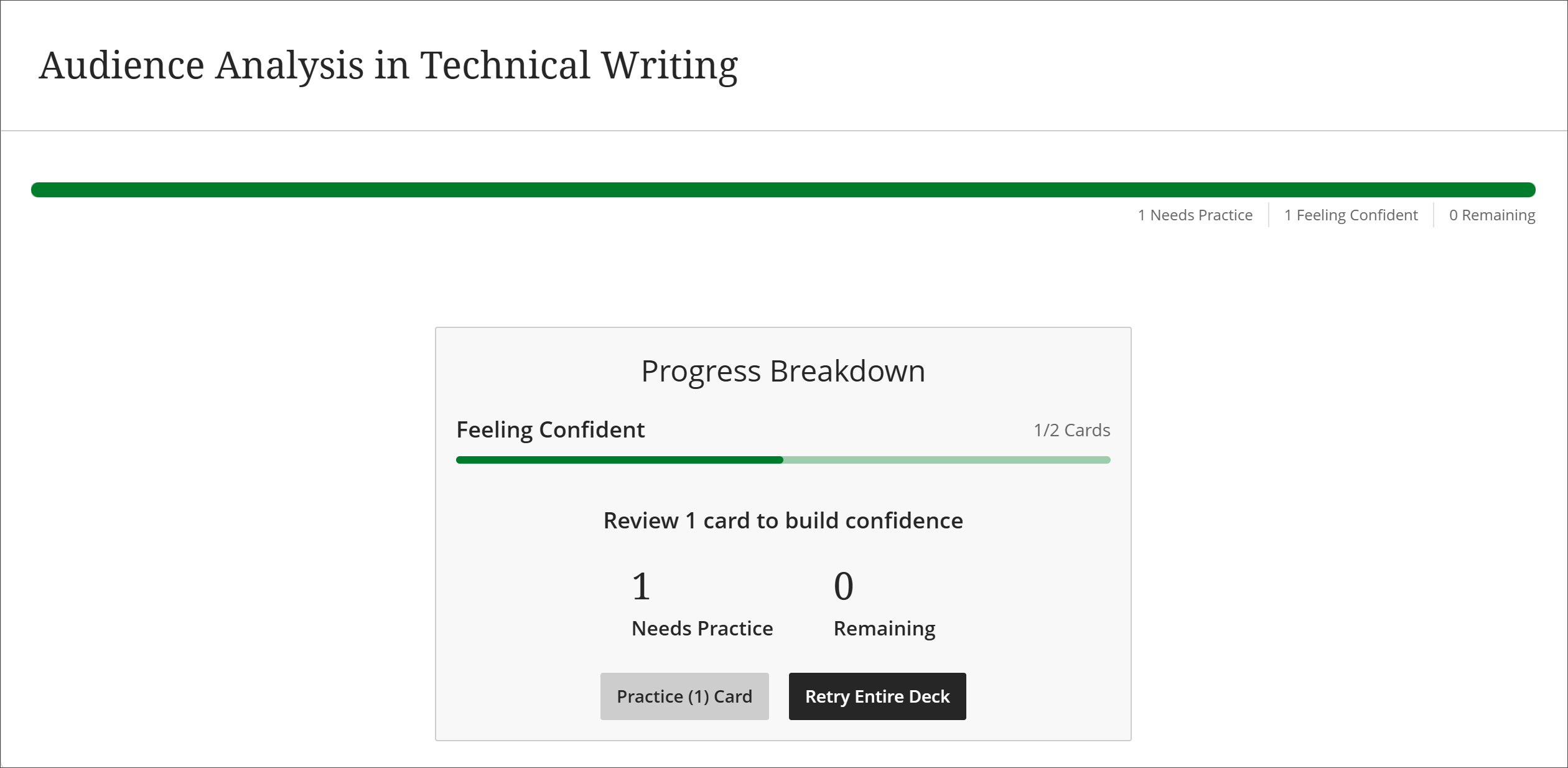
You can retry a deck as many times as you like.