Conversación con IA
Note
Este documento se ha traducido mediante traducción automática asistida por IA. Las traducciones se proporcionan «tal cual», sin garantía alguna respecto a su exactitud. La versión en inglés de este contenido es la fuente oficial y con valor normativo.
Las conversaciones con IA son para explorar un tema o escenario con un personaje de IA definido por su profesor. Su profesor revisará su conversación con el personaje de IA después de que haya terminado la conversación.
Por ejemplo, tu profesor quiere que reflexiones más sobre un acontecimiento histórico de tu curso. El profesor creará un personaje de IA para que hable contigo sobre el tema. El profesor definirá los rasgos conversacionales del personaje de IA; por ejemplo, definirá al personaje de IA como solidario. Después de interactuar con el personaje de IA, se te pedirá que reflexiones sobre cómo la interacción ha hecho avanzar tu comprensión del tema.
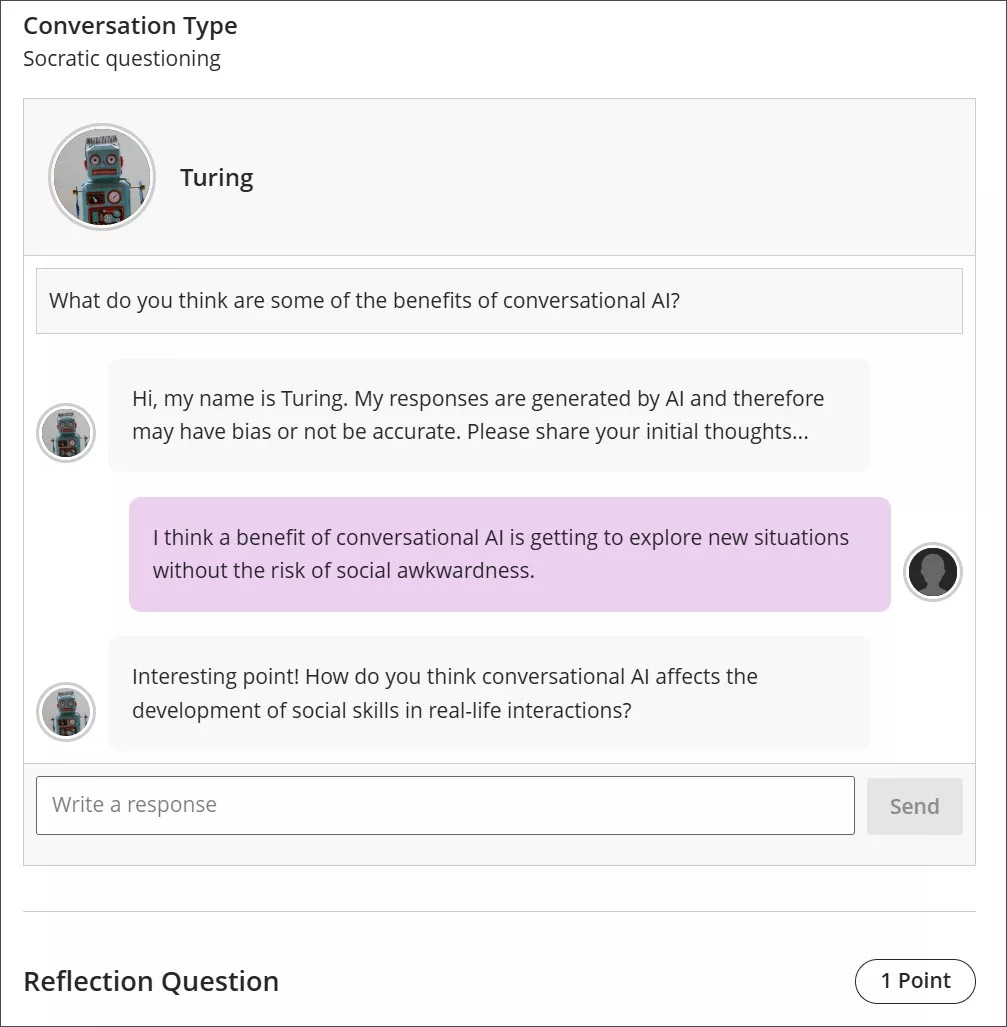
Conversation types
Socratic Questioning conversations encourage you to think critically through continuous questioning. The AI persona won’t tell you that you have a right or wrong answer. It gives you a series of questions so you can explore the topic. When you feel like you’ve fully considered the topic, you can move on to the reflection question.
Role Play conversations are for playing out a scenario with an AI persona. You can get experience with new situations in a way that is close to real life, such as workplace interactions and preparing for interviews.
Pulse Quiz conversations ask you quickfire questions about material you have covered. A host greets you, says how many questions the quiz contains, asks them one at a time, and responds to each answer before moving on. At the end, the host summarizes how you did. Questions are generated as you go, so another student taking the same quiz won’t get the same questions.
Start a conversation
Open the AI Conversation from your course and select Start attempt, then select Start conversation. The conversation opens in its own view with more room for the exchange, and the settings and assessment details are hidden while you work.
The notice explaining that responses are AI-generated and may be inaccurate or contain bias stays visible while you work.
Take part in a conversation
Para interactuar con la persona de IA, ingrese su respuesta en el campo de texto.
Para crear un salto de línea, use la tecla Enter en su teclado.
Seleccione el botón Enviar o usa Shift + Enter para enviar su respuesta.
Las personas de IA pueden tener sesgos o ser inexactas. Use su mejor juicio en sus respuestas a la persona de IA y su reflexión sobre la conversación. Si identifica algún sesgo o inexactitud en su interacción con la persona de IA, puede incluirlo en su reflexión sobre la conversación.
Conversation language
Your instructor can set the language a conversation is conducted in. When a language is enforced, the whole conversation is in that language from the first message onward. You can’t change it partway through: if you ask the AI to continue in a different language, it declines and carries on in the language your instructor set.
Reflect on the conversation
AI personas may have bias or be inaccurate. Use your best judgment in your responses to the AI persona and your reflection on the conversation. If you identify any bias or inaccuracies in your interaction with the AI persona, you can include this in your reflection on the conversation.
Nota
El uso legal, ético y responsable de la IA es una prioridad clave para Anthology y para el desarrollo de la función Conversación de IA. Para más información sobre el enfoque de Anthology respecto a la IA, visite nuestro Centro de Confianza.