الاستخدام
Note
تمت ترجمة هذه الوثيقة باستخدام الترجمة الآلية المدعومة بالذكاء الاصطناعي. تقدم الترجمات 'كما هي' دون أي ضمان بشأن دقتها. تعد النسخة الإنجليزية من هذا المحتوى المصدر الرسمي والمعتمد.
فهم تقرير استخدام Ally
تعرض تقارير الاستخدام التفاصيل المتعلقة بكيفية استخدام الطلاب والمدرسين لـ Ally. تعرف على عدد مرات قيام الطلاب بتنزيل تنسيق بديل، وعدد المرات قيام المدرسين بإصلاح مشكلات إمكانية وصول ذوي الاحتياجات الخاصة.
الوصول إلى تقرير الاستخدام
من التقرير المؤسسي لإمكانية وصول ذوي الاحتياجات الخاصة في Ally، حدد علامة التبويب الاستخدام.
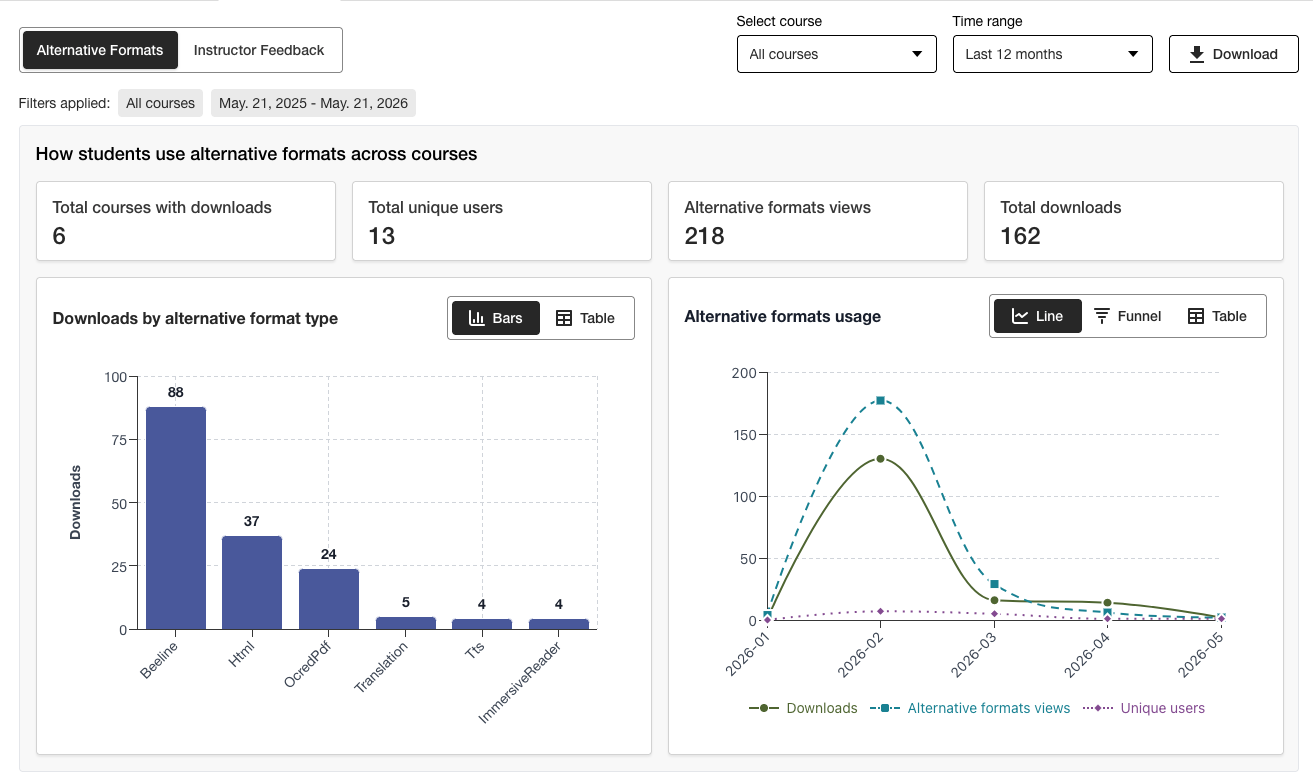
تنزيل تقرير الاستخدام
يتمثل التقرير الذي يتم تنزيله في جدول بيانات مقسم إلى خمس أوراق عمل. تحتوي كل ورقة عمل على تفاصيل متعلقة بنطاق زمني تختاره.
عمليات تشغيل التنسيقات البديلة
التنسيق البديل أسبوعيًا
عمليات تشغيل ملاحظات المدرس
ملاحظات المدرس أسبوعيًا
البيانات
من التقرير المؤسسي لإمكانية وصول ذوي الاحتياجات الخاصة في Ally، حدد علامة التبويب الاستخدام.
اختر النطاق الزمني الخاص بالتقرير.
حدد زر تنزيل تقرير الاستخدام.
ملاحظة
قد لا ترى البيانات عند فتح التقرير لأول مرة. قد يكون الملف الذي تم تنزيله محميًا. قم بتمكين التحرير لرؤية البيانات.