Curriculum Map Report
Access to the Curriculum Map
Curriculum Map access is available to users for all levels they are assigned or inherit access to. This empowers stakeholders with greater visibility into outcome alignment and supports broader collaboration across departments.
Choose the Curriculum Map tab to open the report.
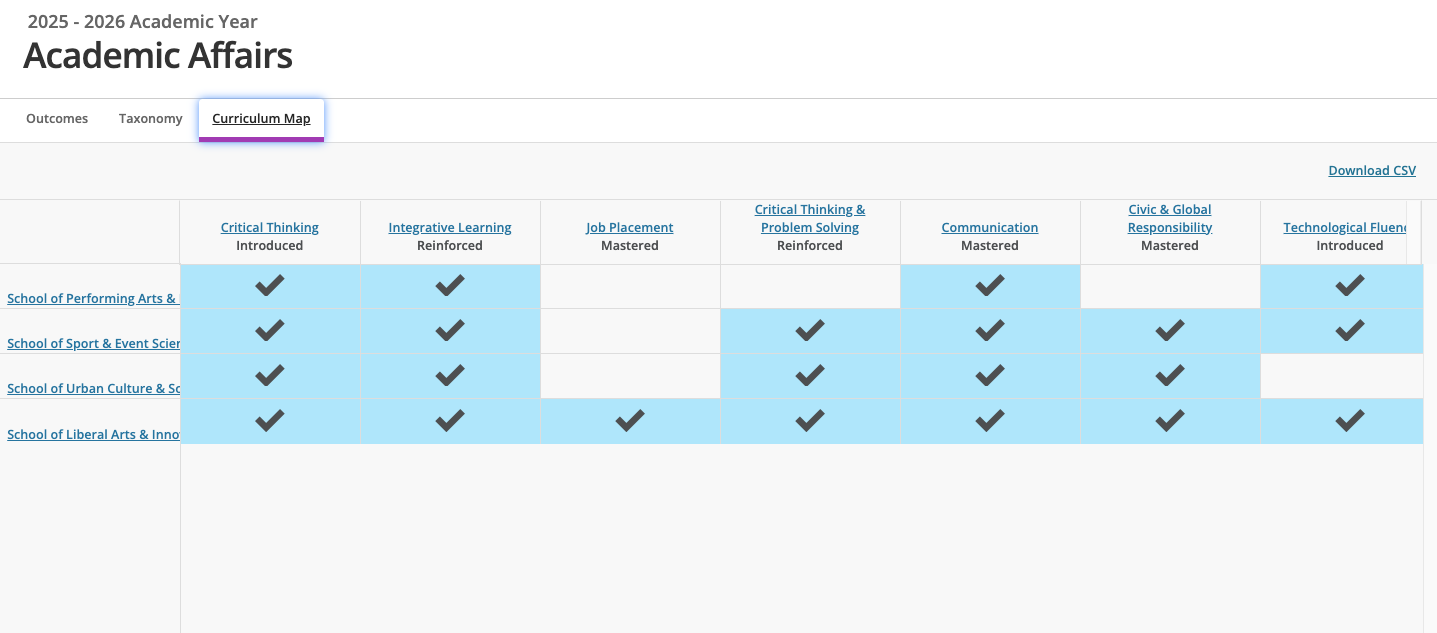
Reading the Curriculum Map
Outcomes: Statement titles located across the top of the grid.
Degree of Learning: Below the Outcome statement title the identified degree of learning.
Unit or Course: Listed along the left-hand side of the grid is the institutional hierarchy unit or course mapped to the unit you are viewing.
Blue Boxes/Black Check Mark: Indicates the outcome is being assessed within that particular institutional hierarchy unit.
Navigating the Curriculum Map
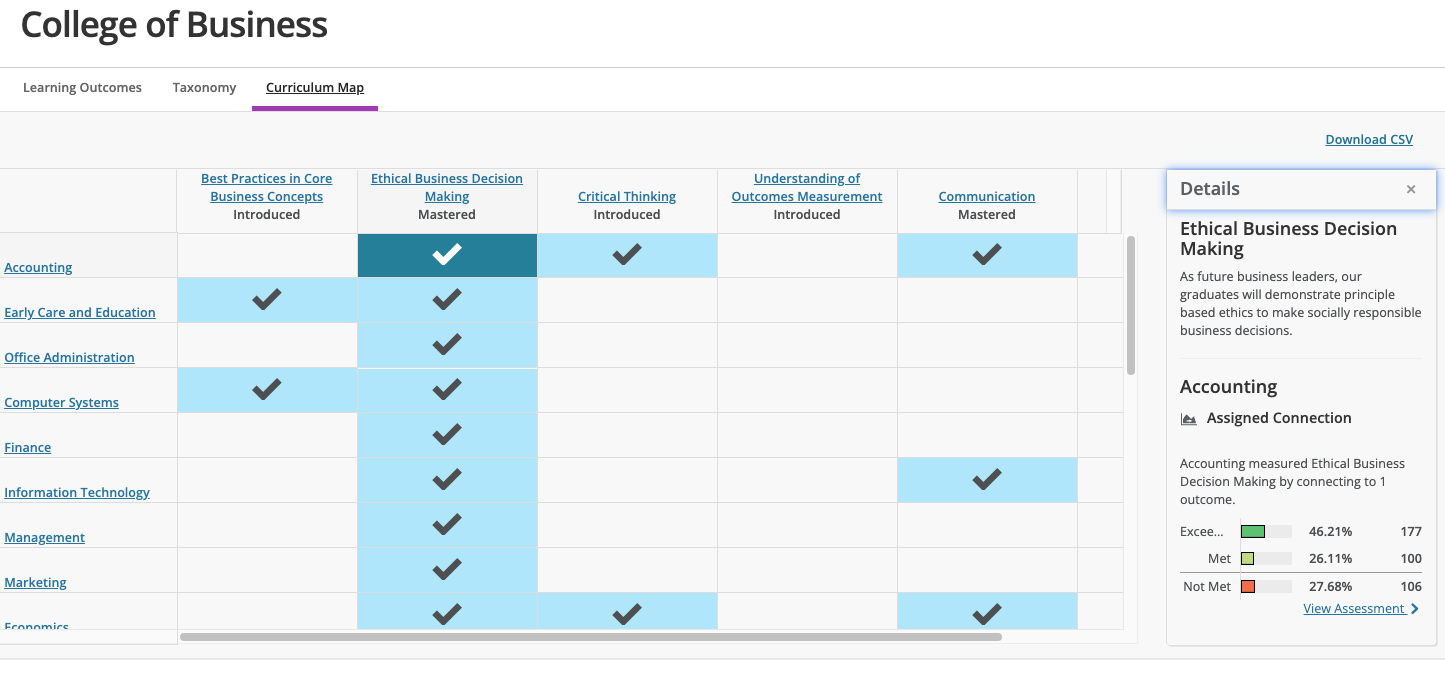
Outcomes: Click on any outcome title to navigate to the location of that outcome within the site. By clicking the title of the you can navigated to the aggregate data view of that outcome.
Assessment Details: Click on any of the checked boxes in the grid to open up the Details window. Shows full outcome statement and visualizations of related assessment and measure data for that outcome.
Select View assessment to navigate to the assessment details within the site.
Connections in Curriculum Mapping
Another important aspect of connecting outcomes across an institution is the development of the Curriculum Map. The Curriculum Map is automatically generated from these connections, both assigned and related outcomes. As these connections are made or removed, the curriculum updates to reflect these changed connections. For more information, please refer to the Connections support article.
Download Curriculum Map Report
To download the curriculum from Outcomes, select Download CSV to export a copy of your Curriculum Map as a CSV file.