Bloom's Taxonomy Report
Select the appropriate level in your org chart given your access.
Taxonomy Reports are available to Administrators at all levels where outcomes are being tracked (institution, division, school, department, course, or section level).
Select the Taxonomy tab.
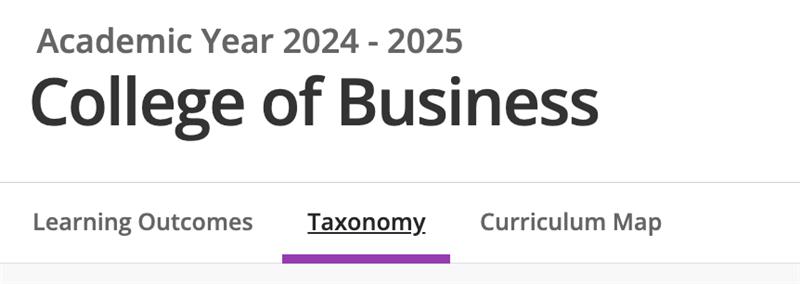
Select the visualization toggle on the left to adjust your view.
Visualization will reflect the percentage of your outcomes that fall within the appropriate Blooms taxonomy level.
Select the menu on the right to switch between Blooms and Meta-Blooms visualizations.
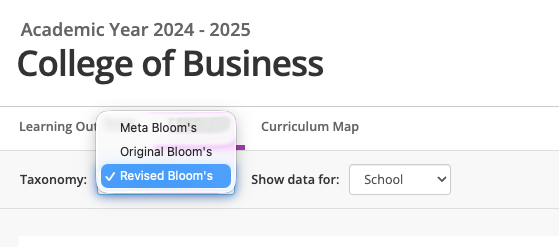
Adjusting how data is shown
Because the organizational tree within Outcomes works based on the concept of inheritance users have the option to view data for a single level or an aggregation for the given level and its child levels. For example, we can view a taxonomy report for the Accounting department (viewing as the department), or we can choose to view a taxonomy report for the Accounting department and the courses and sections that report to the Accounting department (aggregation).
To adjust the view of data within the taxonomy report, select a unit view or an aggregated view from the Show data for menu.
The organizational level appears in this menu.
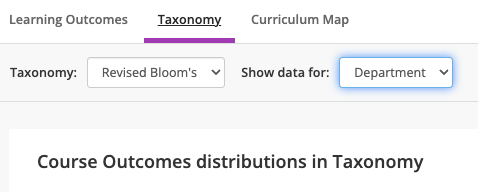
For example, in the screenshot above we see Department and Aggregate. We see department because we are currently in the Accounting department level. If we moved to a institutional, divisional, course or section level that would that menu would change to reflect this.
Reading the Taxonomy Report
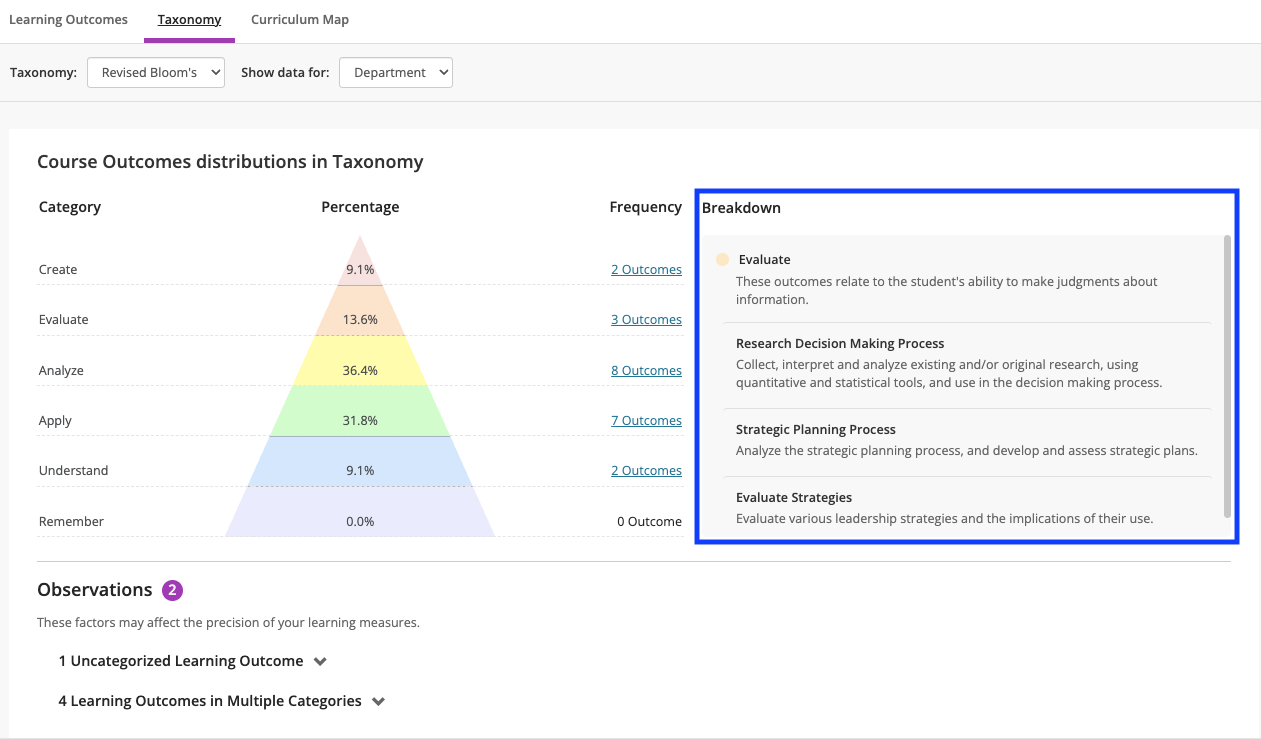
Observations: This area will list out any outcomes that were unable to be mapped appropriately based on the wording of the outcome title. Click on the message to travel back in the site to edit the outcome statement.
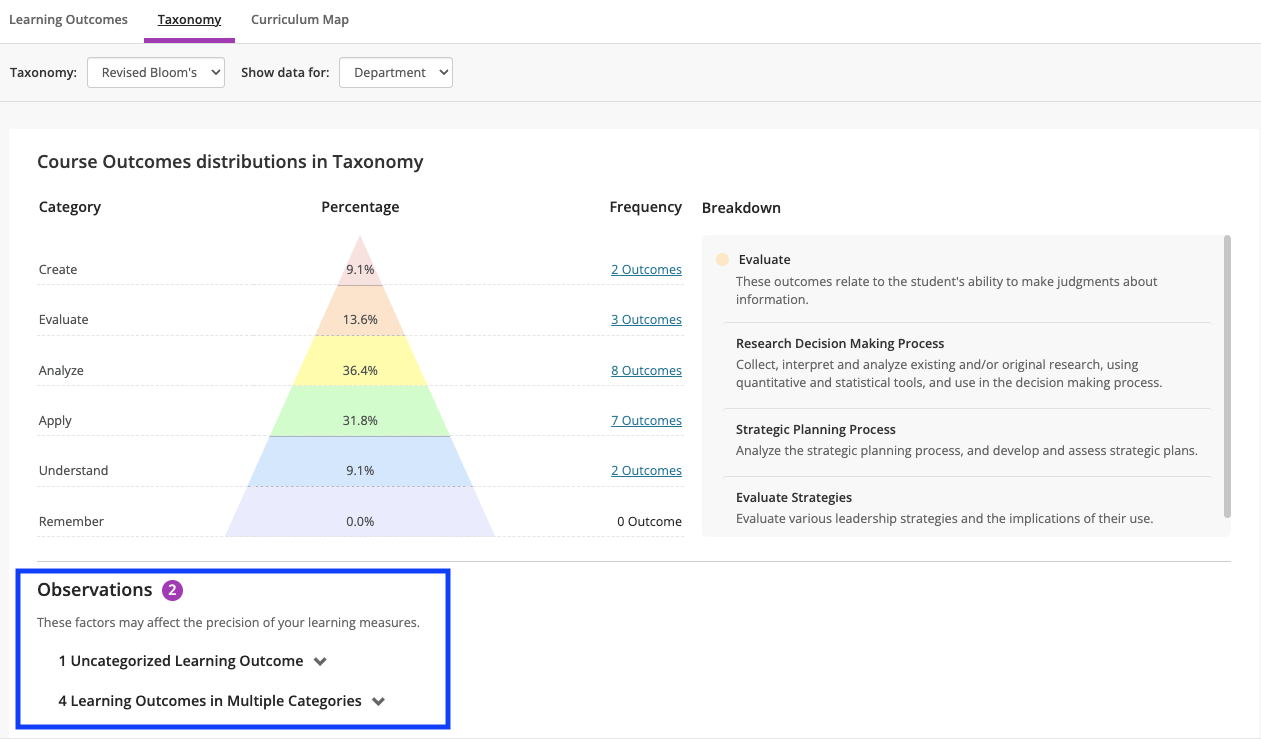
Taxonomy Breakdown: This area will list the categorization of your outcomes and frequency or number of outcomes that fall into that category. Click on these categories to see a list of your outcomes contained within and to further edit or dig into your outcome data.
Note
The Bloom's Taxonomy report is only available to users with administrator access within the application. Please reach out to your institution's site administrator to adjust your access if needed.