Deleting Connections
You can delete both related or assigned connections. This article will provide direction on how to delete both types of connections.
Deleting Assigned Connections
You can delete assigned connections in two ways. Please note, when assigning connections the learning outcome and assessment data is associated with the learning outcome statement. If you delete an assigned connection, this act will remove the learning outcomes statement, assessment data, and assessment results from the unis lower down on the assignment chain.
Remove All
Navigate to the appropriate organizational unit and open the learning outcome.
Select Remove All.
Review the confirmation prompt.
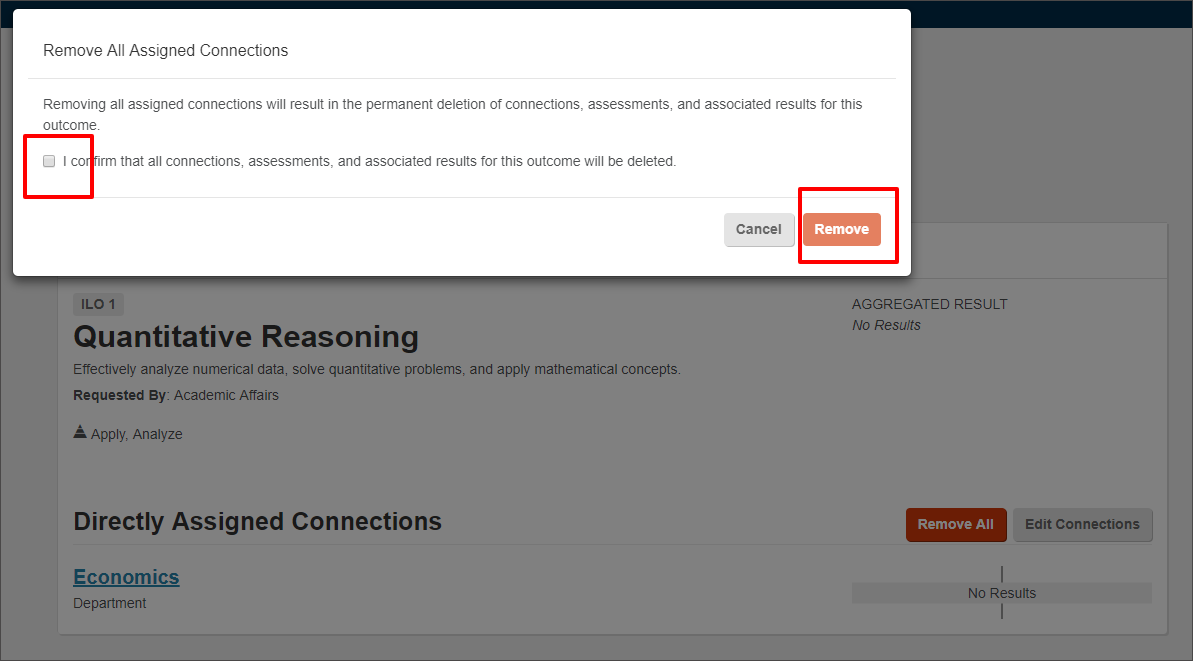
Select Remove.
Removing assigned connections in this way will remove all connections made from this organizational unit for this learning outcomes. It will also delete any assessments and assessment results that have been entered at those organizational units as well.
Edit Connections
Navigate to the appropriate organizational unit, course or section where you want to make changes. This could be anywhere in the Connection Path, including the end point.
If you select the negative sign next to an organization on the left-side chart, this will remove the connection to the Organizational Unit and any child unit.
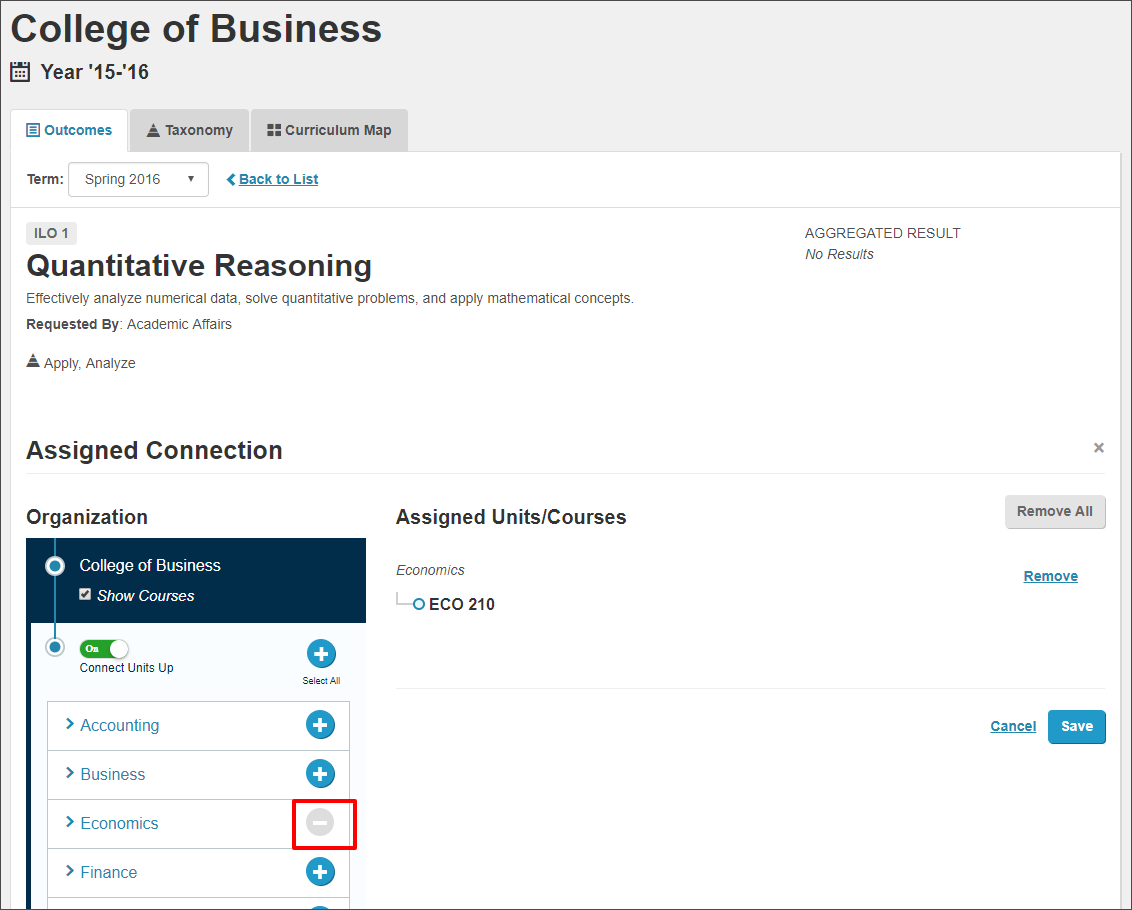
Select Save.
If you select Remove on the right side of the page next to a specific assignment chain, you will remove the last assignment in the assignment chain. Each time you select the button, the last Connection in the assignment chain will be deleted.
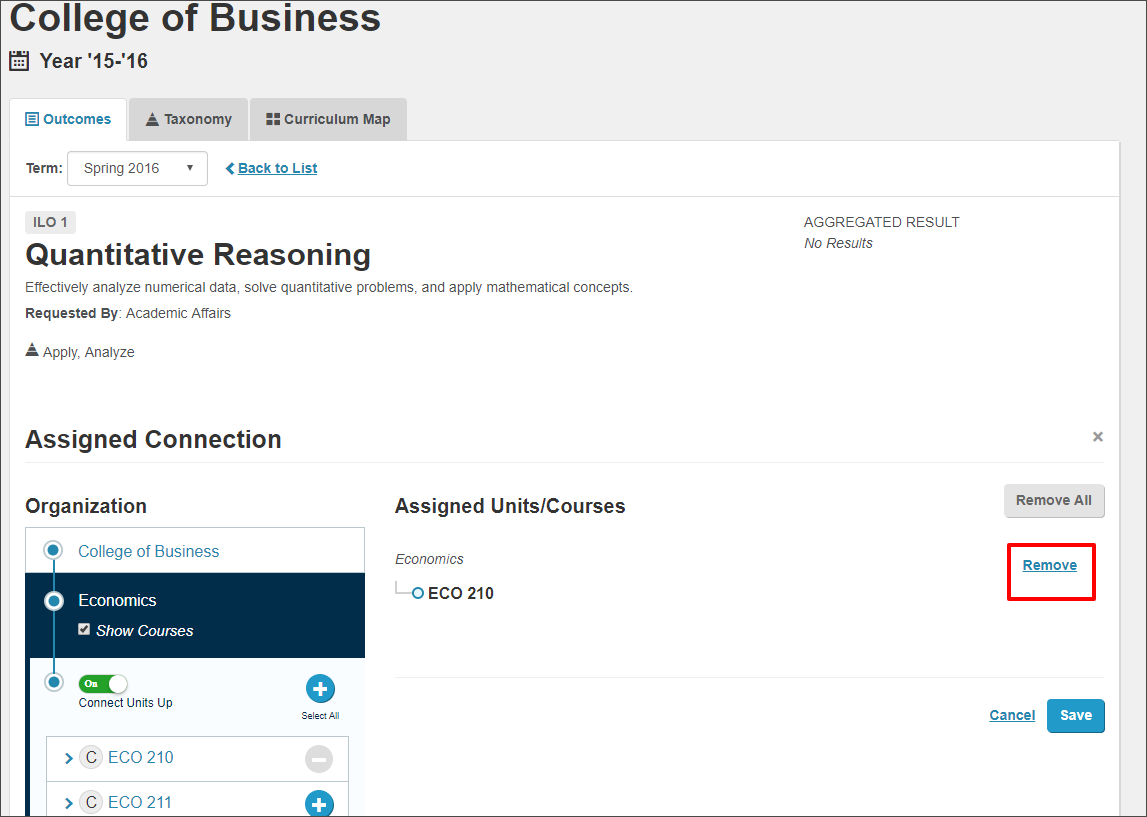
You will see a corresponding change in assignment chain.
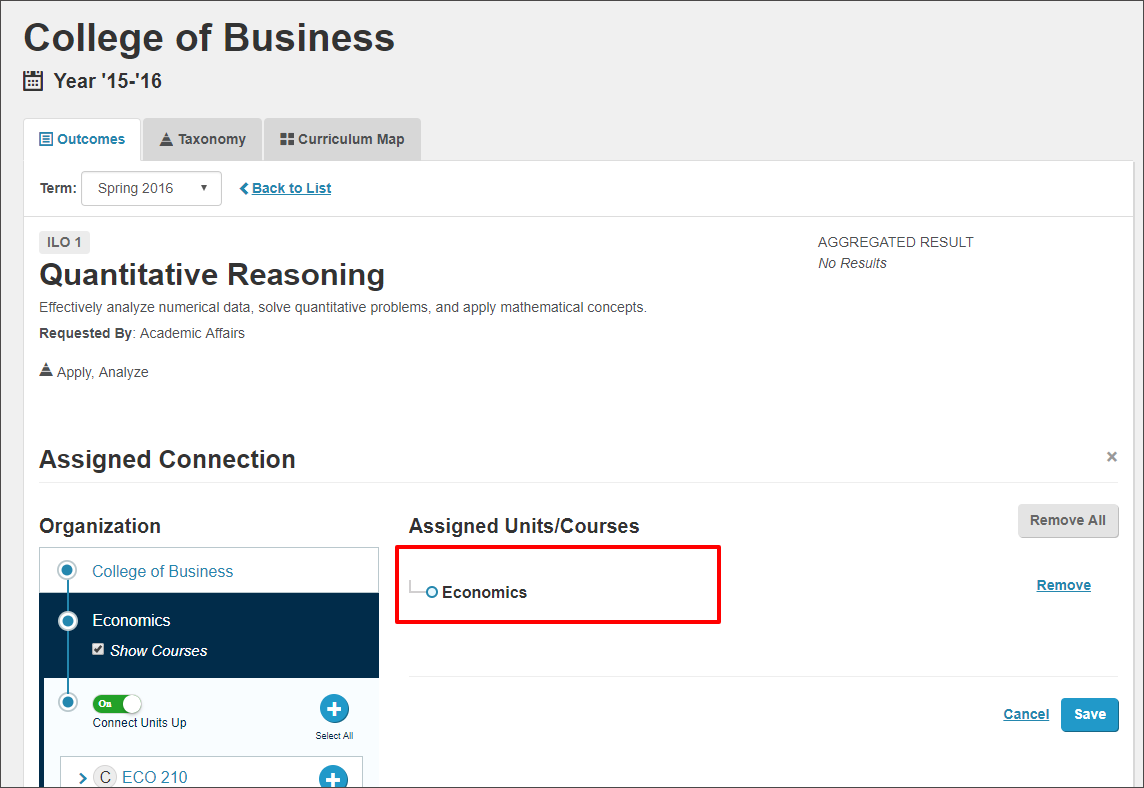
If you want the remove the entire assignment chain, selecting Remove All on the right side of your screen will remove all Connections made from current organizational unit to other organizational units and all of their subsequent child units where connections were made for the learning outcome Quantitative Reasoning.
Deleting Related Connections
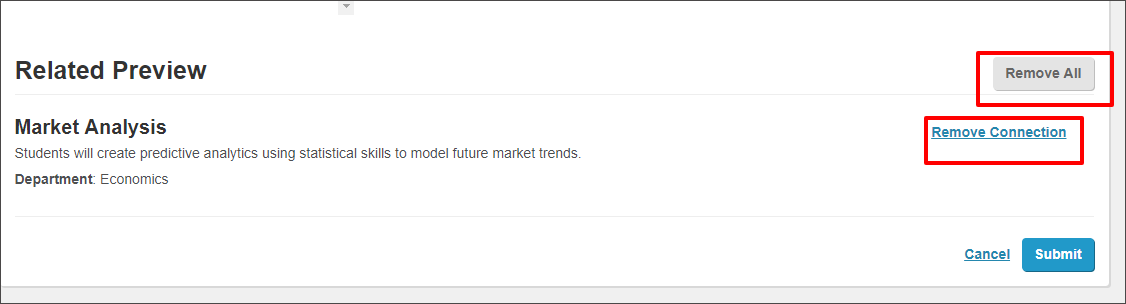
You can open the learning outcome at the appropriate level and use the Remove All button to remove any related connections. Removing connections in this way will remove all related connections made from this organizational unit for this learning outcomes. It will also delete any assessments and assessment results that have been entered at those organizational units as well.
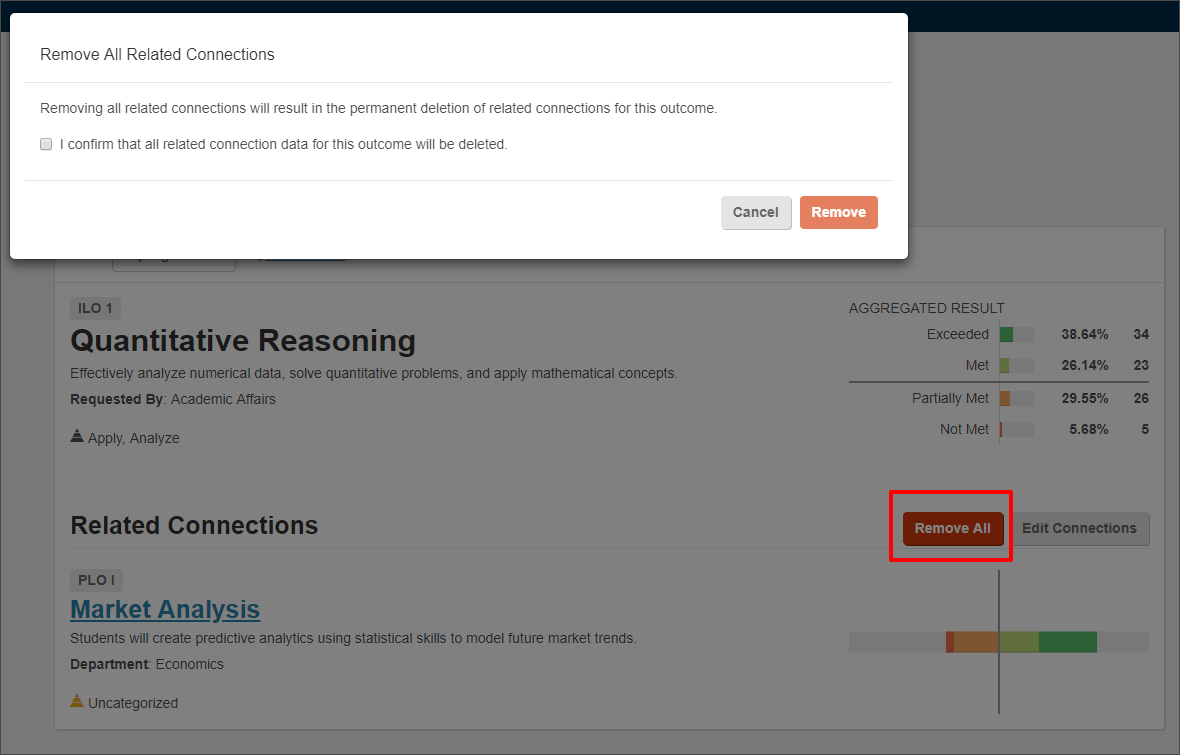
You may also remove Related Connections by selecting Edit Connections and selecting either Remove Connection to remove an individual connection or Remove All to remove all related connections in the Related Preview Window.