Removing an Outcome
Caution
When an outcome is assessed through a related connection to another outcome's assessment data, that connection will be removed but the assessment data will persist for its original outcome. However, if the outcome is assessed through an assignment to another unit(s) or performed by the unit that owns the outcome, the assessment data will be deleted as well.
You must have creator or administrator permissions.
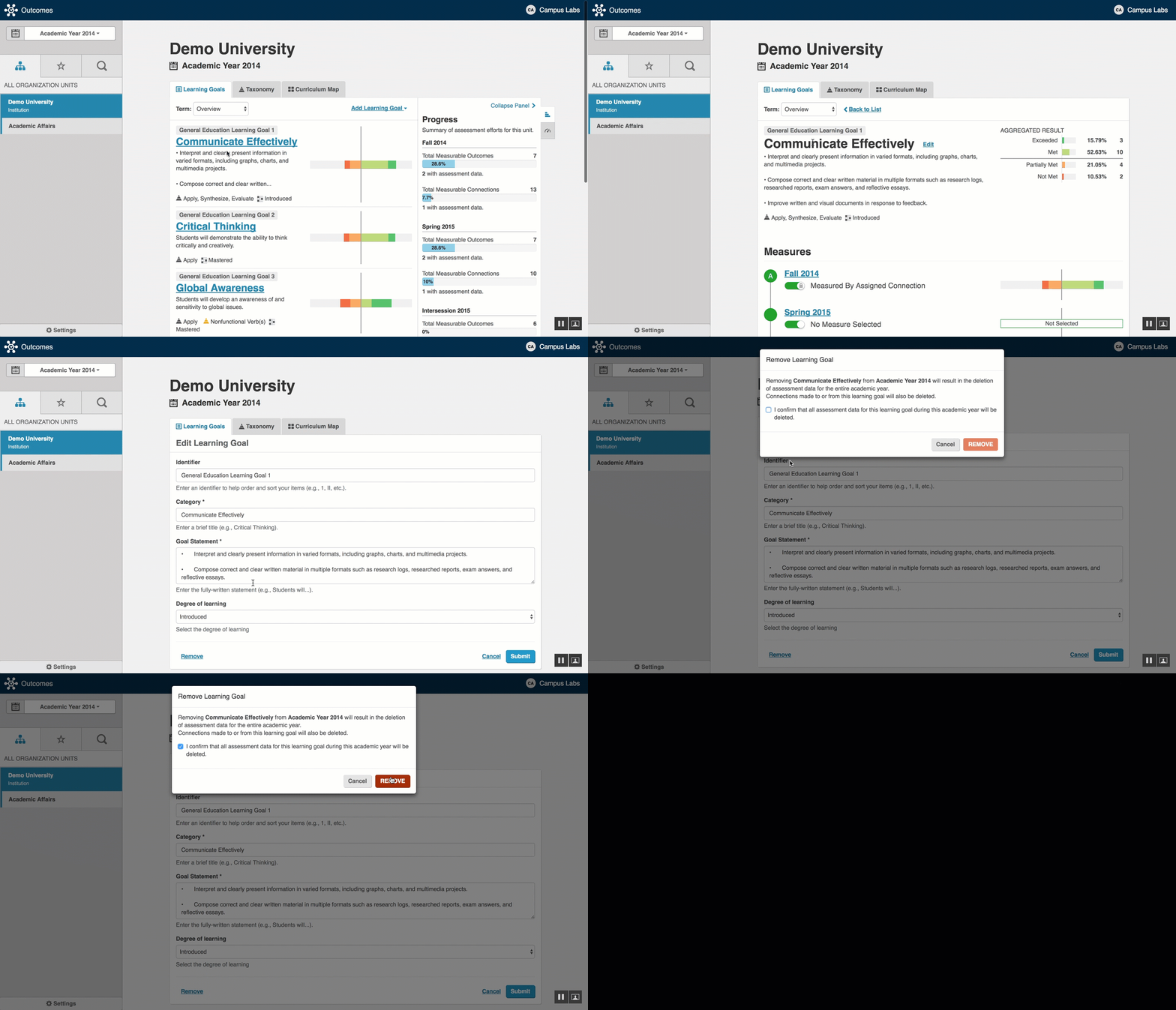
Navigate to the correct academic year and organizational unit in which the outcome lives.
Click on the outcome name you wish to remove.
Select Edit located next to the outcome name.
Scroll to the button of the screen and select Remove in the bottom left corner.
If an outcome statement has an assessment plan and/or results attached, the user will be asked to confirm that they understand that that by removing the outcome any assessments or results will be deleted and unrecoverable as well.
 |