Aggregated Data Report
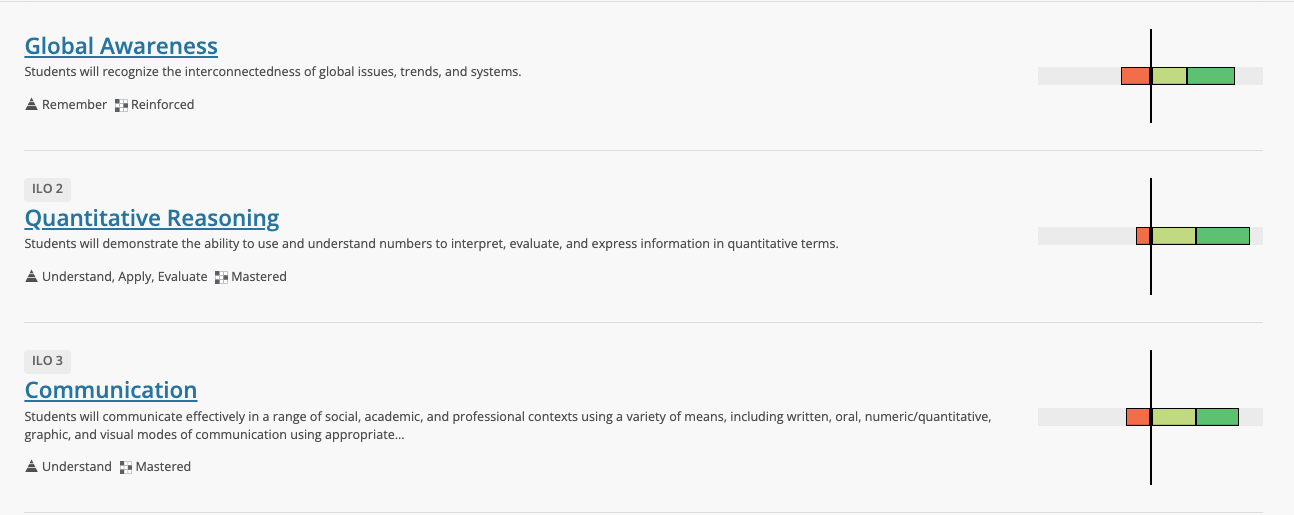
Outcome Aggregated Data Visualization
Only Site Administrators, Administrators or Creators have the ability to view results of an outcome.
Results for each outcome are updated at every level of the organization in real-time. The results are always from the most recent assessment for that outcome. Because each result is provided in a list, a user can easily compare the performance of each outcome with one another.
A user can see another visualization of the results by hovering over the results of any outcome.
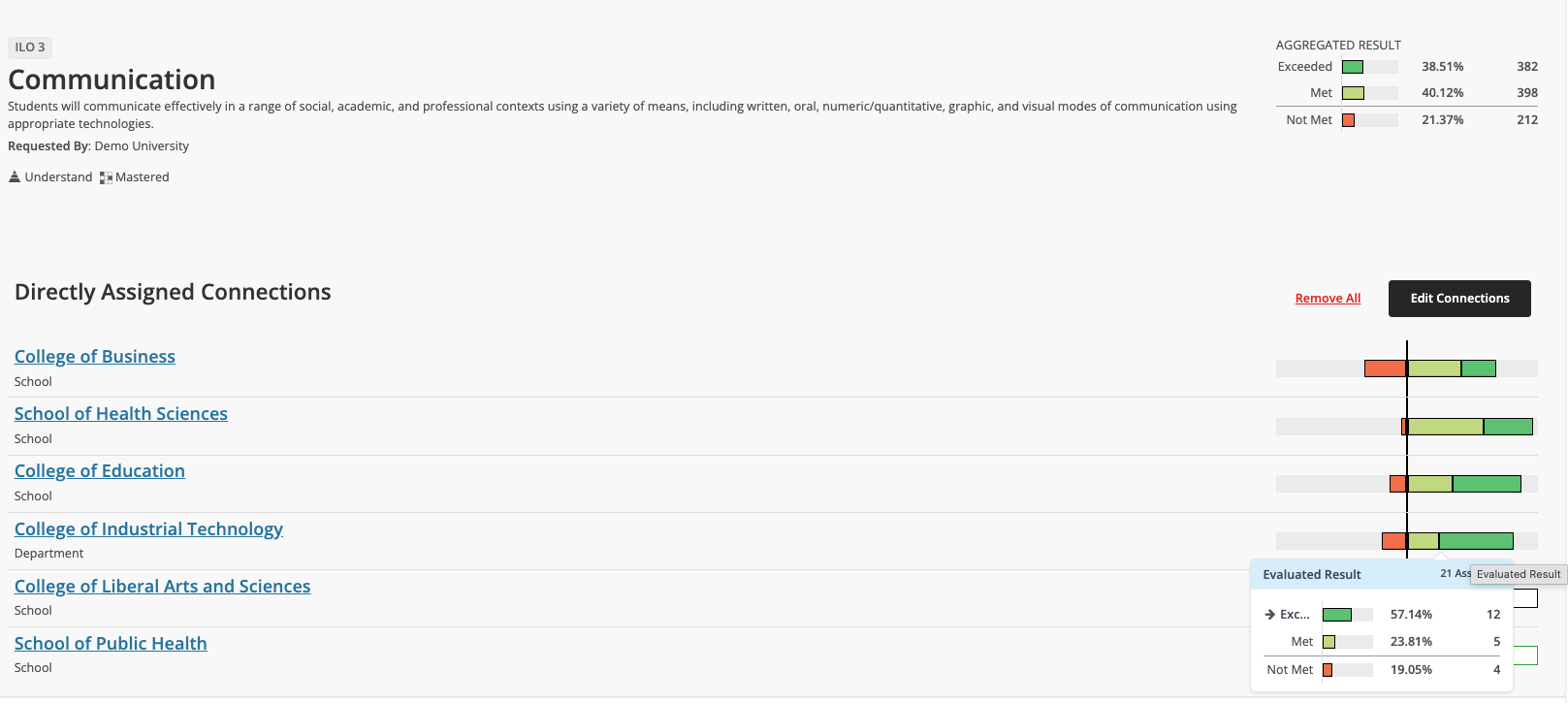
Outcome Aggregated Data by Connection
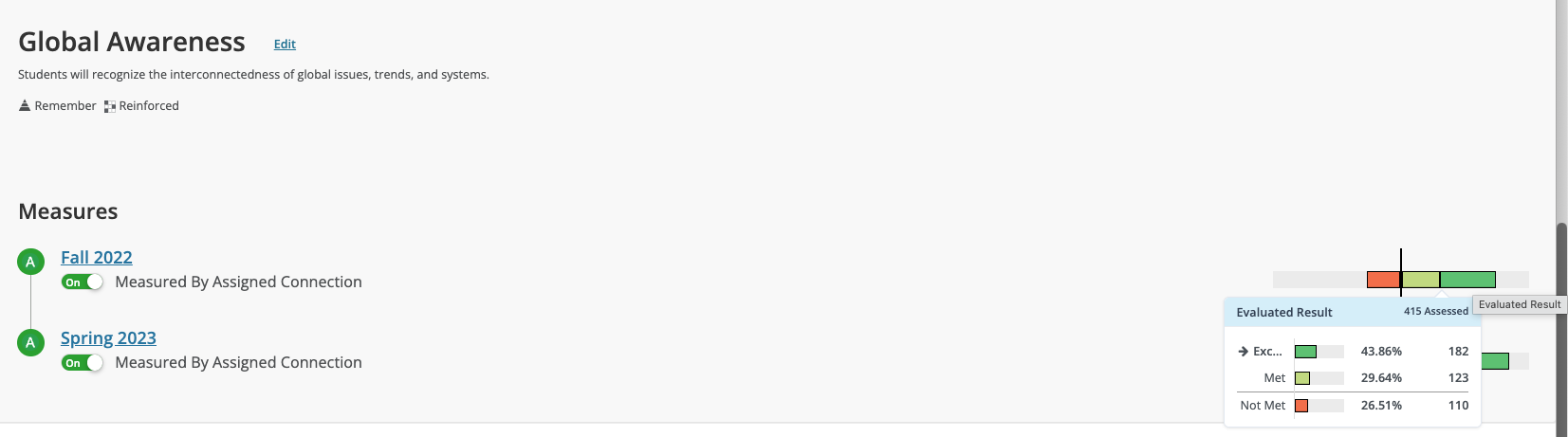
Outcome Aggregated Data by Term
A user can also compare how an individual outcome performed in each semester that it was assessed by viewing the details page of an outcome in any Academic Year.
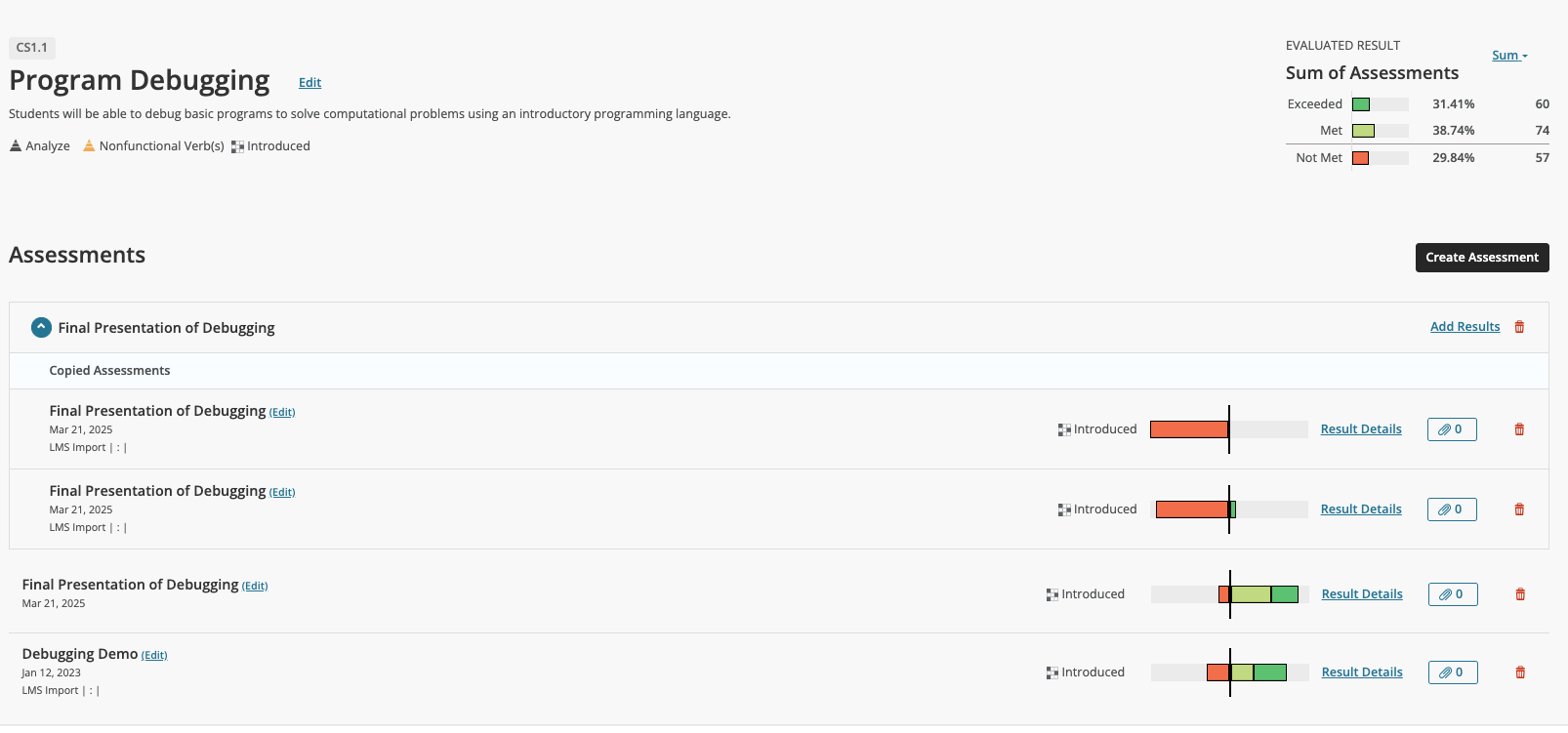
Aggregated Data by Assessment aligned to an Outcome
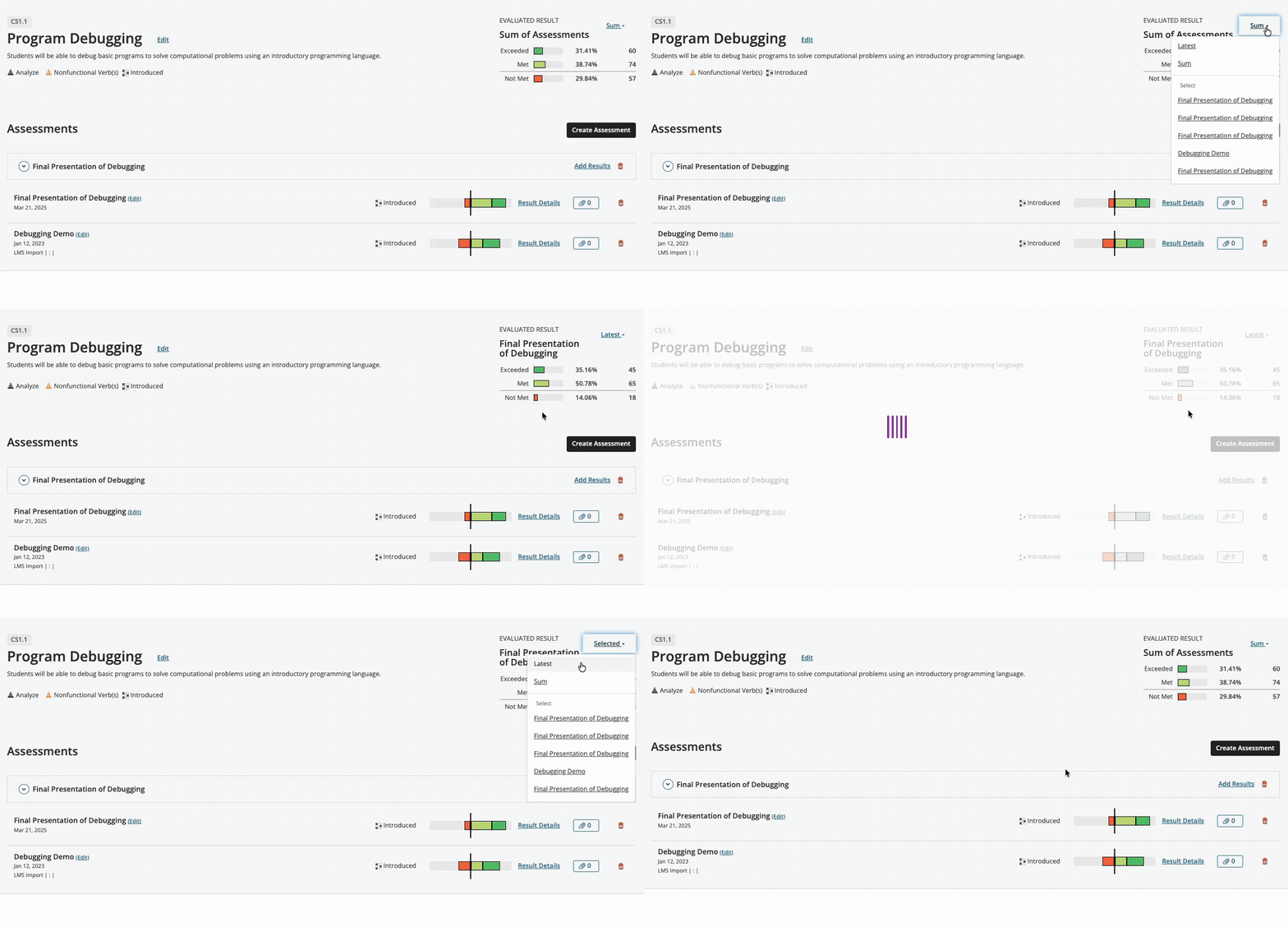
Evaluate Results can be aggregated by Sum, Latest, or a selected assessment.
Using Connections for Data Aggregation
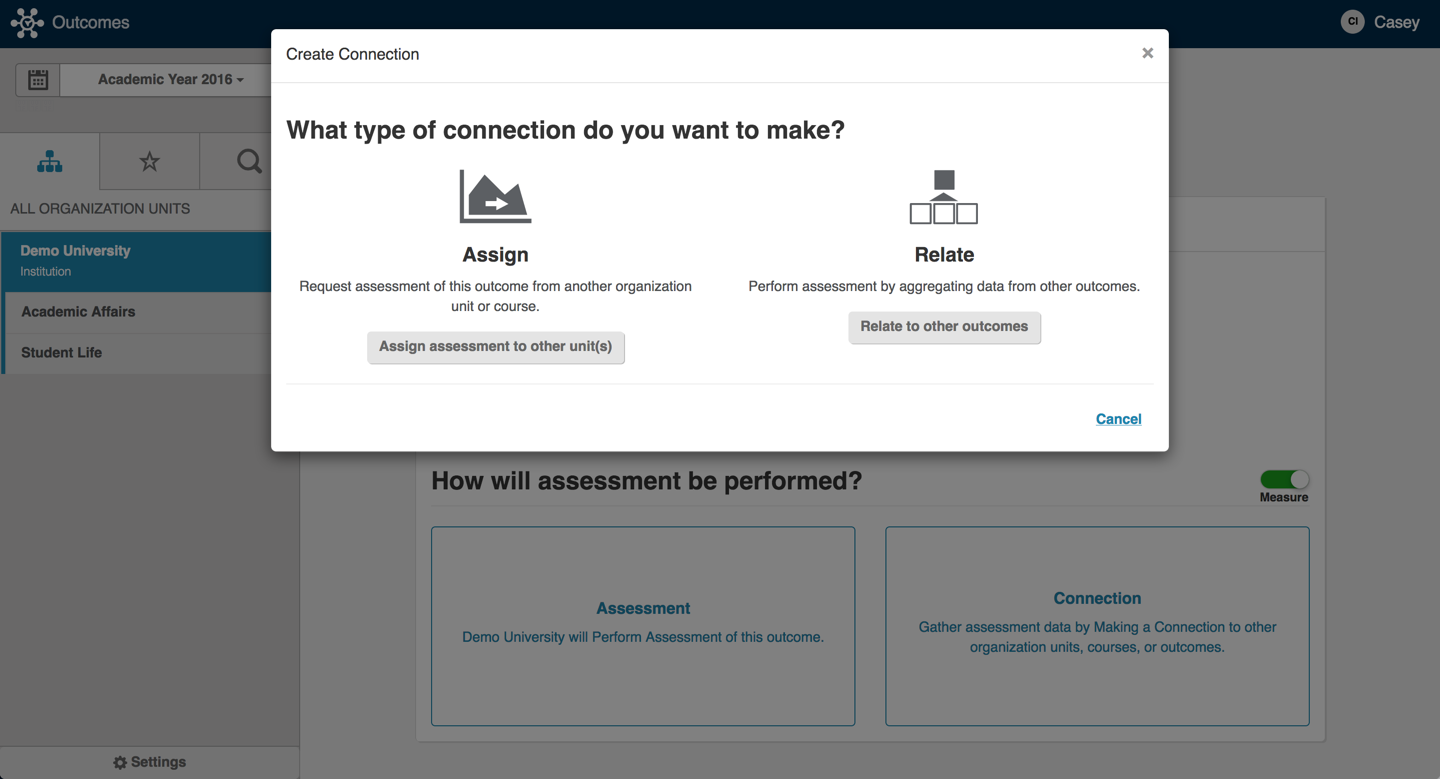
Outcomes allows any user who has administrator or creator permissions at a level within their organization to (1) assign outcomes to units that are below them in the organizational tree. This assignment is a request for data and any organizational unit can decide to fulfill the request or assign the outcome even further down the organizational tree.
It also allows these same users to (2) to other outcomes. This allows results and assessment plans from one outcome to be used as results and assessment plans of another.
 |