Outcomes Template Customization Guide
Outcomes includes three template types:
Outcome – Used to write learning outcome statements
Assessment – Used to document assessment methods and thresholds (when not being pulled from a Blackboard assessment)
Result – Used to enter and analyze assessment results
System Administrators can modify templates, display name, template instructions, visibility, and required status of other fields. Template settings can be customized by organization unit, program, or course.
Use the information below to assist you as you customize the templates within the Outcomes site. Screenshots below show what each form looks like with all fields turned on (and all settings enabled). Below each image is also a list of options that appear within any drop-down or default items. Note, these options within the drop-down are not customizable. Any field with an * (asterisk) is mandatory but can be renamed to accommodate your needs and reflect the language of your campus culture. The instructions can also be customized.
Template #1: Outcome
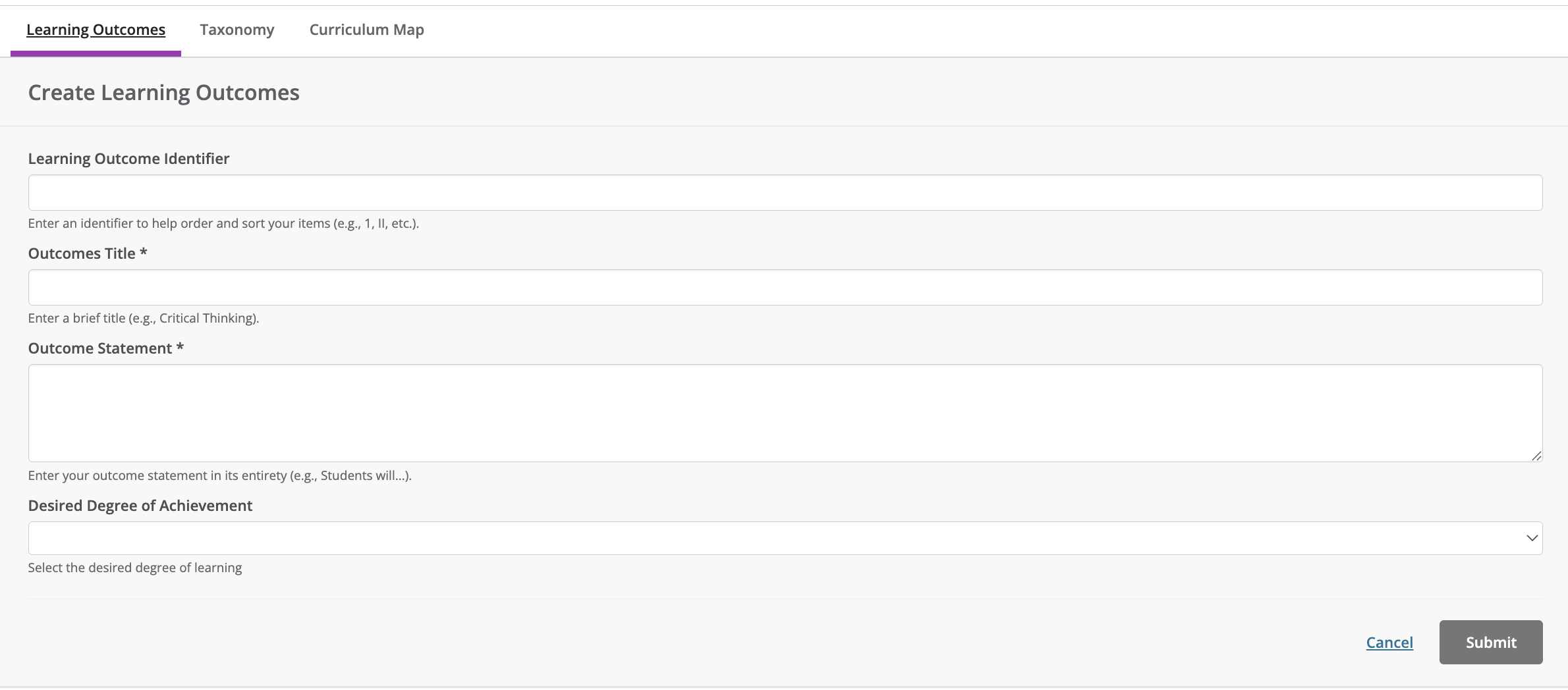 |
Degree of Learning: Introduced, Reinforced, Mastered, None
Template #2: Assessment
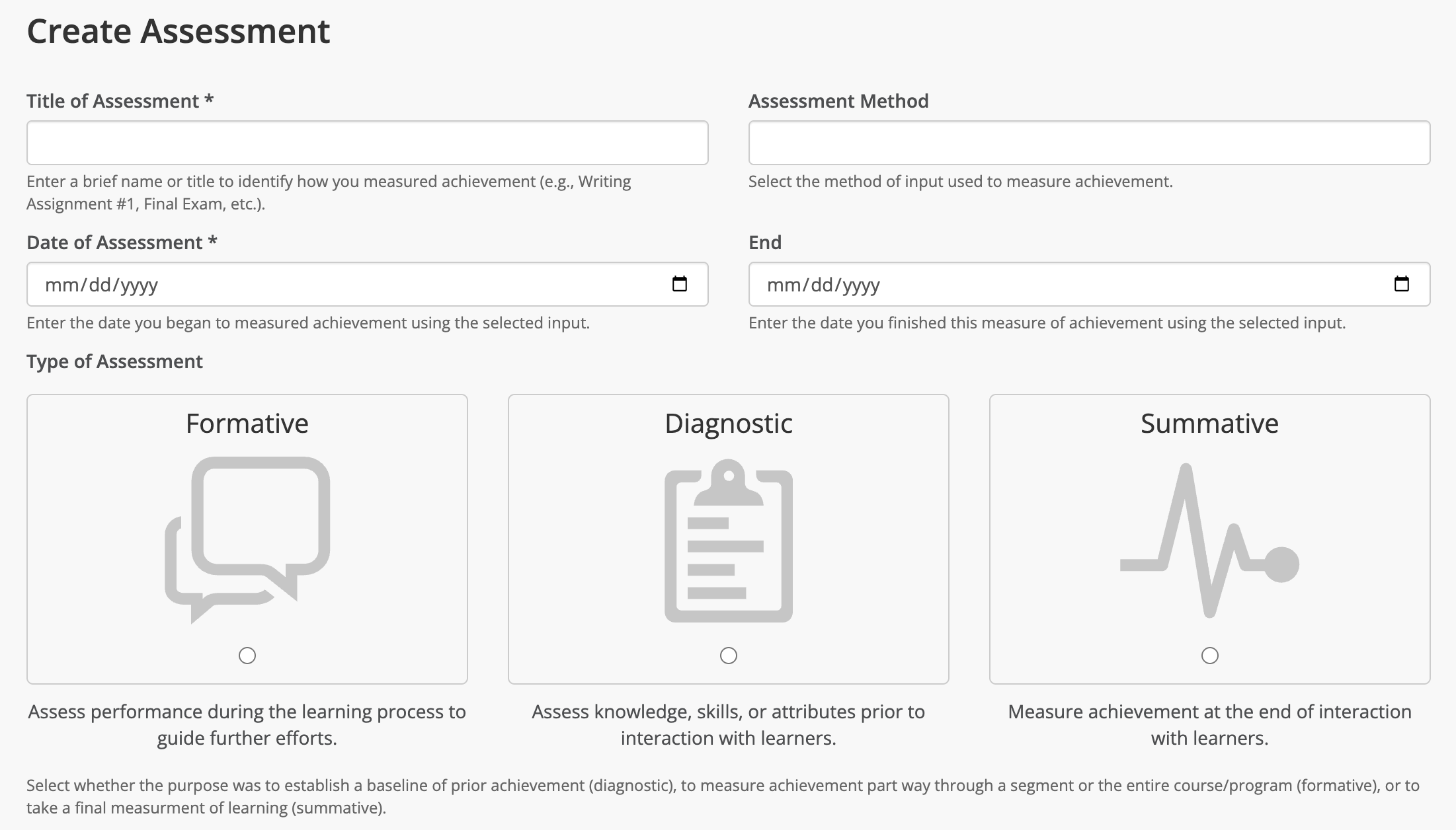 |
Assessment Method:
Examination
Candidacy Exam
Certification Exam
Comprehensive Exam
Exam
Final Exam
National Assessment
Practical Exam
Professional Exam
Quiz
Standardized Test
Test
Observation
Advisory Feedback
Focus Group
Interview Participation
Survey Questionnaire
Demonstration
Clinical Evaluation
Clinical Work
Demonstration
Exhibition
Internship Work
Laboratory Work
Performance
Poster Session
Practicum
Recital
Simulation
Production
Article Review
Capstone Project
Case Studies
Document Analysis
Essay
Field Report
Group
Individual Project
Journal
Multimedia
Portfolio
Reflection
Report
Thesis
Other
Aggregate
Briefing
Checklist
Class Participation
Independent Study
Learning Contract
Meeting Records
Needs Assessment
Quick Assessment
Type of Assessment: Formative, Diagnostic, Summative
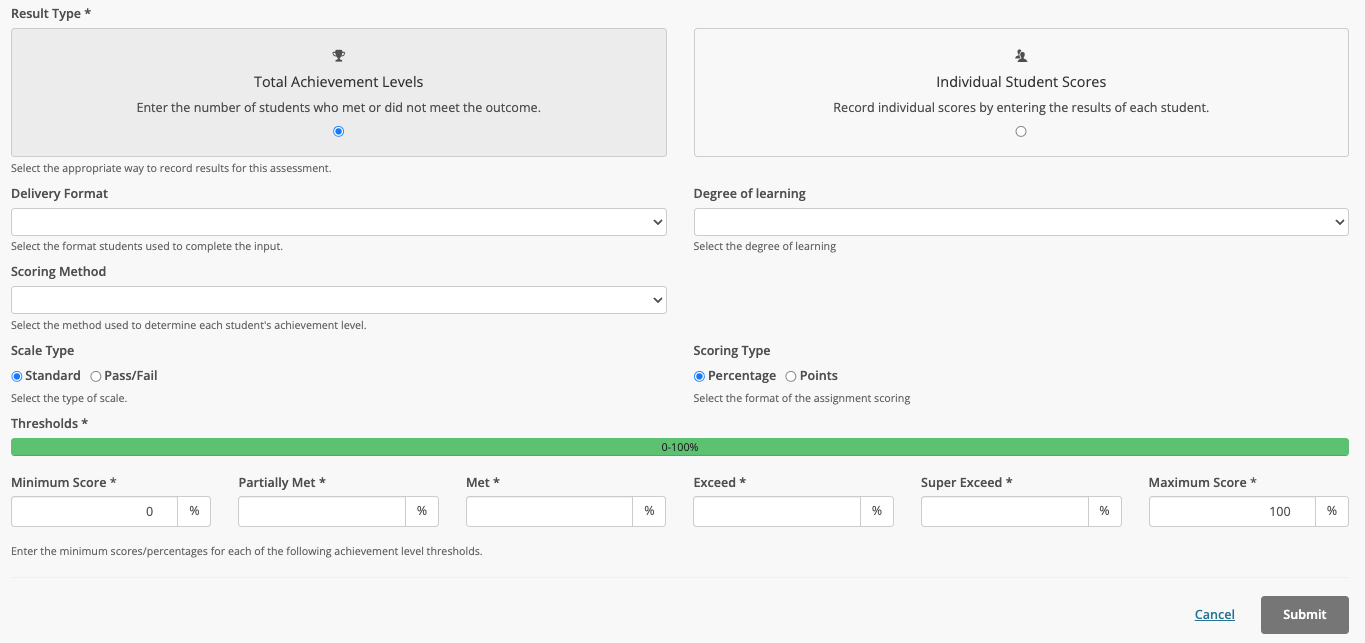
Result Type*: Total Achievement Level, Individual Student Scores (this option is used for LMS imports)
Method Delivery Format: Paper, Computer Adaptive Test, Uploaded Assignment, Aggregate
Degree of Learning: None, Introduced, Reinforced, Mastered
Scoring Method: Testing Instrument, Evaluator Observation, Rubric, Pre/Post-Test Comparison, External Benchmark Comparison
Threshold Type: Standard, Pass/Fail
Scoring Type: Percentage, Points
Template #3: Results
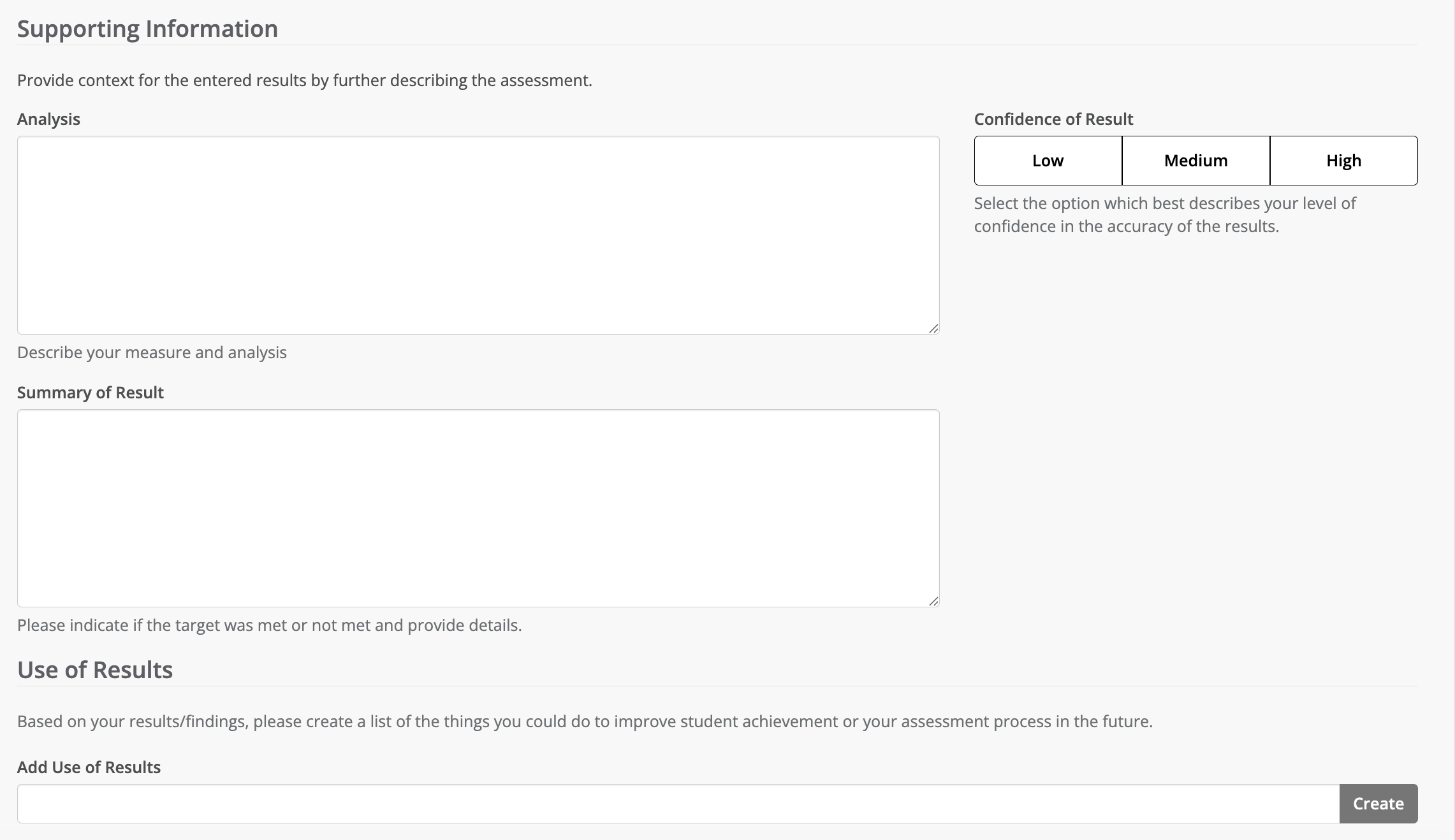 |
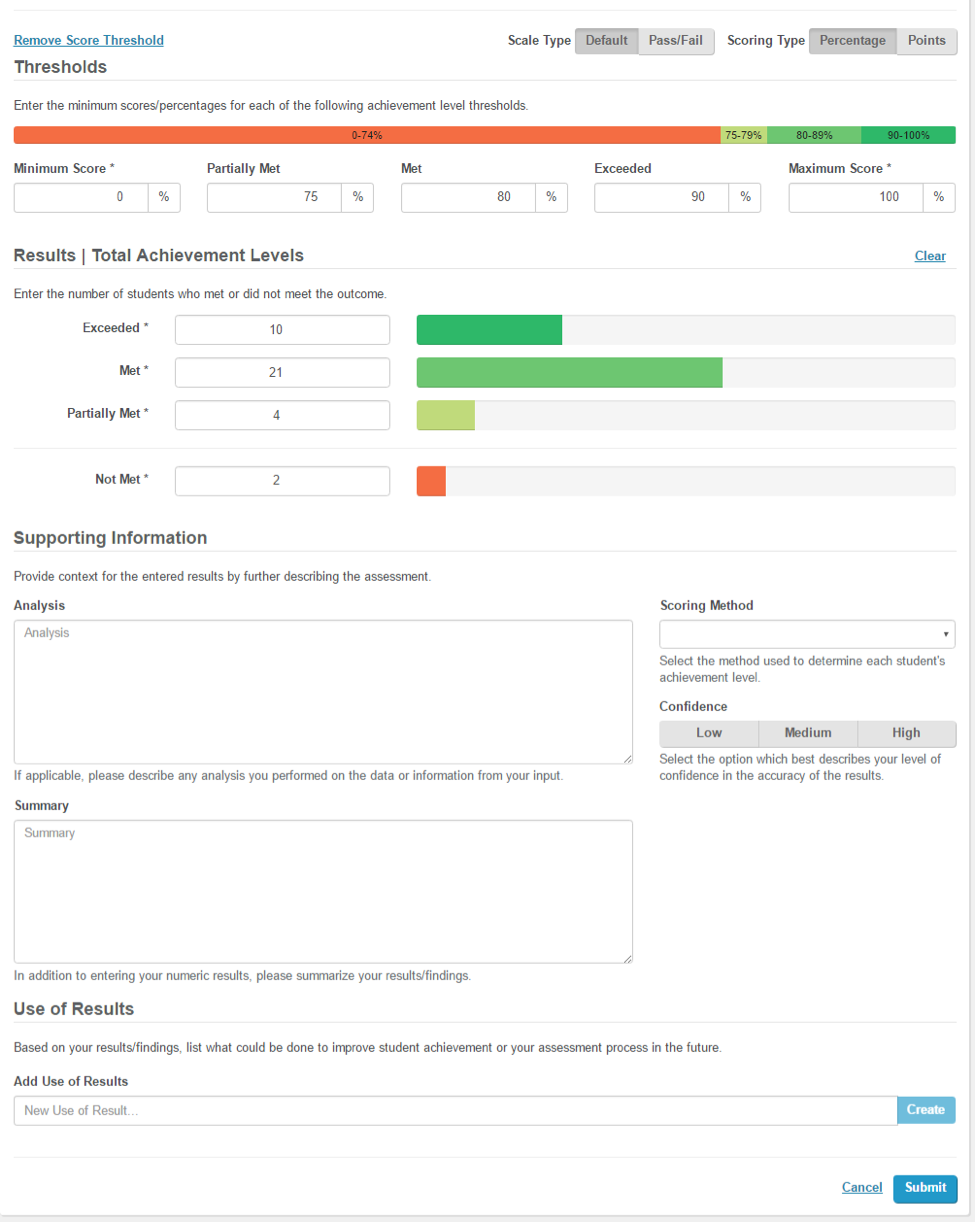
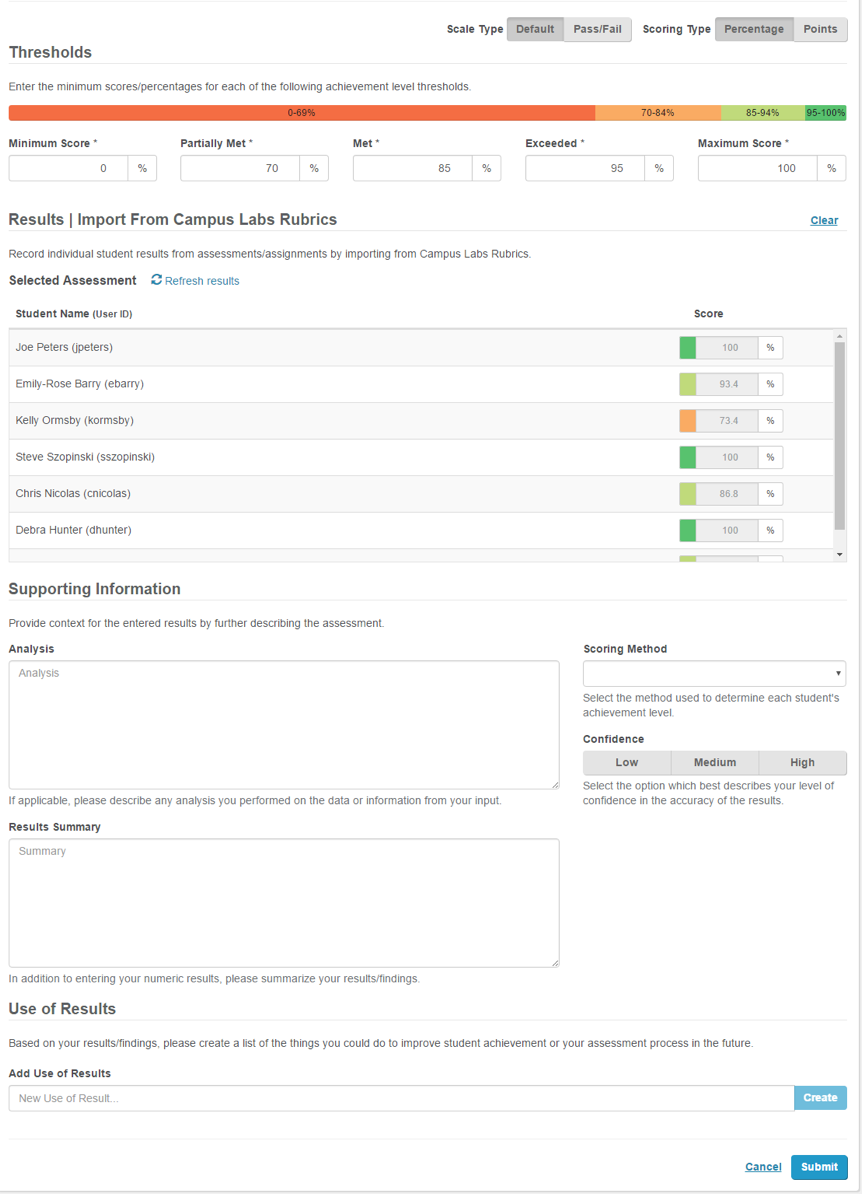
Confidence of Results: Low, Medium, High
Use of Results: This field allows the user to create a checklist or they will be able to choose from previously created checklist items.
Results template when entering in Total Achievement Levels:
 |
*Results template when entering in Individual Student Scores:
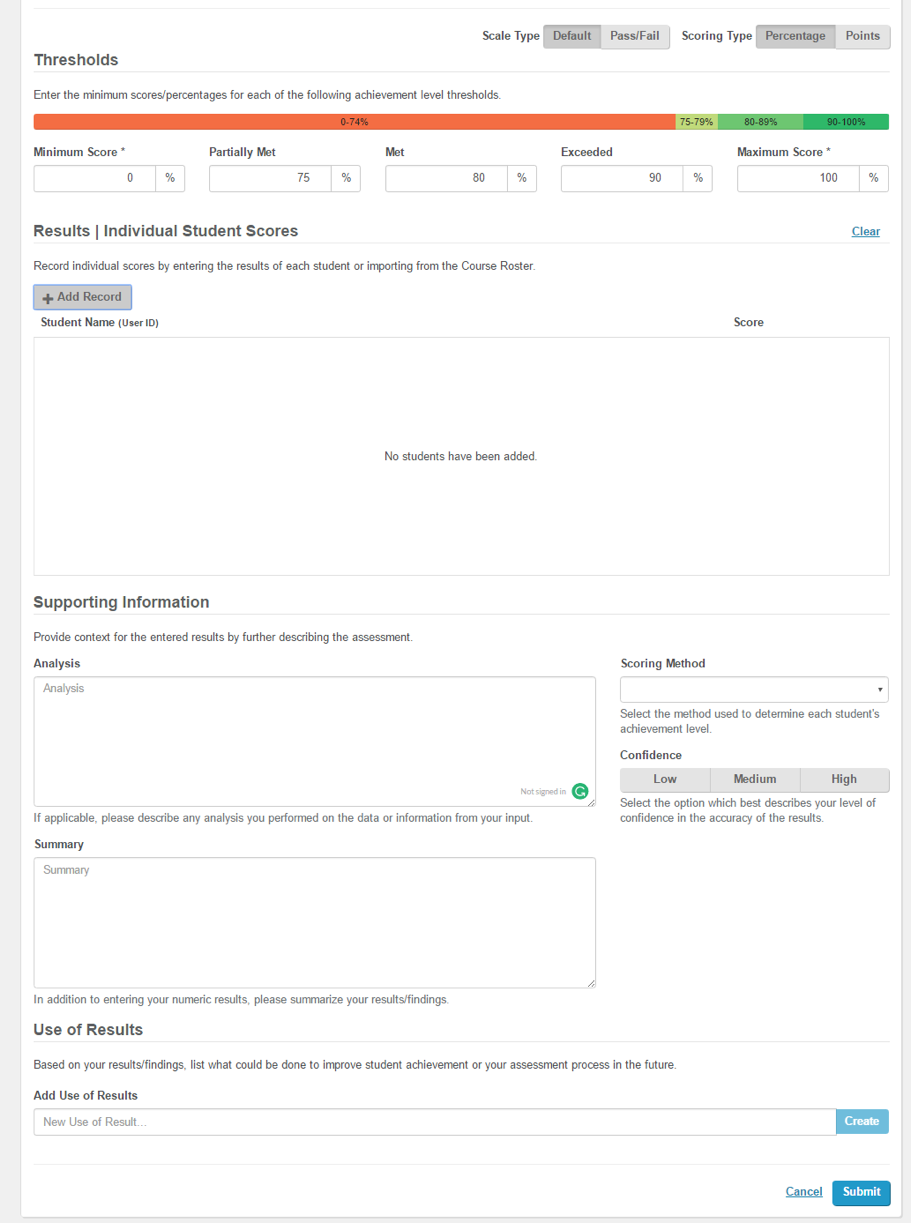 |
*If your campus included enrollments in your Core Data the course rosters for your faculty members will be prepopulated based on that information.
*Results template when Importing scores from the Rubrics tool:
 |