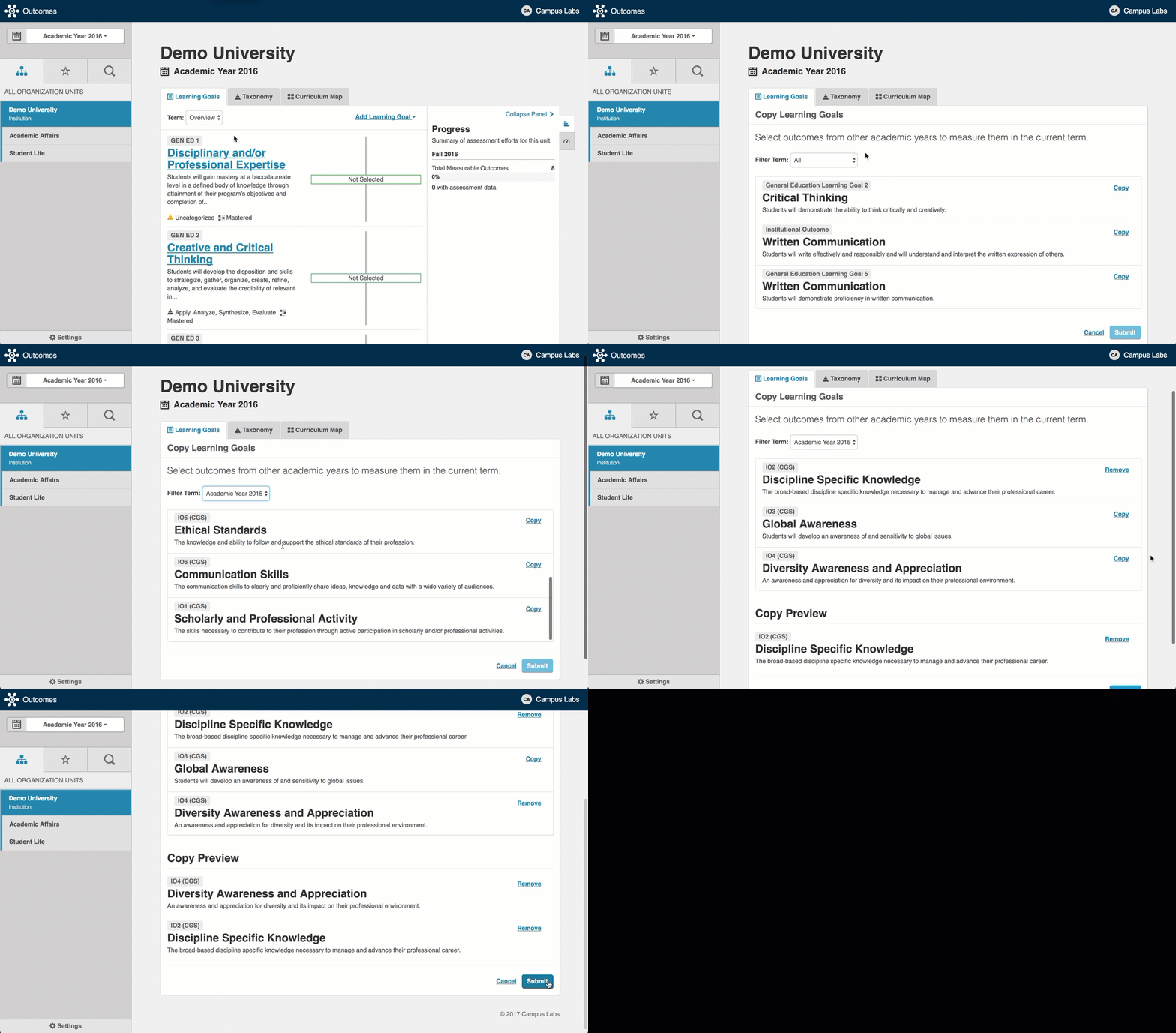
Copying Outcomes
Site Administrators can copy all outcomes, connections and assessments in an academic year by following the process in our support article Copying Outcomes, Connections, & Assessments.
Users with permission levels of either Administrator or Creator for a given organizational unit can choose to copy outcomes from one academic year to another.
The Data Manager for your institution needs to have imported more than one academic year into Core Data through our Data Management tool.
In addition to your Data Manager uploading an additional year(s) into Core Data, your institution's Site Administrator will need to initialize that new year within Outcomes before it is available to users.
Any changes to the Results Scale for that year will need to be made.
Go to the organizational unit that will house the copied outcome.
From the Add Outcome dropdown menu, select Copy Outcomes.