Permissions in Academic Programs
This article will describe the process of assigning permissions for Academic Programs functionality. If you are unfamiliar with the user roles and permissions, please see related articles.
Assigning Permissions
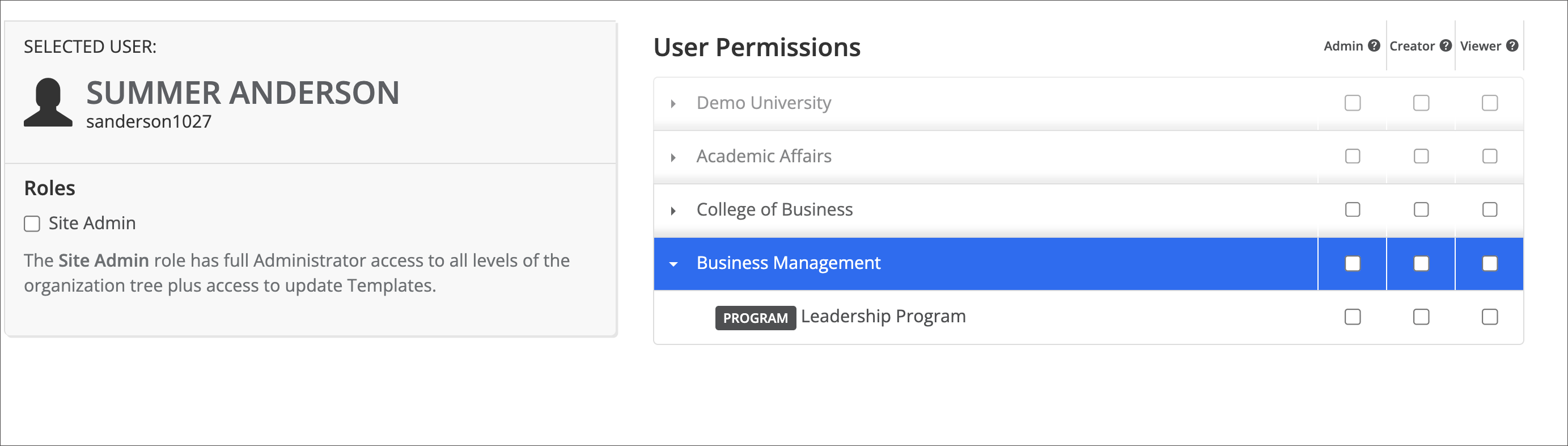
Once in the permissions settings area, users can be assigned permissions levels as they would for any organizational unit or course.
 |
Inherited Permissions
Permission levels that require a location (Admin, Creator, and Viewer) are inherited by the organizational units and courses nested below the original permission location on the institutional hierarchy tree. In other words, permissions cascade down the organizational structure.
Academic Programs are the exception. Granting a user a permission level at the Academic Program does not extend that same permission to the courses grouped within it. This is because courses are not nested under the Academic Program in the hierarchy, they remain nested under their assigned institutional hierarchy unit. The Academic Program does not own the courses; it simply opens an additional data pathway, and only assessment data flows along that pathway, not permissions.
For this same reason, courses grouped in an Academic Program do not appear beneath it on the institutional hierarchy tree. To view them, users must click the List icon in the panel.
Permission to a course must therefore be assigned directly to the course, or inherited through the course's original nesting in the institutional hierarchy.