Implicit Access vs. Explicit Access
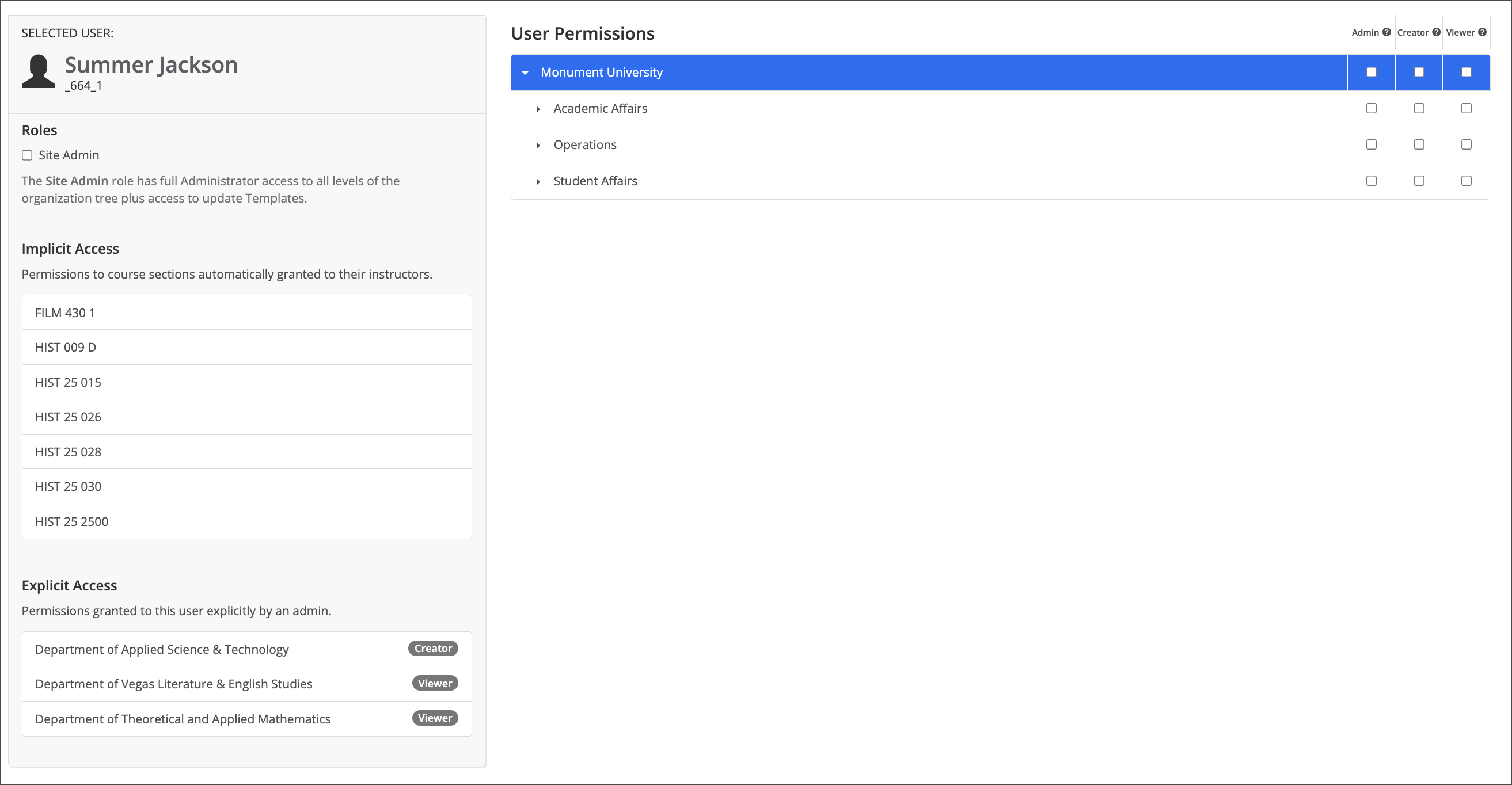
Alongside the User Permissions tree, the Permissions page shows two more panels for the selected user: Implicit Access and Explicit Access. Both describe access the user has outside the institutional hierarchy units, but they come from different places.
Implicit access
Implicit Access lists individual course sections, not institutional hierarchy units, where the user has been automatically granted access because they're the instructor of record for that course section. Nothing here was set by an admin; it's a byproduct of the course section assignment itself, so it updates as sections are assigned or reassigned rather than through any action on the Permissions page.
Explicit access
Explicit Access lists permissions an admin granted this user directly, each shown with the specific level assigned, Admin, Creator, or Viewer, at a named department or org unit. Unlike Implicit Access, these grants exist because someone chose to make them, independent of the role-based tree to the right.
Which panel answers which question
The practical distinction: Implicit Access answers "what can this person reach just by teaching their courses," while Explicit Access answers "what has an admin specifically handed them beyond that." Neither panel is a substitute for the other. A user can have entries in both at once, and reviewing access for someone fully means checking the institutional hierarchy units, Implicit Access, and Explicit Access together.