Enabling Academic Programs
An academic program is defined as any combination of undergraduate or graduate courses. Academic programs can be cross-disciplinary in nature bringing together courses from across an institution to make up a specific program of study.
For an institution to begin using Academic Programs within Outcomes, an institution's site administrator must enable it. Only an institution's site administrator has the ability to enabled or disabled academic programs.
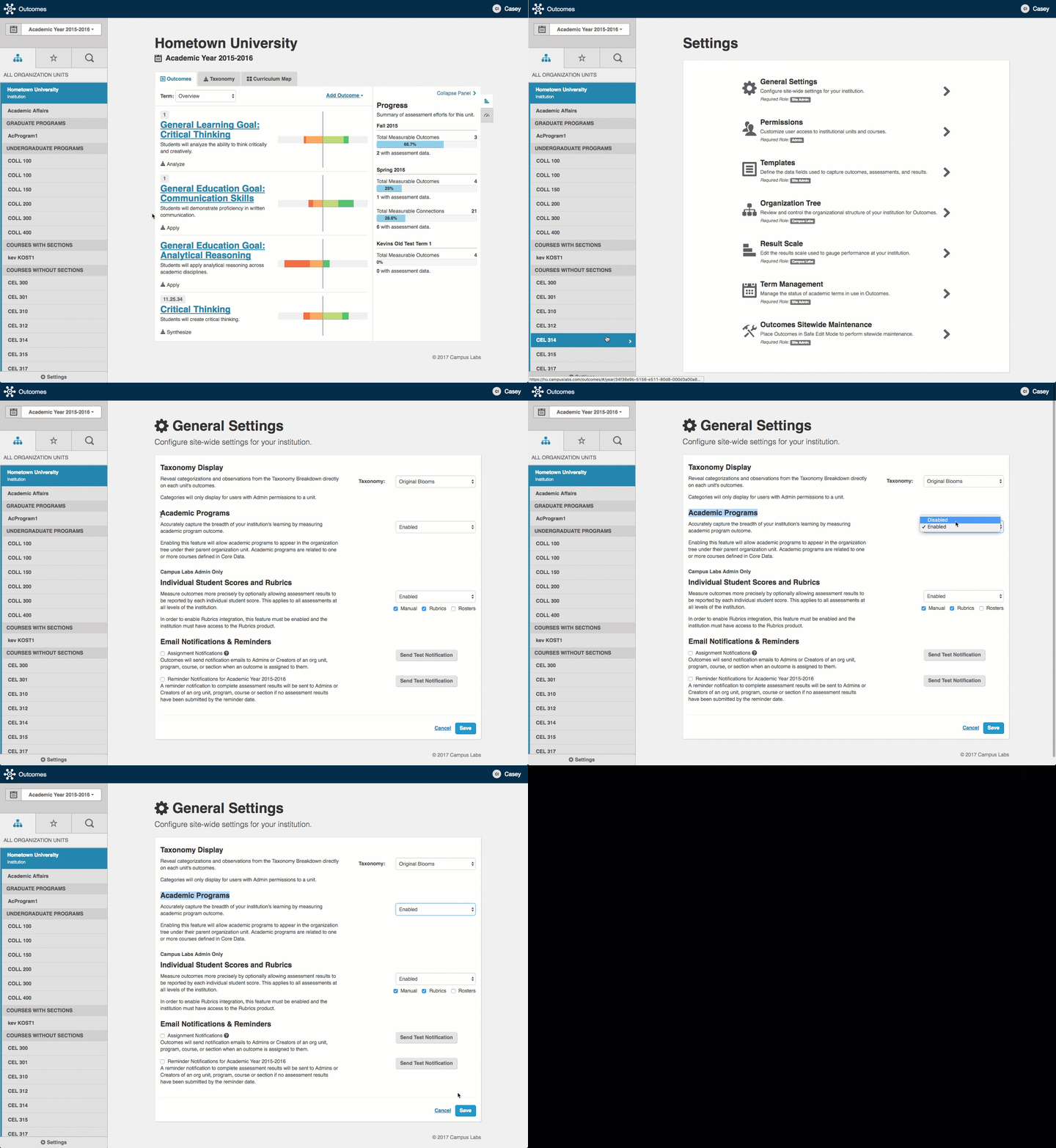
Procedure. Enable academic programs
Navigate to the Settings area within Outcomes.
Select General Settings.
Find the section for Academic Programs and from the drop-down menu select Enabled.
After you have enabled Academic Programs, you can start importing them through core data.
 |