Link Your Institution's Privacy Notice
Administrators can now add a link to their institution’s own privacy notice from within Outcomes. Once configured, the link appears in the product footer of your institution's instance of Outcomes. Institutions can customize the text that displays for the link.
Institutions are responsible for telling their users how personal information is collected, used, shared, and retained. This gives institutions a direct, in-product route to that information so that users can find the privacy notice without leaving Outcomes.
Configuring the privacy notice link
General Settings is restricted to the Site Admin role, so the privacy notice can only be changed by users with that role. Every change is recorded in your settings activity log, capturing the previous value, the new value, who made the change, and when.
Go to Settings > General Settings.
Find the Privacy Notice section.
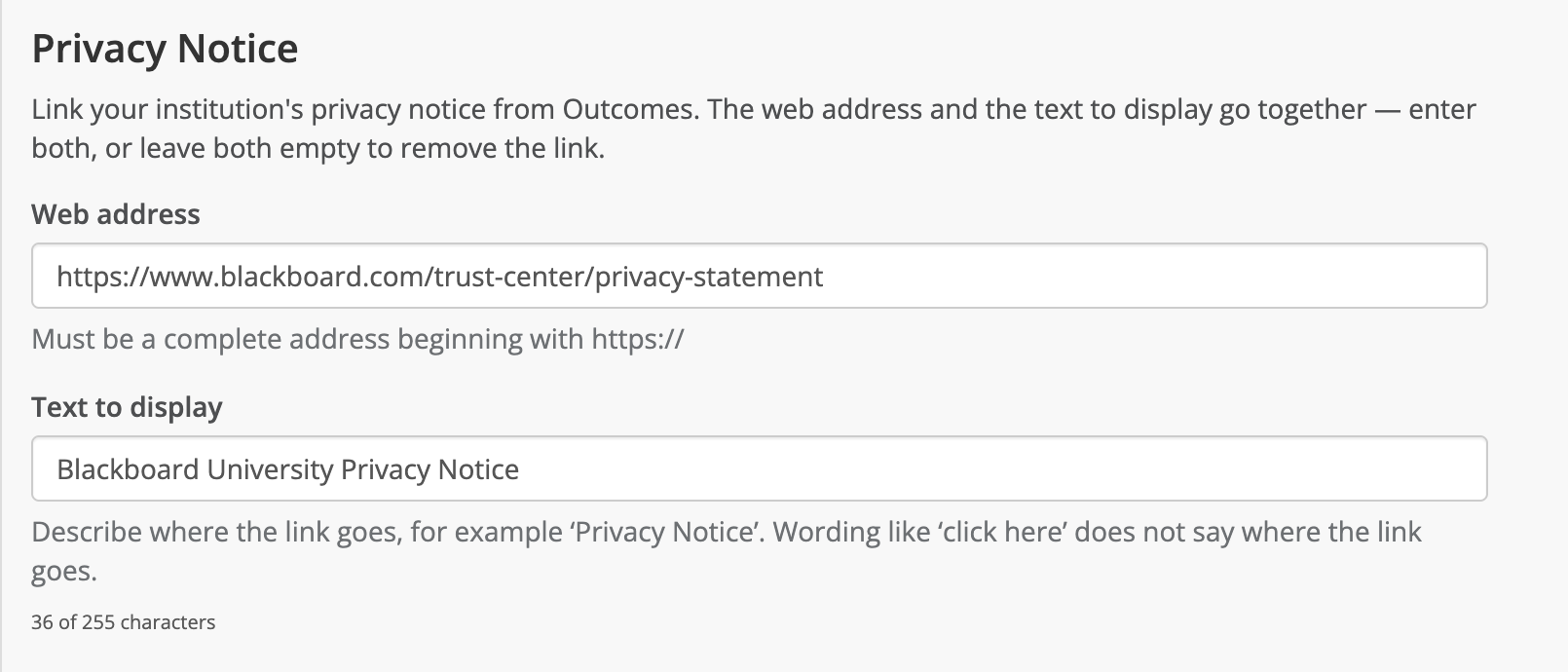
In Web address, enter the full address of your institution's privacy notice. The web address must begin with https:// because the notice must be served over a secure connection. Addresses starting with http:// (without the s) will be rejected.
In Text to display, enter the display text for the link. This is the text that appears in the footer.
Tip
Display text such as Click here is not descriptive or helpful for users. We recommend that the display text accurately and succinctly describes what the link is for, such as Privacy Notice.
Select Save.
Open Outcomes to verify that the link is displaying properly in the footer.
User experience after configuration
After your administrator has configured a privacy notice, everyone signed in to Outcomes can access the link in the product footer. Selecting the link opens the privacy notice in a new browser tab, so users don’t lose their place in Outcomes. The link is shown at every permission level, down to Viewer. Users do not need elevated access to find out how their information is handled.
If your institution hasn’t configured a privacy notice, the footer looks exactly as it does today and no link, placeholder, or empty space appears.
