Utbildningsmoduler
Note
Denna dokumentation har översatts med hjälp av AI-stödd maskinöversättning. Översättningarna tillhandahålls ”i befintligt skick” utan någon garanti för deras riktighet. Den engelska versionen av detta innehåll är den officiella och giltiga källan.
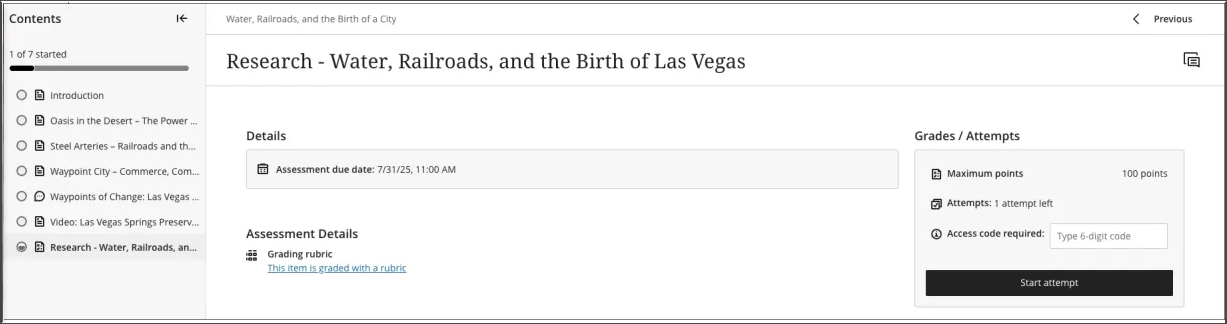
En lärmodul är en behållare med organiserade samlingar av innehåll. Modulerna gör det möjligt för deltagarna att navigera från en innehållsartikel till en annan utan distraktioner eller extra klick. En utbildningsmodul håller dig fokuserad på lektionen eller konceptet som du ska lära dig. Om din kurs använder en textbok kan din lärare använda moduler för att gruppera innehållet så att materialen matchar varandra.
En inlärningsmodul ser ut ungefär som en mapp på sidan ”Kursinnehåll”. Klicka på rubriken eller pilen för att öppna lärmodulen och se dess innehåll.
Inlärningsmodulerna kan omfatta:
Läsmaterial och filer
Bedömningar (uppgifter och tester)
Grupprojekt
Diskussions- och samarbetsverktyg
Du kan se allt synligt innehåll i inlärningsmodulen, inklusive förfallodatum.
Navigera i en utbildningsmodul
När du öppnar en utbildningsmodul visas en komprimerbar innehållsförteckning på sidopanelen på skärmen. Den här panelen visar alla innehållsobjekt i utbildningsmodulen och hjälper dig att snabbt förstå innehållets omfattning och organisation.
Markera ett objekt i innehållsförteckningspanelen om du vill öppna det direkt (om inte din lärare har tvingat fram en viss ordningsföljd).
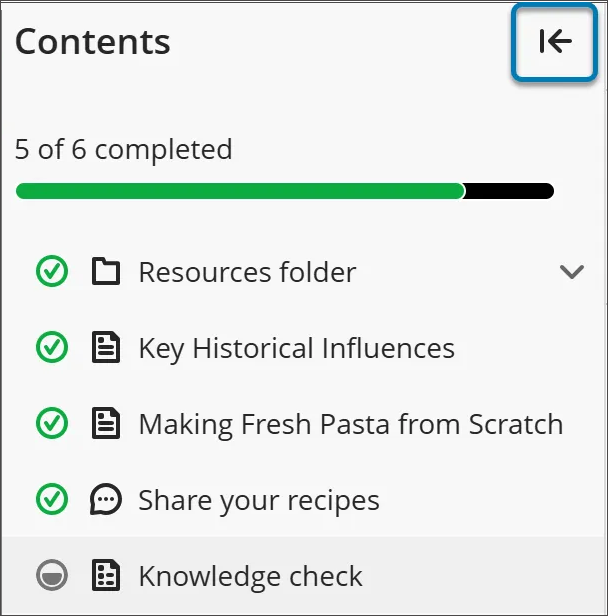
Om du vill dölja innehållsförteckningen väljer du pilknappen i det övre hörnet av innehållsförteckningen.
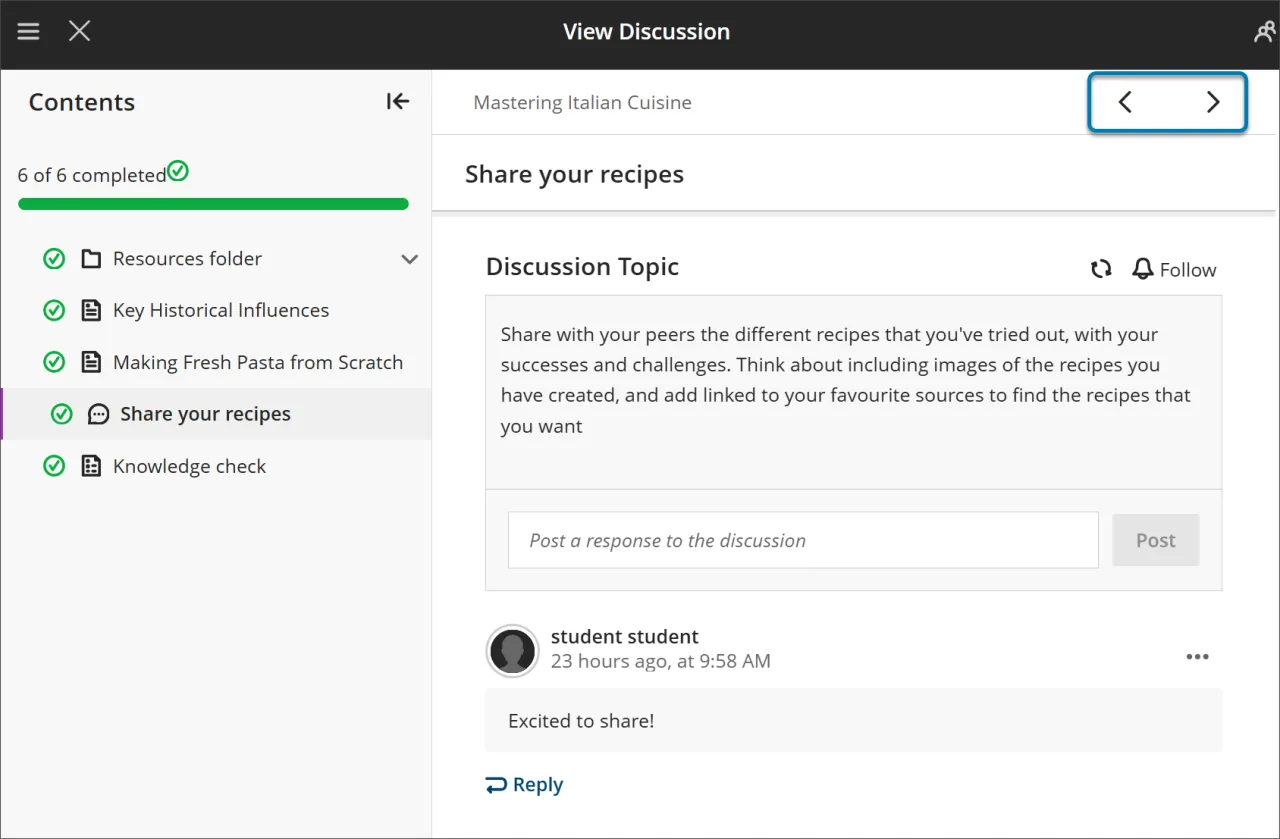
Använd knapparna Nästa och Föregående längst upp till höger för att gå igenom innehållet i ordning. Om din lärare har aktiverat tvingad sekvens kan du märka att nästa objekt är låst.
Du måste uppfylla vissa villkor innan Nästa och nästa objekt i innehållsförteckningsmenyn blir tillgängliga. Du kan fortfarande gå tillbaka till alla tidigare olåsta objekt.
Tvingad sekvens
Om din lärare kräver att uppgifterna i utbildningsmodulen ska slutföras i en viss ordning visas ett meddelande. Andra villkor, t.ex. åtkomstdatum eller krav, kan också gälla.
Om utbildningsmodulen innehåller mappar navigerar du genom dem på samma sätt som annat innehåll. Din lärare kan kräva att du slutför innehåll i en mapp innan du går vidare.
Spåra dina framsteg
Du kan avsluta en inlärningsmodul innan du har slutfört den. När du återvänder visas ikoner bredvid innehållet som visar hur långt du har kommit, så att du kan fortsätta där du slutade.
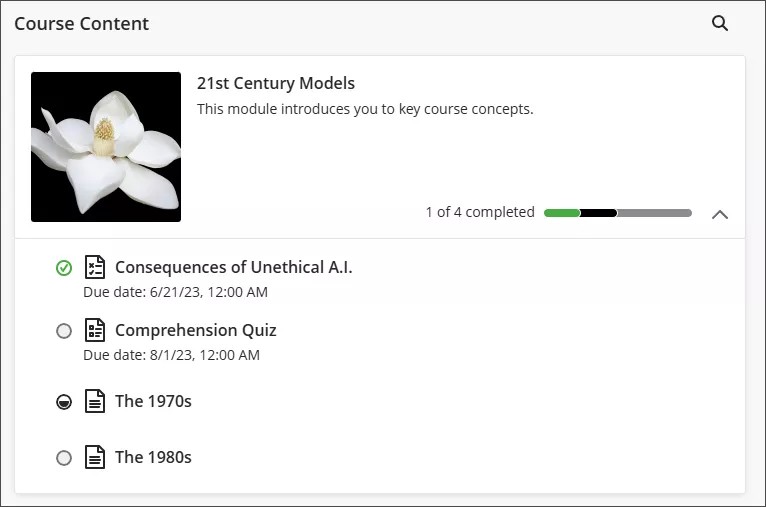
Det finns fyra typer av förloppsikoner:
En grön cirkel med en bock betyder att innehållet är klart.
En delvis fylld grå cirkel betyder att innehållet bearbetas.
En tom cirkel innebär att du inte har börjat visa innehållet.
En låsikon betyder att du ännu inte uppfyller villkoren för att få åtkomst till innehållet.
Bedömningar i utbildningsmoduler
När du öppnar en utvärdering från en utbildningsmodul visas den i en helsidespanel. Denna layout ger en konsekvent och fokuserad upplevelse, vilket hjälper dig att hålla dig engagerad i materialet.