AI-konversation
Note
Denna dokumentation har översatts med hjälp av AI-stödd maskinöversättning. Översättningarna tillhandahålls ”i befintligt skick” utan någon garanti för deras riktighet. Den engelska versionen av detta innehåll är den officiella och giltiga källan.
AI-konversationer är till för att utforska ett ämne eller ett scenario med en AI-persona som har definierats av din lärare. Din lärare kommer att granska din konversation med AI-personan när du är klar med konversationen.
Din lärare vill till exempel att du ska tänka mer på en historisk händelse i din kurs. Läraren skapar en AI-persona som ska diskutera ämnet med dig. Din lärare definierar AI-personans samtalsegenskaper, till exempel att AI-personan ska vara stödjande. Efter att du har interagerat med AI-personan ombeds du att reflektera över hur interaktionen har ökat din förståelse för ämnet.
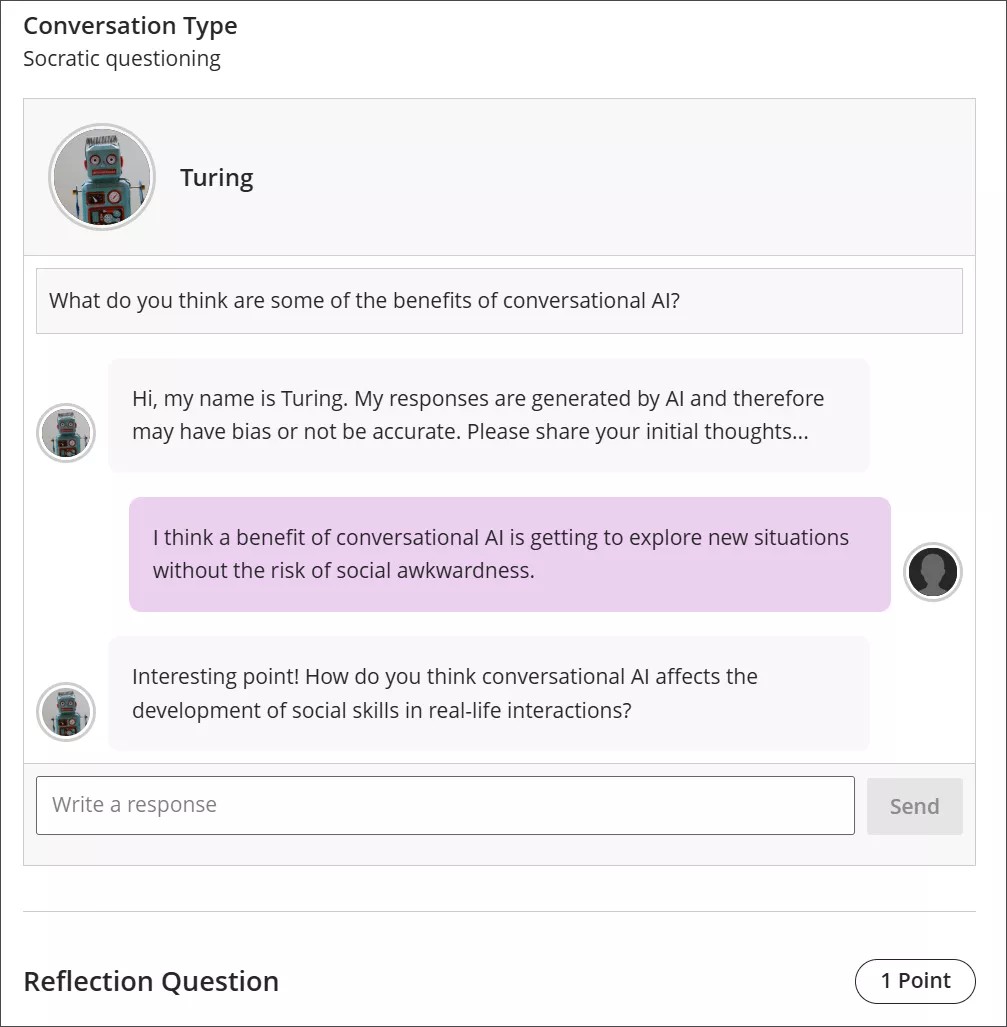
Conversation types
Socratic Questioning conversations encourage you to think critically through continuous questioning. The AI persona won’t tell you that you have a right or wrong answer. It gives you a series of questions so you can explore the topic. When you feel like you’ve fully considered the topic, you can move on to the reflection question.
Role Play conversations are for playing out a scenario with an AI persona. You can get experience with new situations in a way that is close to real life, such as workplace interactions and preparing for interviews.
Pulse Quiz conversations ask you quickfire questions about material you have covered. A host greets you, says how many questions the quiz contains, asks them one at a time, and responds to each answer before moving on. At the end, the host summarizes how you did. Questions are generated as you go, so another student taking the same quiz won’t get the same questions.
Start a conversation
Open the AI Conversation from your course and select Start attempt, then select Start conversation. The conversation opens in its own view with more room for the exchange, and the settings and assessment details are hidden while you work.
The notice explaining that responses are AI-generated and may be inaccurate or contain bias stays visible while you work.
Take part in a conversation
Om du vill interagera med AI-personan anger du ditt svar i textfältet.
Om du vill skapa en radbrytning använder du Entertangenten på tangentbordet.
Välj knappen Skicka eller använd Skift + Retur för att skicka ditt svar.
AI-personas kan ha partiskhet eller vara felaktiga. Använd ditt bästa omdöme i dina svar på AI-personan och din reflektion över konversationen. Om du identifierar några fördomar eller felaktigheter i din interaktion med AI-personan kan du inkludera detta i din reflektion över samtalet.
Conversation language
Your instructor can set the language a conversation is conducted in. When a language is enforced, the whole conversation is in that language from the first message onward. You can’t change it partway through: if you ask the AI to continue in a different language, it declines and carries on in the language your instructor set.
Reflect on the conversation
AI personas may have bias or be inaccurate. Use your best judgment in your responses to the AI persona and your reflection on the conversation. If you identify any bias or inaccuracies in your interaction with the AI persona, you can include this in your reflection on the conversation.
Notera
Laglig, etisk och ansvarsfull användning av AI är en viktig prioritering för Anthology och för utvecklingen av funktionen AI Conversation. För mer information om Anthologys inställning till AI, besök vårt Trust Center.