Blackboard Outcomes
Blackboard Outcomes extends Blackboard by integrating learning outcome measurement capabilities directly in to LMS workflows. This allows institutions to begin measuring, interpreting, and visualizing learning outcome performance directly within Blackboard LMS, while maintaining alignment with institutional assessment practices.
With Blackboard Outcomes, institutions can establish a shared framework for outcome measurement by defining institution‑wide performance scales, identifying key assessments, and surfacing outcome results to instructors and students—without requiring users to leave the LMS course experience. These capabilities support consistent, longitudinal measurement of learning achievement across courses, programs, and terms to support institutional continuous improvement.
Blackboard provides the instructional and assessment context where learning occurs, while Outcomes provides the broader administrative and analytical tools for institutional assessment and reporting.
For comprehensive information about Outcomes—including outcome management, assessment reporting, and administrative workflows—visit the Outcomes help site.
Note
Blackboard Outcomes must be provisioned for the institution. Contact your account team for further support.
Access Outcomes in Blackboard
In the gradebook, select the Mastery icon to open the overall mastery view. This view shows student mastery levels across outcomes, assignments, and competencies aligned to the course. The view displays achievement levels for each student across assessments, making it easier to monitor progress, identify learning gaps, and support student success as part of everyday teaching practices.
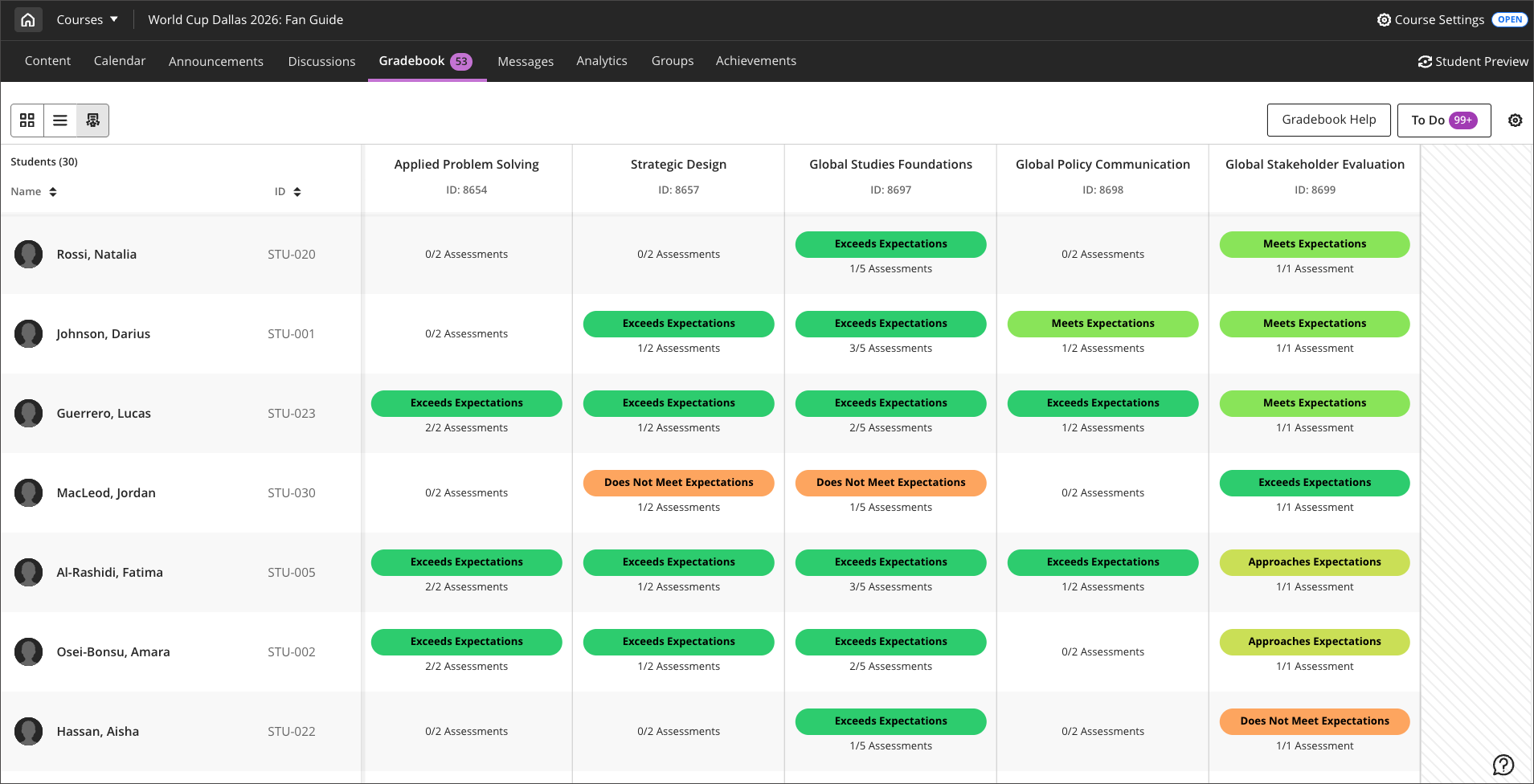
Select a student's name then navigate to the Outcomes tab to view that student's mastery of outcomes, skills or competencies with achievement of aligned assessments.
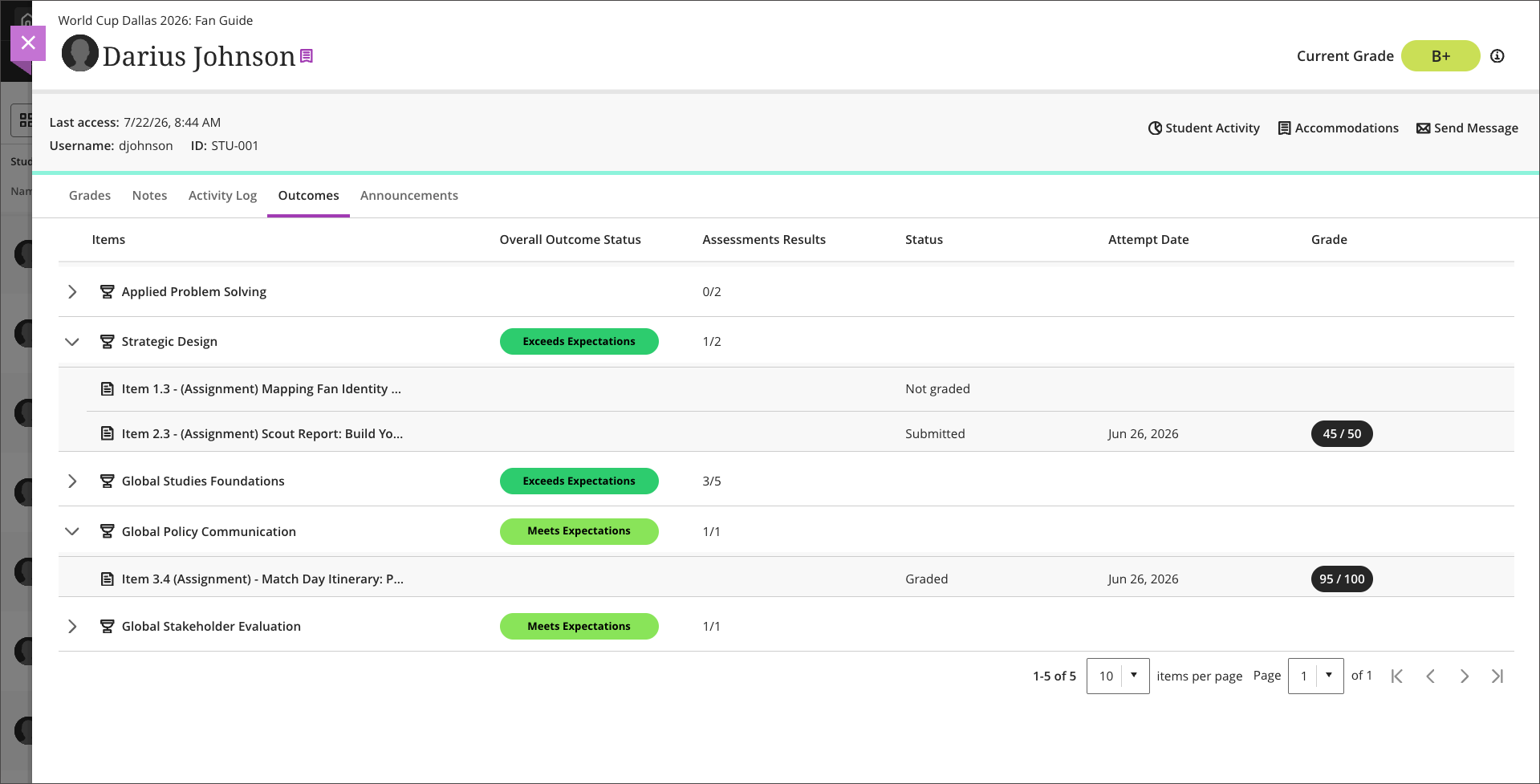
Student view of Blackboard Outcomes
If Blackboard Outcomes is enabled for the institution and the course, students can view outcomes in the Outcomes tab of the Gradebook.
After Blackboard Outcomes is configured for the institution, instructors can select to show or hide the Outcomes tab for students. The Mastery outcomes tab for students setting is located in Mastery Gradebook - Visibility Settings.

Configure Blackboard Outcomes
Outcomes and Goals cannot both be enabled concurrently. Before enabling Outcomes, ensure that the configuration for Goal are turned off. You can manage Goal configurations in the Goal section of Administrator Tools > Tools and Utilities > Tools.
To enable Outcomes, navigate to Administrator Tools > Courses > Course Settings > Course Tools. In the Tools section, toggle on Outcomes for Instructors.
Additionally, Blackboard Outcomes must be provisioned for the institution. Contact your account team for further support.