Programs
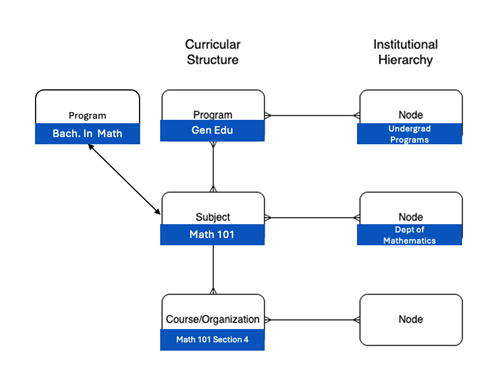
Programs adds an optional layer to your institutional structure. This allows institutions to group related subjects and course sections under broader programs, creating a connected curricular structure that includes subjects, programs, and institutional hierarchy, enabling aggregated reporting and analytics across related courses.
Why It Matters
Programs help institutions move beyond course-level views by enabling aggregated data and analytics across multiple academic levels. This structure provides a clearer picture of data and how learners are performing within and across programs, empowering faculty, administrators, and instructional designers to make more informed, data-driven decisions.
Creating Programs and Assigning Program Curricular Structure to a Subject
On the Administrator Panel in the Communities section, select Programs.
To create a new program, select Create Program. To edit an existing program, open the program’s menu and select Edit.
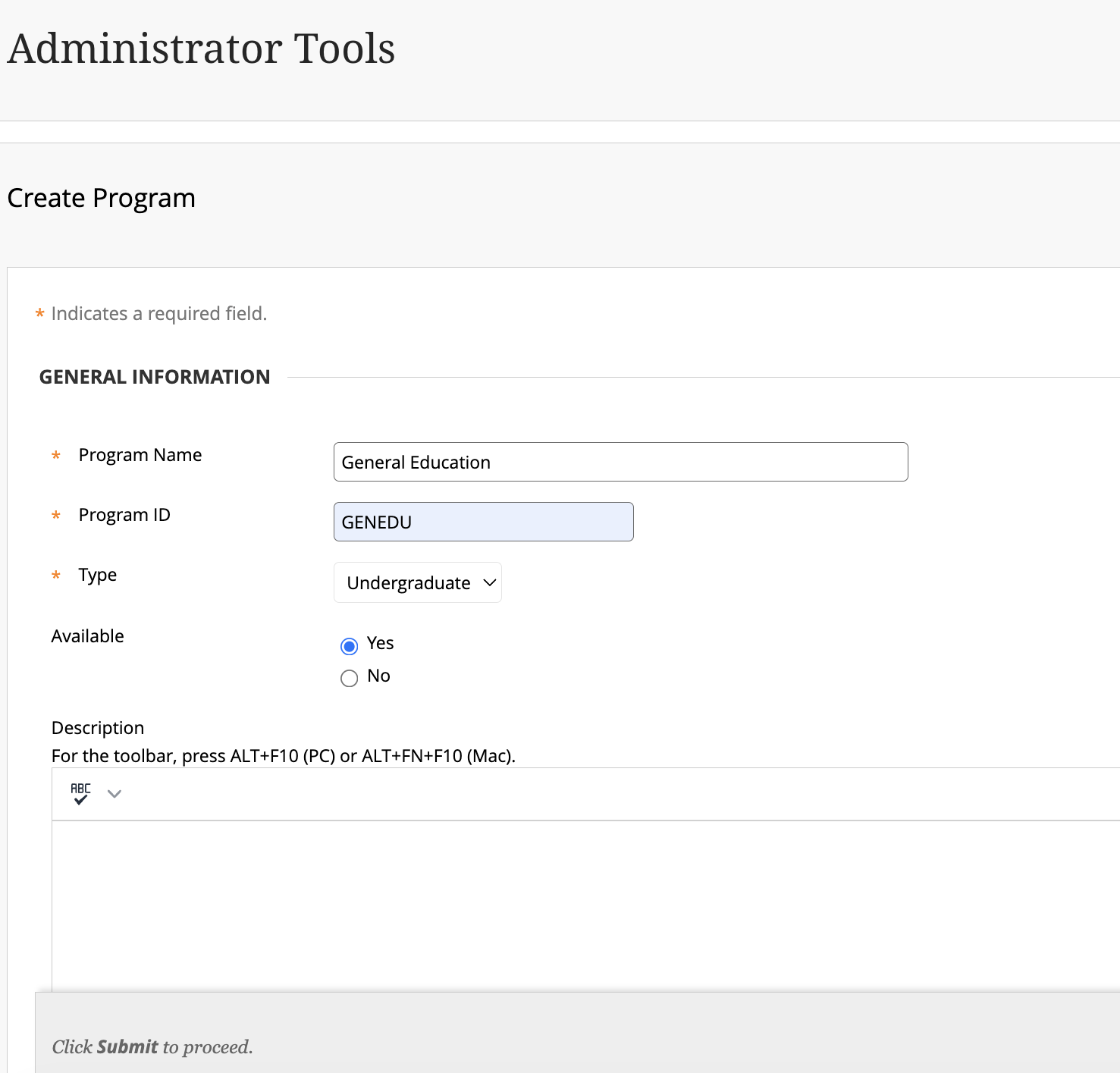
Enter a Program Name.
Enter Program ID.
Choose Type.
Under Availability, select Yes to make the program available to subjects throughout Blackboard. Select No to make the subject unavailable.
Optionally, add a Description.
Add Node. This associates your program, and therefore subjects of that program to the institutional hierarchy.
Note
This is required should you choose to use the Program functionality for Outcomes functionality.
Select Submit.
Go to Administrator Tools > Courses.
To edit an existing course, open the subject’s menu and select Edit.
Enter or Browse Program IDs of existing program.