Ús
Note
Aquest document s'ha traduït mitjançant traducció automàtica assistida per intel·ligència artificial. Les traduccions es proporcionen «tal qual», sense cap garantia de la seva exactitud. La versió anglesa d'aquest contingut és la font oficial i de referència.
Comprendre l'informe d'ús Ally
L'informe d'ús mostra detalls sobre com els vostres estudiants i instructors utilitzen Ally. Descobreix amb quina freqüència els estudiants descarreguen un format alternatiu i els instructors corregeixen problemes d'accessibilitat.
Accediu a l'informe d'ús
Des de l'informe d'accessibilitat institucional Ally, seleccioneu la pestanya Ús.
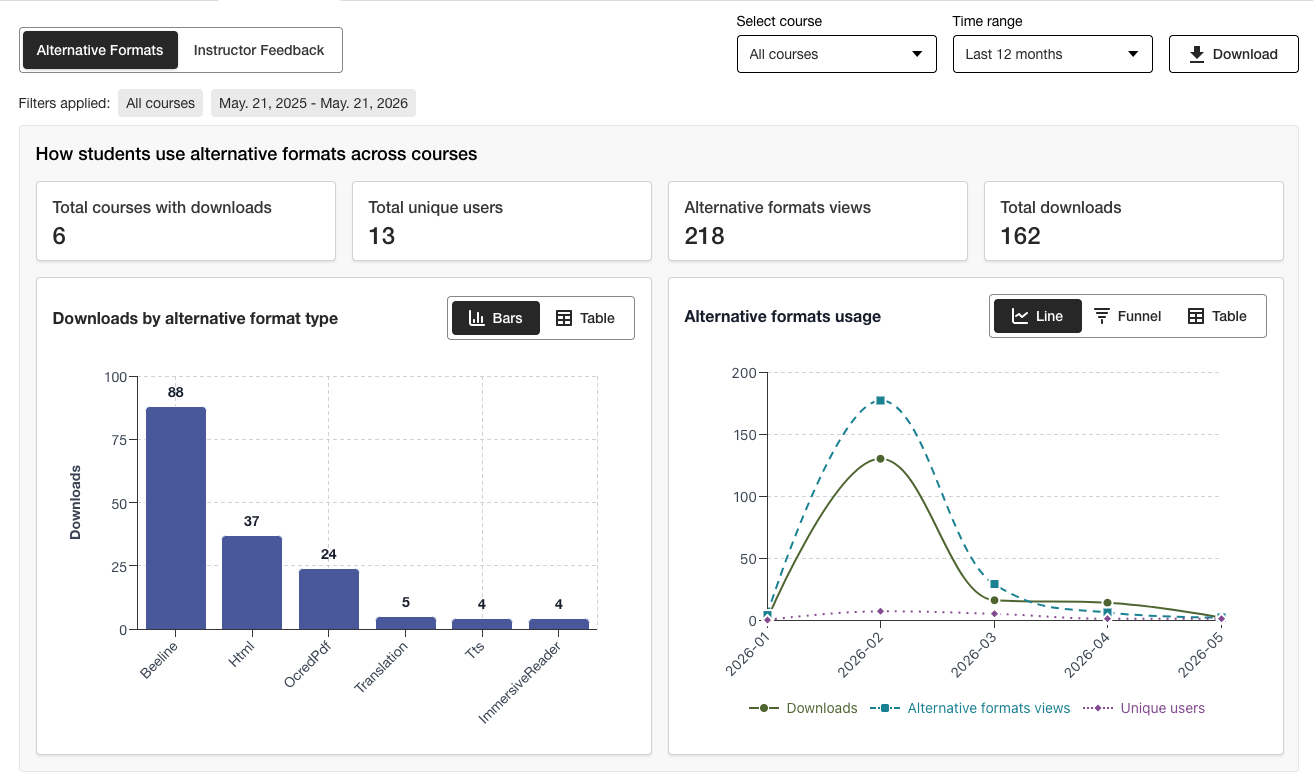
Baixeu un informe d'ús
L'informe de descàrregues és un full de càlcul dividit en cinc fulls de treball. Cada full de treball conté detalls relacionats amb un interval de dates que trieu.
Llançaments en format alternatiu
Setmanal en format alternatiu
S'inicia la retroalimentació de l'instructor
Comentaris setmanals del professor
Dades
Des de l'informe d'accessibilitat institucional Ally, seleccioneu la pestanya Ús.
Trieu un interval de dates per a l'informe.
Seleccioneu el botó Descarrega l'informe d'ús.
Nota
És possible que no vegis les dades quan obris l'informe per primera vegada. El fitxer descarregat es pot protegir. Activa l'edició per veure les dades.