학습 객체 저장소
Note
본 문서는 AI 지원 기계 번역을 사용하여 번역되었습니다. 번역본은 '있는 그대로' 제공되며 정확성에 대해 어떠한 보증도 하지 않습니다. 본 콘텐츠의 영문 버전이 공식적이고 권위 있는 원본입니다.
학습 객체 저장소(LOR)에 저장된 객체에 대한 업데이트는 해당 객체를 사용하는 모든 열려 있는 강좌 및 조직에서 자동으로 동기화됩니다. 이렇게 하면 해당 객체를 사용하는 모든 공개 과정이 동일한 버전을 갖게 됩니다.
동기화
학습 객체 저장소의 객체에 적용된 변경 사항은 자동으로 코스 및 조직의 모든 관련 객체에 적용됩니다.
학습 객체 저장소의 개체에 대해 다음 설정이 동기화됩니다.
직위
몸
설명
수업 대화
교육 목표 및 표준
학생들에게 보여지는
학생에게 숨김
학습 모듈 축소판 이미지
학습 모듈 썸네일의 대체 텍스트 또는 장식용 이미지 지정
학습 모듈이 강제 순서인지 여부
학습 모듈 또는 폴더의 콘텐츠
이러한 설정은 잠겨 있으며 교수자가 재정의할 수 없습니다.
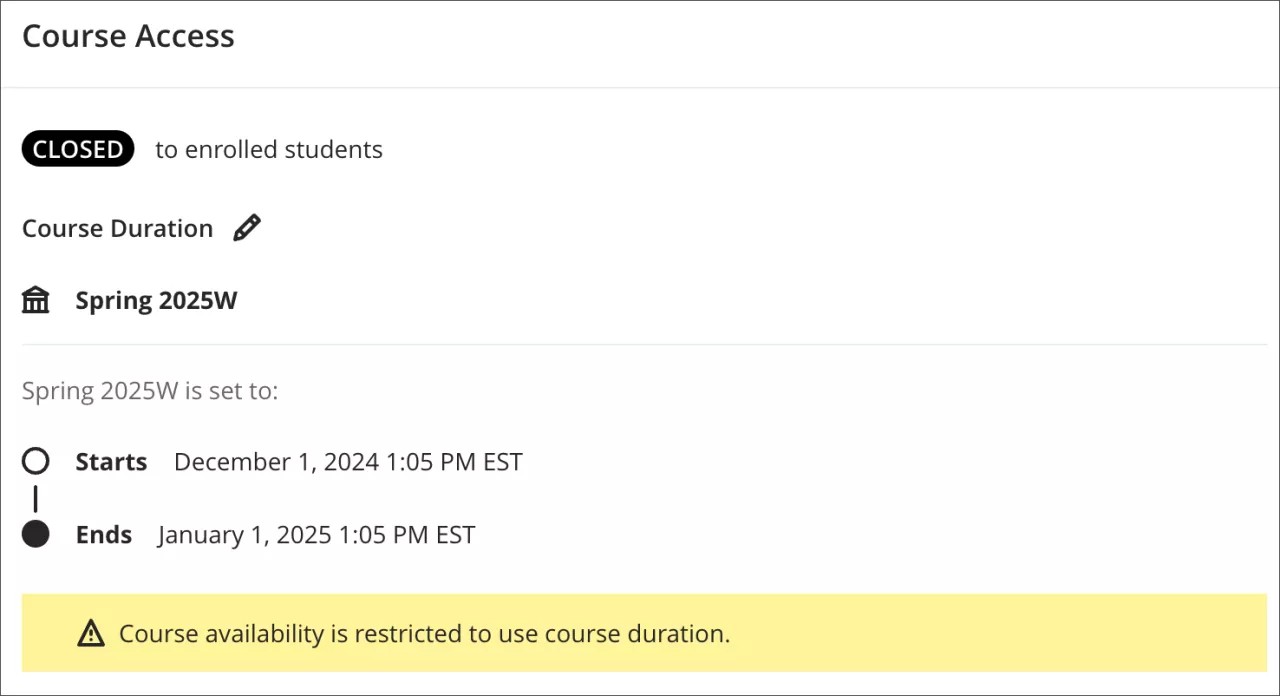
강좌가 종료되었거나 이수 처리된 경우 개체에 대한 변경 사항은 적용되지 않습니다. 강좌가 종료되었는지 여부는 강좌 종료일을 확인하거나, 학기의 일부인 경우 학기 종료일을 확인하여 판단합니다.
동기화 타이밍
동기화된 변경 사항은 즉각적이지 않습니다. LOR은 객체에 대한 편집이 완료될 때까지 기다린 후 동기화 프로세스를 시작합니다. 시작되면 업데이트가 대기 중인 과업으로 전송되고 연결된 개체에 적용됩니다. 현재 시스템은 한 번에 하나의 동기화 요청만 처리하므로, 1,000,000개 객체와 같이 대량의 데이터를 동기화하는 데는 완료하는 데 시간이 소요됩니다.
'미완료'로 표시된 학생의 동기화 변경 방지
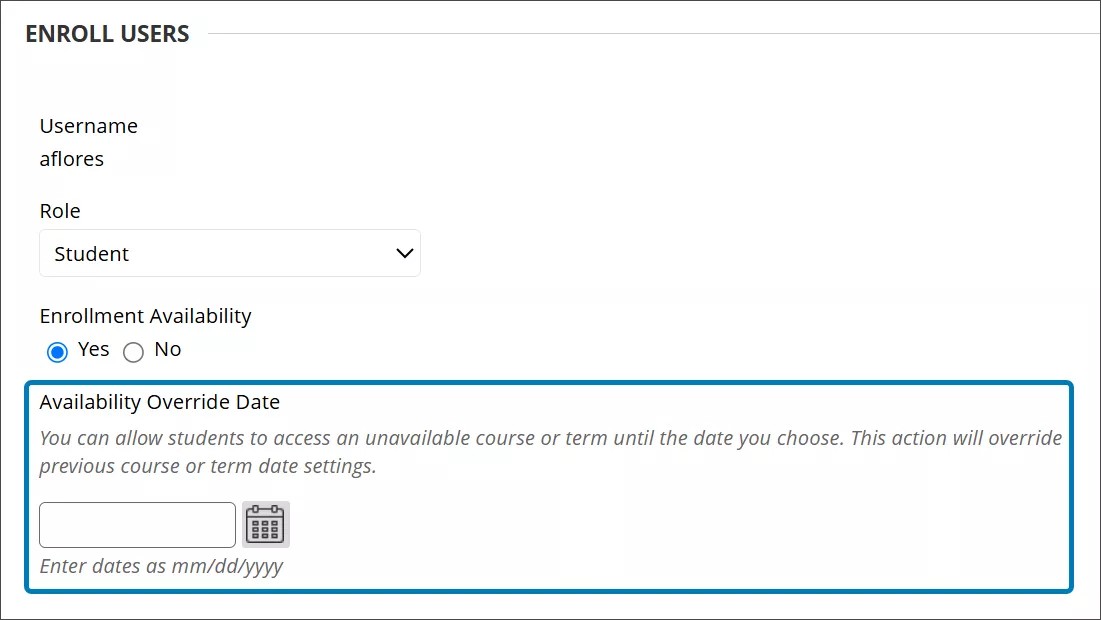
불완전으로 표시되어 코스에 다시 액세스해야 하는 학생의 경우 코스 등록 날짜 대신 학생의 등록 날짜를 연장하는 것이 좋습니다. 학생의 등록 날짜를 연장하면 객체가 업데이트될 때 학습 객체 리포지토리에서 코스 객체에 대한 변경이 발생하는 것을 방지할 수 있습니다.
학생의 등록 날짜를 연장하는 옵션은 관리자 패널에 있습니다.
코스로 이동합니다.
과정을 선택한 다음 메뉴에서 등록을 선택합니다.
학생의 등록 편집으로 이동합니다.
가능성 재정의 날짜 필드에 새 등록 날짜를 입력합니다.