Types of Rubrics
Rubrics are organized in a table with rows and columns:
Rows represent criteria, what many instructors think of as assignment deliverables or areas being evaluated (for example, Content, Organization, or Citations).
Columns represent performance levels, such as Excellent, Satisfactory, or Needs Improvement.
How points or percentages are calculated depends on the rubric type you choose.
Rubric types
You can create several types of rubrics in a course:
Percentage-based rubrics
Percentage-range rubrics
Points-based rubrics
Points-range rubrics
No-points rubrics
Percentage-based rubrics
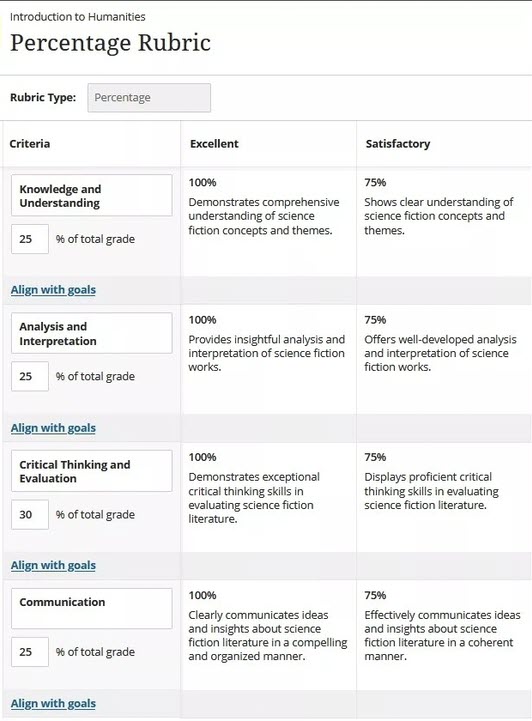
In percentage-based rubrics, each criterion (row) is assigned a percentage weight. All criterion weights must total 100%.
The performance levels (columns) define how much of that criterion’s weight a student earns. For example, a level set to 80% awards 80% of the criterion’s weight.
You can edit the percentage weight for each criterion independently, and you can also edit the percentage values for each performance level. One performance level must be set to 100%.
If the criterion percentages do not equal 100%, a warning message appears. You can select Balance Criteria to automatically adjust the percentages or update them manually.
Percentage-range rubrics
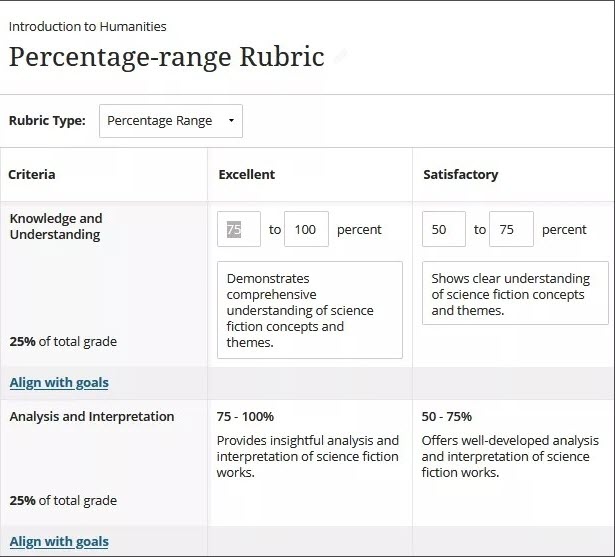
In percentage-range rubrics, each performance level uses a percentage range instead of a single value.
When grading, you select a percentage within the defined range for a performance level. The system calculates the final score based on the criterion weight, the selected percentage, and the total points available for the graded item.
Points-based rubrics
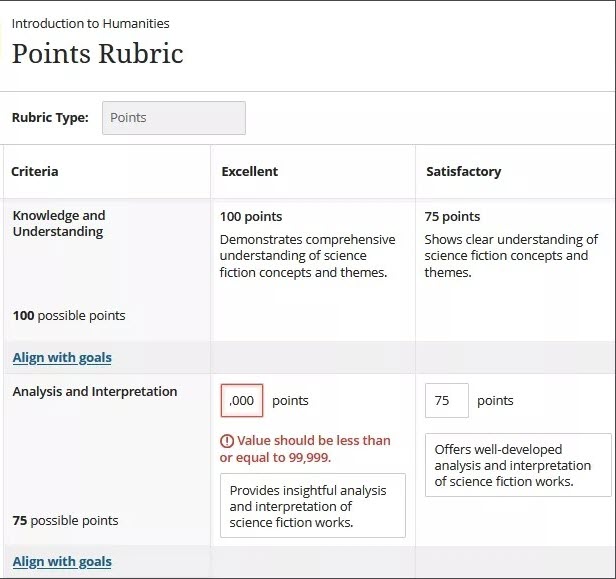
In points-based rubrics, points are assigned to the performance levels (columns). These point values determine the maximum points available for each criterion (row).
The criterion total is calculated automatically as the sum of the points in its performance levels. If you edit a level’s point value, the criterion’s total updates automatically.
You may only use whole numbers. The total available points across the rubric must be less than or equal to 99,999.
Points-range rubrics
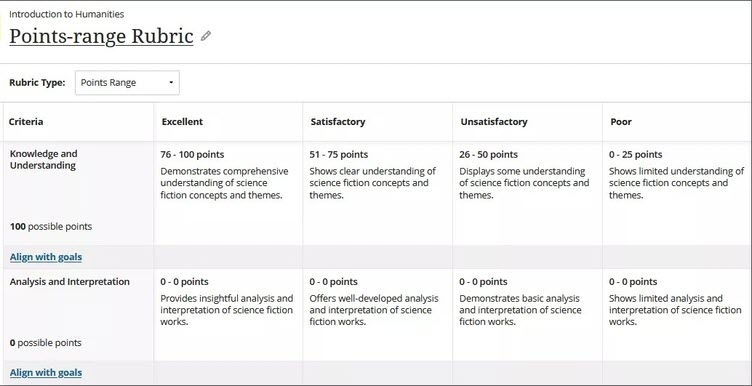
In points-range rubrics, each performance level uses a range of point values instead of a single value.
When grading, you select a point value within the defined range. The system uses that value to calculate the criterion score, and then totals the points across all criteria.
The total available points across the rubric must be less than or equal to 99,999, and point ranges must progress from lower to higher values.
No-points rubrics
No-points rubrics allow instructors to evaluate student work qualitatively based on defined criteria and feedback rather than numerical values.
This rubric type emphasizes descriptive assessment and guidance without assigning a numerical score.