Defnydd
Note
Cyfieithwyd y ddogfennaeth hon gan ddefnyddio cyfieithu peirianyddol gyda chymorth AI. Darperir cyfieithiadau "fel y maent" heb unrhyw warant o'u cywirdeb. Y fersiwn Saesneg o'r cynnwys hwn yw'r ffynhonnell swyddogol ac awdurdodol.
Deall Adroddiad Defnydd Ally
Mae'r adroddiad Defnydd yn dangos manylion am sut mae eich myfyrwyr a'ch hyfforddwyr yn defnyddio Ally. Darganfyddwch pa mor aml mae myfyrwyr yn lawrlwytho fformat arall ac mae hyfforddwyr yn trwsio problemau hygyrchedd.
Mynediad at yr Adroddiad Defnydd
O adroddiad hygyrchedd sefydliadol Ally, dewiswch y tab Defnydd.
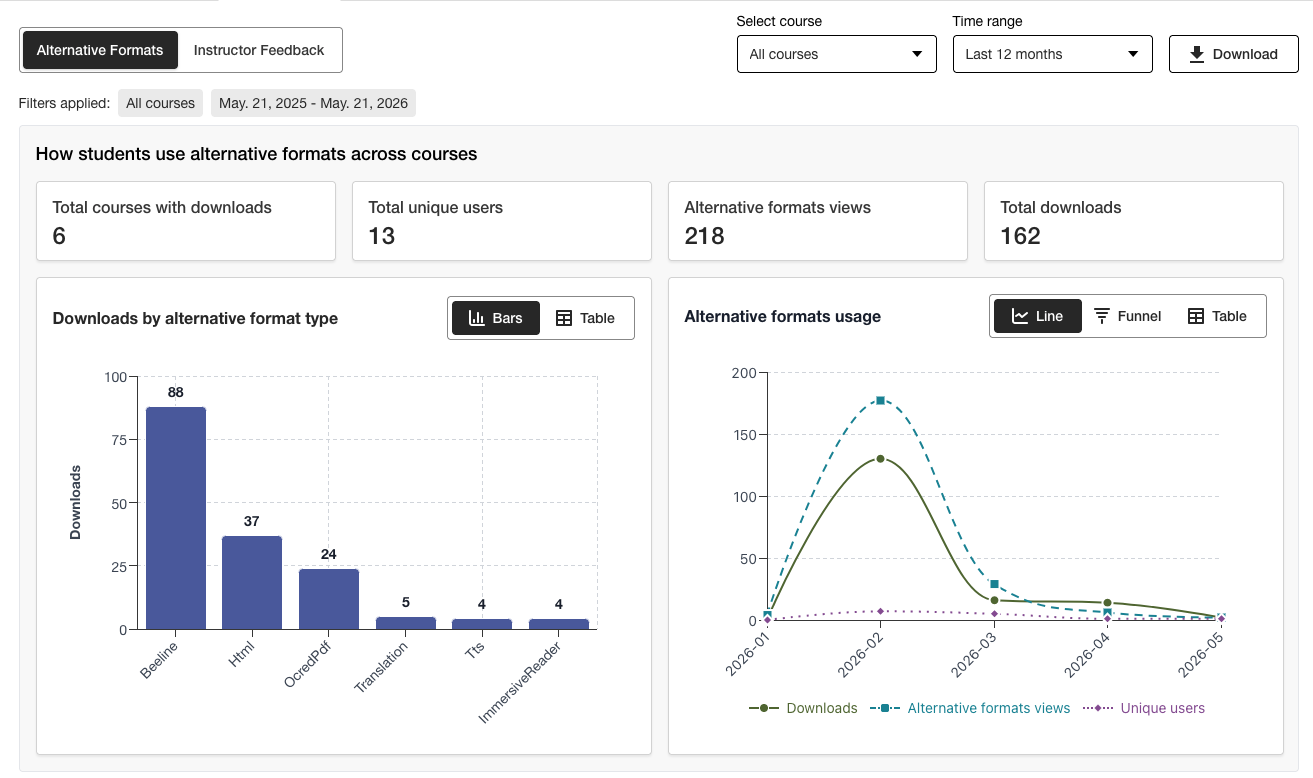
Lawrlwytho Adroddiad Defnydd
Mae'r adroddiad sydd wedi'i lawrlwytho yn daenlen sydd wedi'i rhannu'n bum taflen waith. Mae gan bob taflen waith fanylion sy'n ymwneud ag ystod dyddiadau a ddewiswch.
Lansio Fformatau Amgen
Fformat Amgen Wythnosol
Lansio adborth hyfforddwr
Adborth wythnosol gan yr hyfforddwr
Data
O adroddiad hygyrchedd sefydliadol Ally, dewiswch y tab Defnydd.
Dewiswch ystod dyddiadau o'r adroddiad.
Dewiswch y botwm Lawrlwytho adroddiad defnydd.
Nodyn
Efallai na welwch chi ddata pan fyddwch chi'n agor yr adroddiad am y tro cyntaf. Gall y ffeil sydd wedi'i lawrlwytho fod wedi'i diogelu. Galluogi golygu i weld y data.