Catalog
The catalog contains all the courses available to you. You can search for courses to enroll in by browsing through the catalog, searching, and filtering the listed courses. If your institution has programs available, they are listed on a separate tab, and you can search for them in the same way.
Course tiles
Each course tile contains various pieces of information, which may include:
the course title
a short course summary
the instruction mode
whether the course is free or paid
course dates
whether there are certificates or badges associated with the course
whether an access code is required to enroll in the course
whether the course requires admin approval
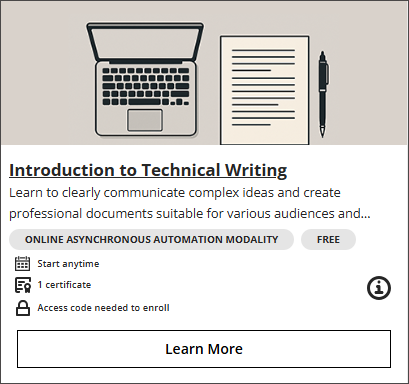
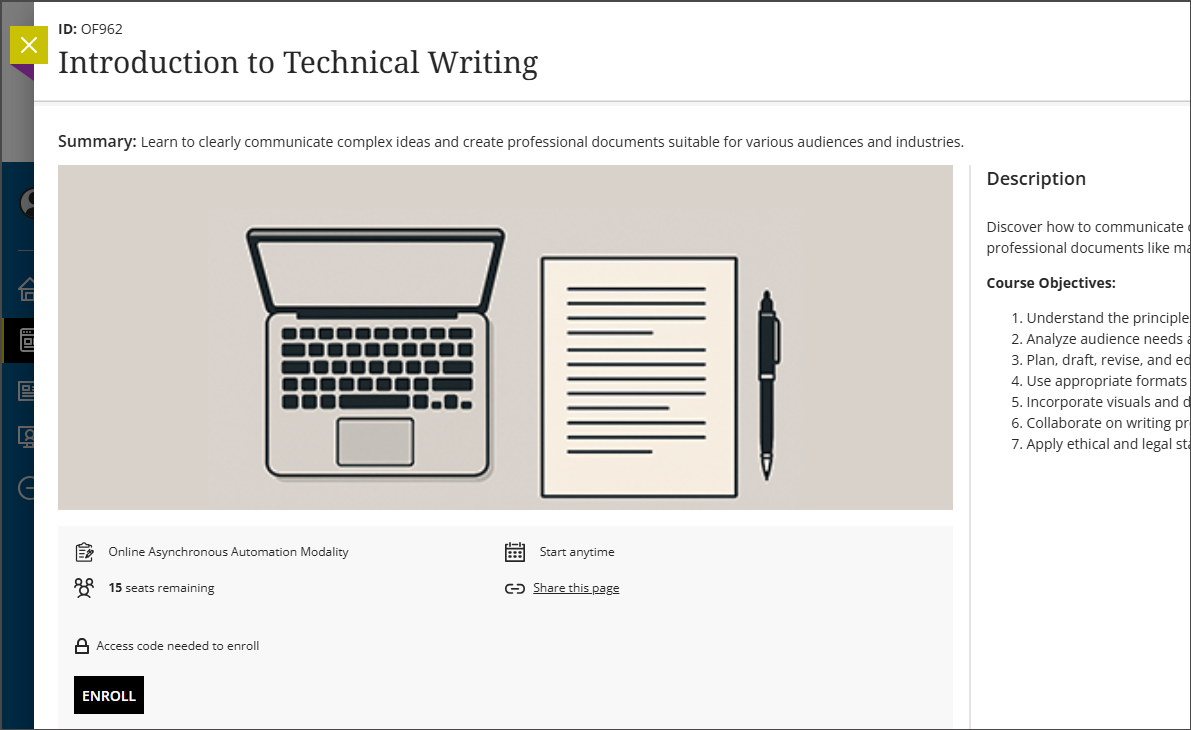
When you select a course tile, a panel appears that contains additional information that may include:
a course description
course details including course tags, requirements, and languages
the number of seats remaining in the course
the cost of the course if it as a paid course
a sharable link to the course details
a button to buy or enroll in the course if the enrollment is open
Search courses
You can search the catalog for specific courses and filter the catalog in a variety of ways.
Select Catalog in the navigation menu.
Select the Courses tab.
Type your search terms in the text box at the top of the list of courses. The search includes the course name, categories, instructor name, and course ID.
Note
You must put at least four characters into the search box to activate the search.
Select Filter to access all available filters. Select the ones you want to use to filter your results.
Select Apply Filter.
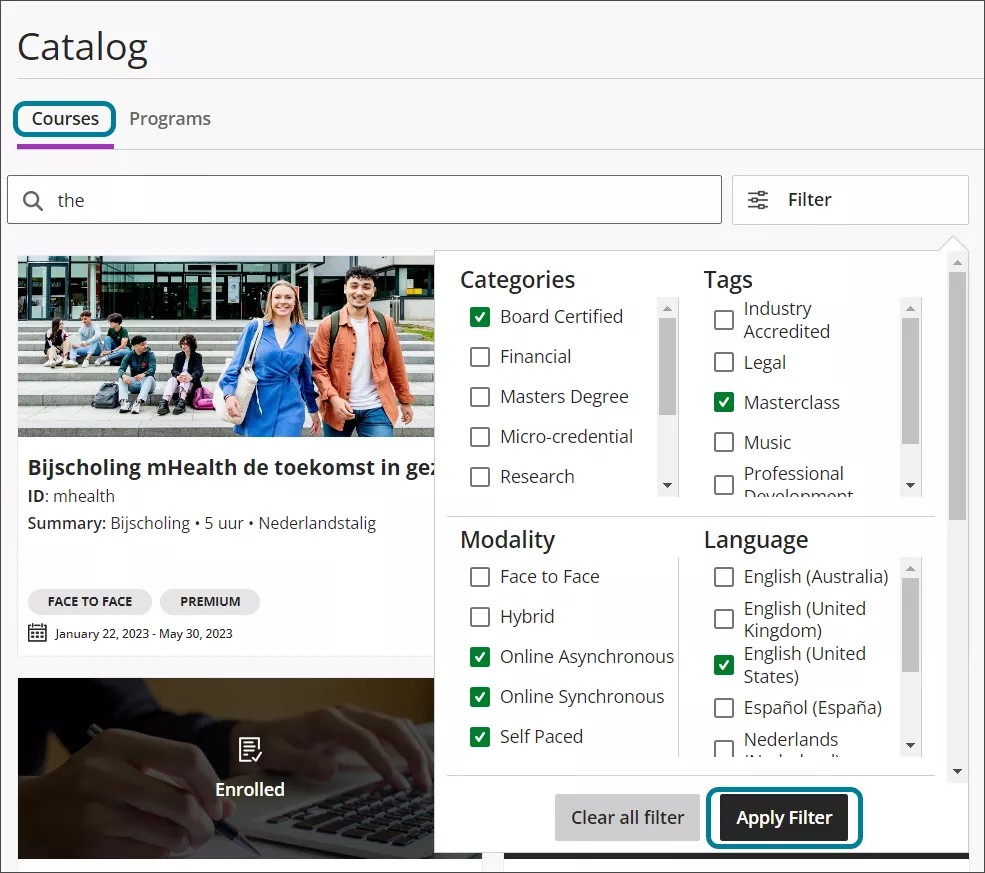
Possible filters include:
categories
tags
modality
language
price
course dates
registration
If you find a course you would like to enroll in, you must sign in if you already have an account or create an account if you do not. Select Enroll Now or Buy Now to go to the appropriate screen; after you have created an account and signed in, you will return to the panel where you can enroll in the course.
Search programs
A program is a collection of two or more courses connected as prerequisites or corequisites. Completion of these courses culminates in the completion of the program. You can search programs to find the courses that are part of the program.
Select the Catalog link in the navigation menu.
Select the Programs tab.
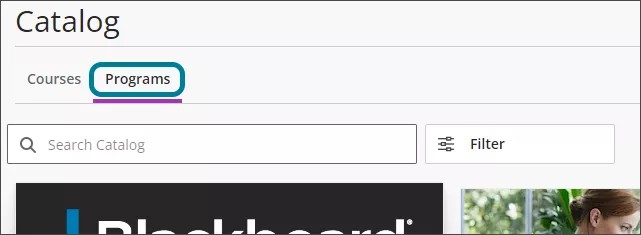
Use the same techniques as described in the previous section to search for programs.
When you locate a program, you will see a list of courses and offerings that are part of the program. Select one of the choices. A new tab will open for that course or offering.