Accessibility Overview
Course Catalog is invested in the usability and accessibility of our products and services. We employ a proactive, multifaceted accessibility strategy that includes a shared accountability model for accessibility grounded in community feedback. We leverage an international team of accessibility specialists to mentor product teams in integrating accessibility and inclusivity best practices. In keeping with our strong tradition of leadership around accessibility, our products are designed and developed with internationally recognized Web Content Accessibility Guidelines (WCAG) 2.2 Level AA, Section 508, and EN 301 549 where applicable, in mind.
Semantic structure and navigation
Pages in Course Catalog follow a standard visual layout to ensure familiarity as users navigate through the platform. The application is structured logically by headings and landmarks/regions. This gives users the ability to quickly understand the structure of any page in the application and easily move to the appropriate section of the page or content item.
Structure by headings
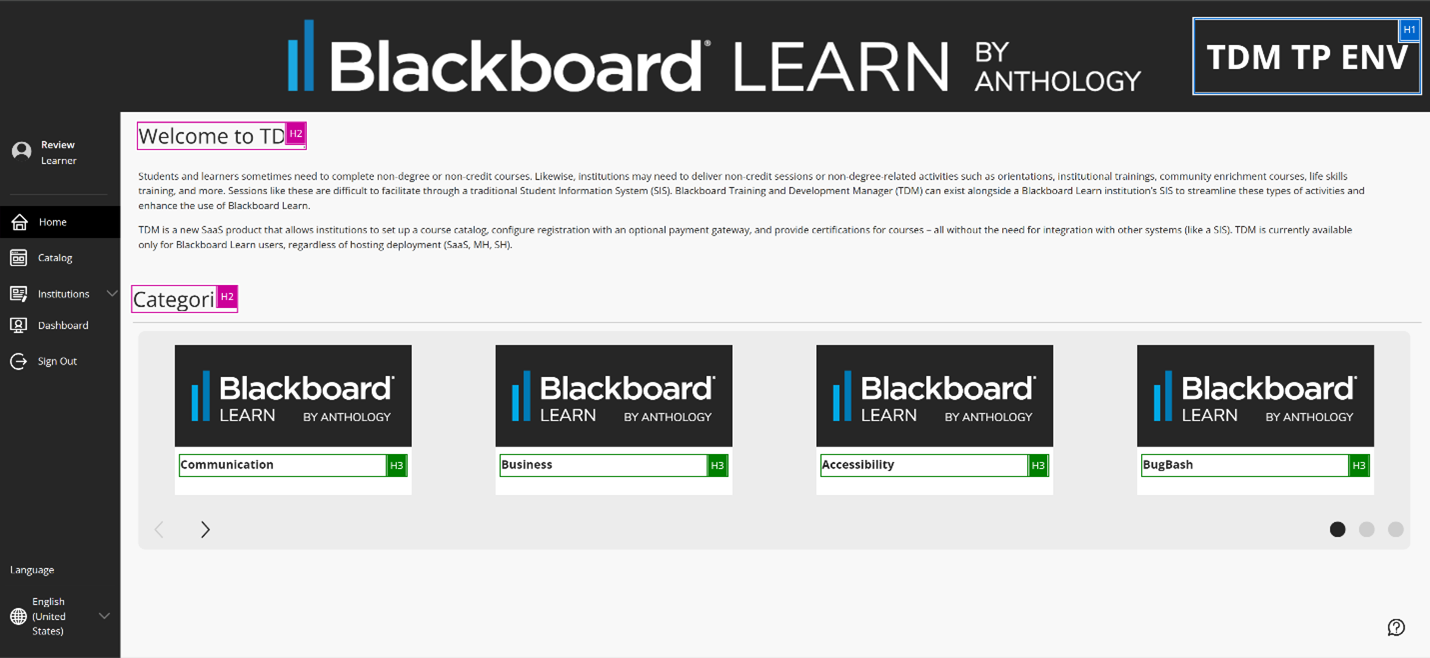
H1 Headings identify the current page.
H2 Headings are used to delineate major sections of a page.
H3 Headings are used to select.
Structure by landmarks
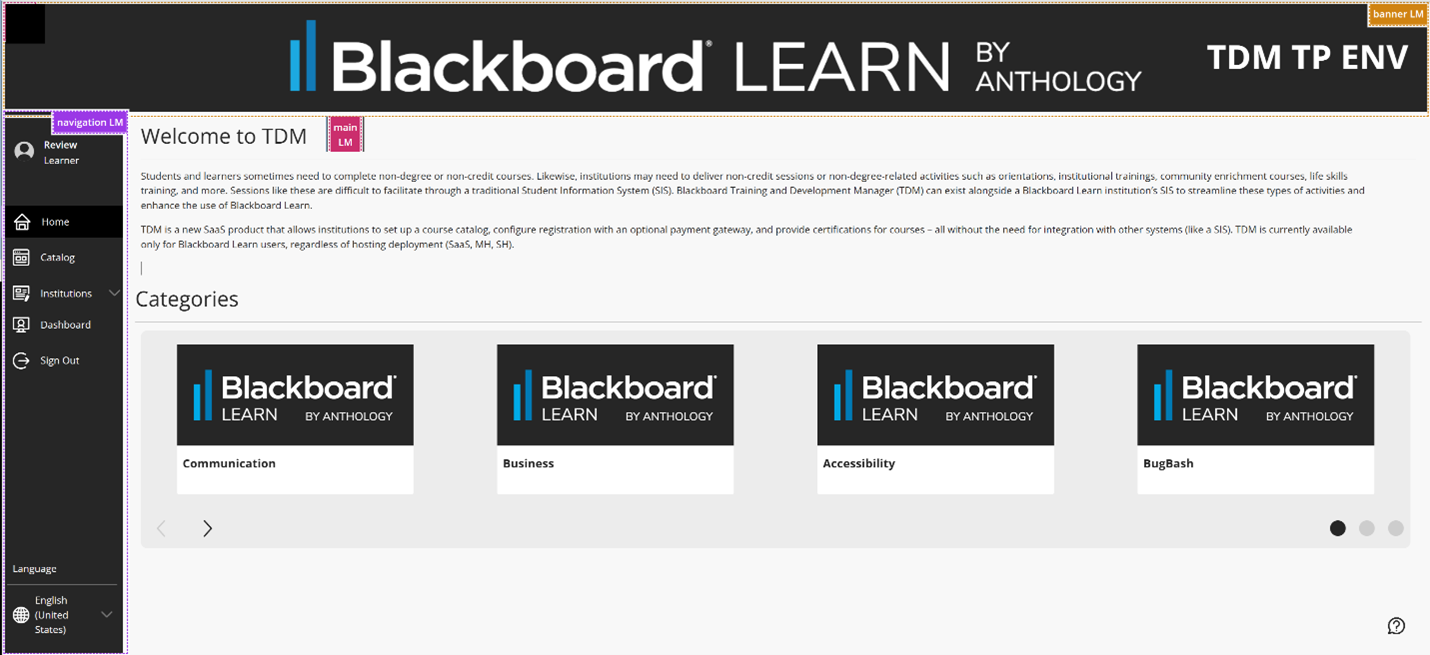
Course Cataloghas defined sections on each page using HTML and ARIA landmarks/regions that allow users of assistive technologies to navigate the page more efficiently. With landmarks/regions, users can quickly understand the structure of any page in the application and easily move to the appropriate section of the page.
Landmarks in Course Catalog include:
Banner
Navigation
Main
Skip to Main Content
Across the platform, Course Catalog includes a skip button as a mechanism to bypass blocks of content that are repeated on multiple pages — such as the header or course navigation — allowing users to jump directly to the main content area. Keyboard-only and screen reader users can avoid repeated content and navigate faster through the page.
Users can tab until the keyboard focuses on the "Skip to Main Content" button that goes directly to the main content.
Focus Order
Users can navigate the application sequentially using the keyboard. Interactive elements receive focus in the order content is visually arranged, preserving meaning and operability.
Reduced motion setting
You can reduce the motion of animations if present. The setting can be turned on/off from your device:
iOS: Go to Accessibility. Select Motion, then select Reduce motion (on/off).
Android: Go to Settings. Select Accessibility, then select Remove animations (on/off).
Windows: Go to Settings. Select Accessibility, then select Visual effects. Select Animation effects (on/off).
Mac OS: Go to System Settings. Select Accessibility, then select Display. Select Reduce motion (on/off).
Assistive technology compatibility
For the best experience with screen readers, we recommend these combinations:
Screen reader | Operating System | Browser |
|---|---|---|
JAWS | Windows | Firefox / Google Chrome |
NVDA | Windows | Firefox / Google Chrome |
VOICEOVER | MAC OS | Safari / Firefox / Google Chrome |
Feedback
We welcome your feedback on accessibility for people with disabilities and those who use assistive technologies with our products. We encourage you to contact us with any questions or concerns at accessibility@anthology.com. Please note that this email address is solely used to respond to questions about the use of assistive technologies with Blackboard's products.