ORIGINAL Common Questions About Grades
Where are my grades?
You have two options:
You can see grades for all of your courses at once.
You can view grades for one course at a time.
Grades for all courses
In the list where your name appears, select Grades.
Note
This information also applies to organizations.
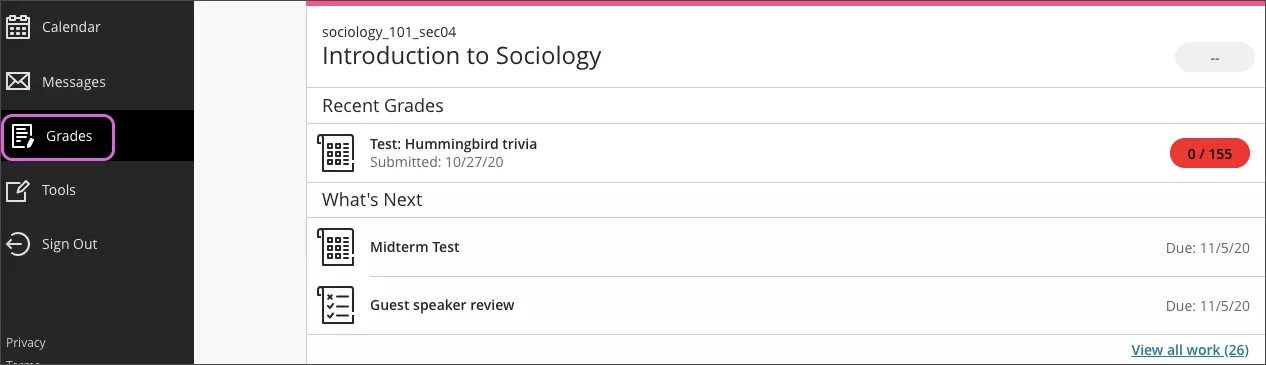
Your grades are organized by course name and term in alphabetical order. You can select most items in any course to view details.
Want to dive in and focus on one course? Select a course name to go to that course's grades page. You may have two types of courses.
Grades for one course
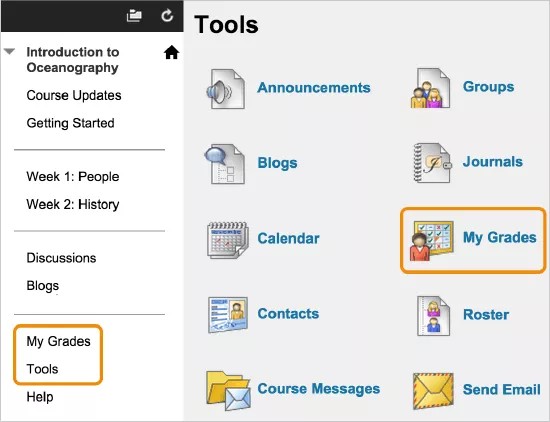
To view the grades for the course you're in, select the My Grades link on the course menu or on the Tools page.
Note
Your instructor controls which links appear on the course menu.