AI Conversation
AI Conversations are for exploring a topic or scenario with an AI persona that was defined by your instructor. Your instructor will review your conversation with the AI persona after you’re finished with the conversation.
For example, your instructor wants you to think more about a historical event in your course. Your instructor will create an AI persona to discuss the topic with you. Your instructor defines the AI persona’s conversational traits, such as defining the AI persona as supportive. After interacting with the AI persona, you’ll be asked to reflect on how the interaction advanced your understanding of the topic.
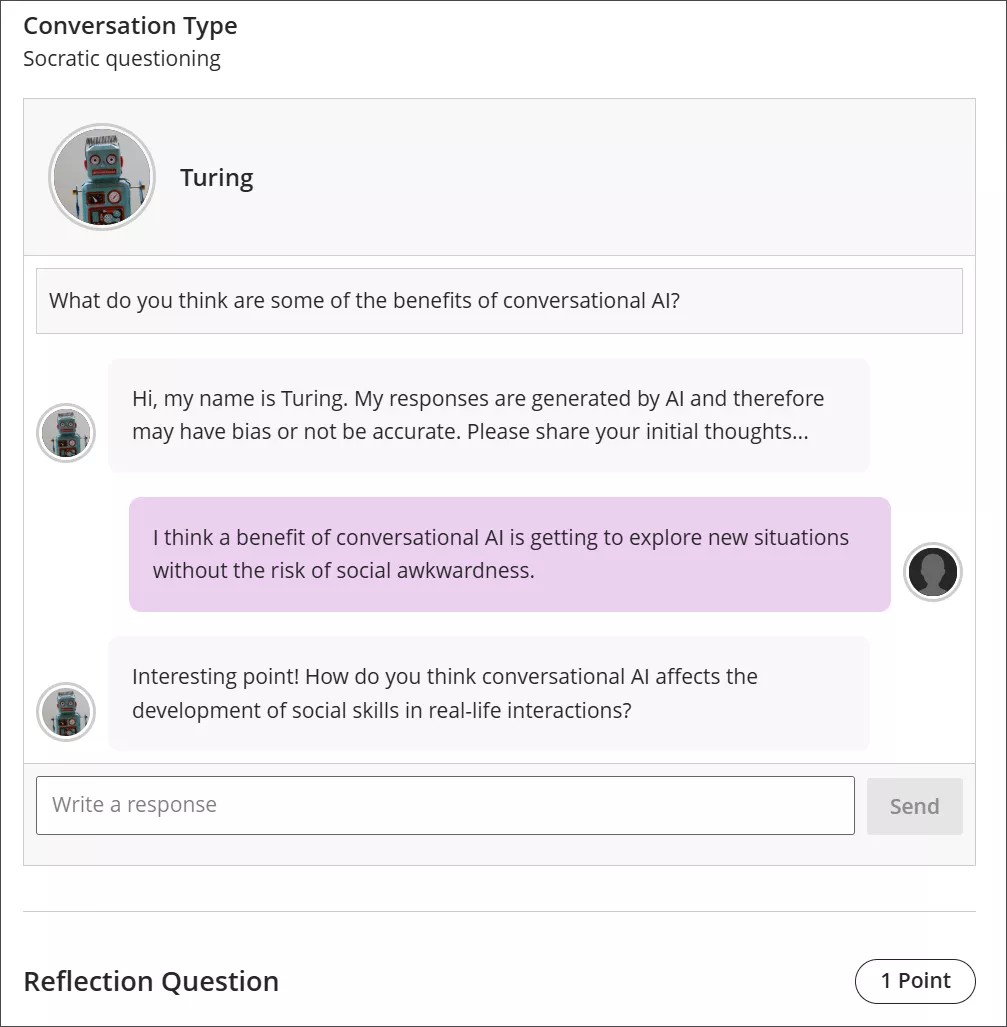
Conversation types
Socratic Questioning conversations encourage you to think critically through continuous questioning. The AI persona won’t tell you that you have a right or wrong answer. It gives you a series of questions so you can explore the topic. When you feel like you’ve fully considered the topic, you can move on to the reflection question.
Role Play conversations are for playing out a scenario with an AI persona. You can get experience with new situations in a way that is close to real life, such as workplace interactions and preparing for interviews.
Pulse Quiz conversations ask you quickfire questions about material you have covered. A host greets you, says how many questions the quiz contains, asks them one at a time, and responds to each answer before moving on. At the end, the host summarizes how you did. Questions are generated as you go, so another student taking the same quiz won’t get the same questions.
Start a conversation
Open the AI Conversation from your course and select Start attempt, then select Start conversation. The conversation opens in its own view with more room for the exchange, and the settings and assessment details are hidden while you work.
The notice explaining that responses are AI-generated and may be inaccurate or contain bias stays visible while you work.
Take part in a conversation
To interact with the AI persona, enter your response in the text field.
To create a line break, use the Enter key on your keyboard.
Select the Send button or use Shift + Enter to send your response.
If your instructor set a time limit or a message cap, an indicator for the limit is displayed. Once you reach the limit, you can no longer send messages.
Conversation language
Your instructor can set the language a conversation is conducted in. When a language is enforced, the whole conversation is in that language from the first message onward. You can’t change it partway through: if you ask the AI to continue in a different language, it declines and carries on in the language your instructor set.
Reflect on the conversation
AI personas may have bias or be inaccurate. Use your best judgment in your responses to the AI persona and your reflection on the conversation. If you identify any bias or inaccuracies in your interaction with the AI persona, you can include this in your reflection on the conversation.
Note
The lawful, ethical, and responsible use of AI is a key priority for Anthology and for the development of the AI Conversation feature. For more information about Anthology’s approach to AI, visit our Trust Center.