Learning Modules
A Learning Module is a container for organized collections of content. Learning Modules help you stay focused on a lesson or concept. You move through content in a structured, distraction-free way. Instructors may use Learning Modules to align course content with a textbook or to guide you through a sequence of learning activities.
A Learning Module appears similar to a folder on the Course Content page. Select the title or arrow to open the Learning Module and view its contents.
Learning Modules can include:
Readings and files
Assessments (Assignments and Tests)
Group projects
Discussions and collaboration tools
You can view all visible content within the Learning Module, including due dates.
Navigating a Learning Module
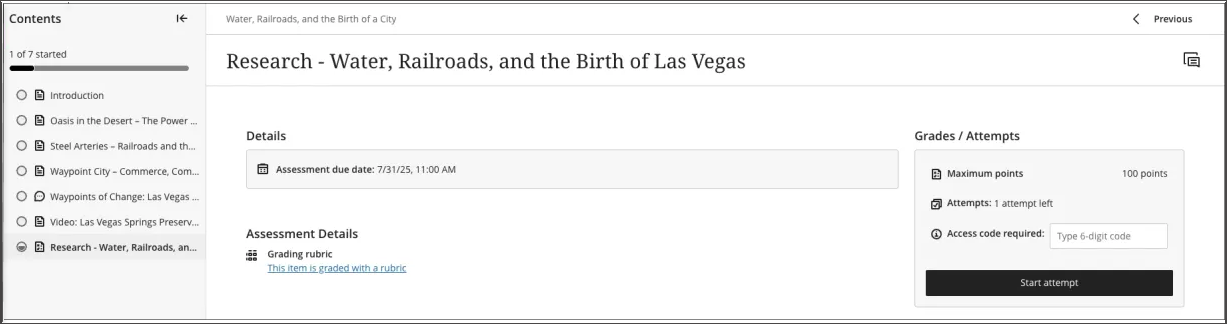
When you open a Learning Module, a collapsible table of contents is displayed on the side panel of your screen. This panel shows all the content items in the Learning Module and helps you quickly understand the scope and organization of the contents.
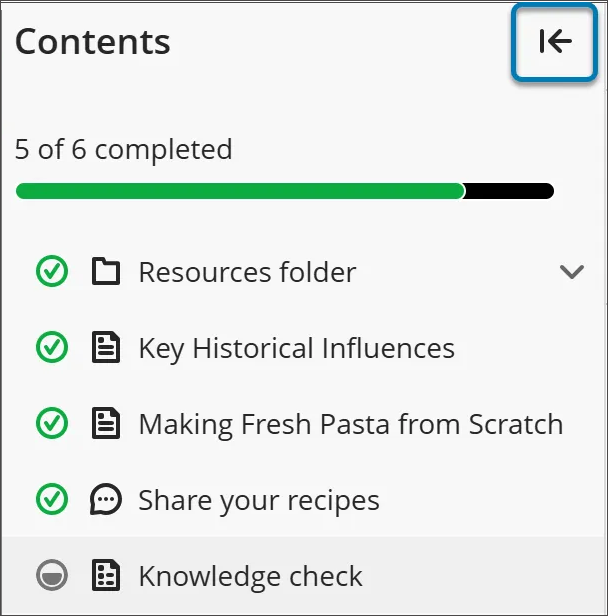
Select any item in the table of contents panel to open it directly (unless your instructor has enforced a specific sequence).
If you want to hide the table of contents, select the arrow button at the top corner of the table of contents.
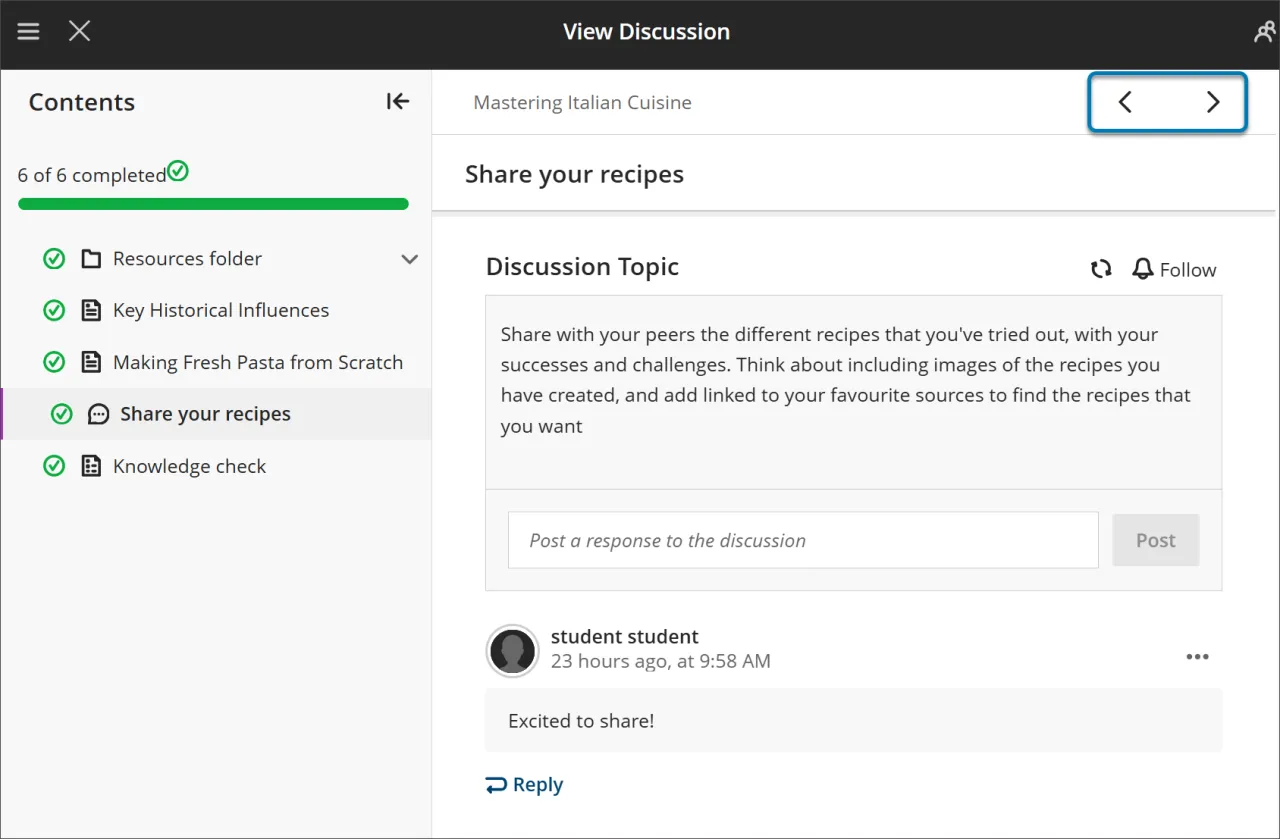
Use the Next and Previous buttons at the top right to move through content in order. If your instructor has enabled forced sequence, you may notice the next item is locked.
You’ll need to meet certain conditions before Next and the next item in the Table of Content menu become available. You can still revisit any previously unlocked items.
Forced sequence
If your instructor requires items in the Learning Module to be completed in a specific order, a message appears. Other conditions, such as access dates or prerequisites, may also apply.
If the Learning Module contains folders, you navigate through them the same way as other content. Your instructor may require that you complete content within a folder before moving on.
Tracking Your Progress
You can exit a Learning Module before you complete it. When you return, icons appear next to the content to show your progress, so you can pick up where you left off.
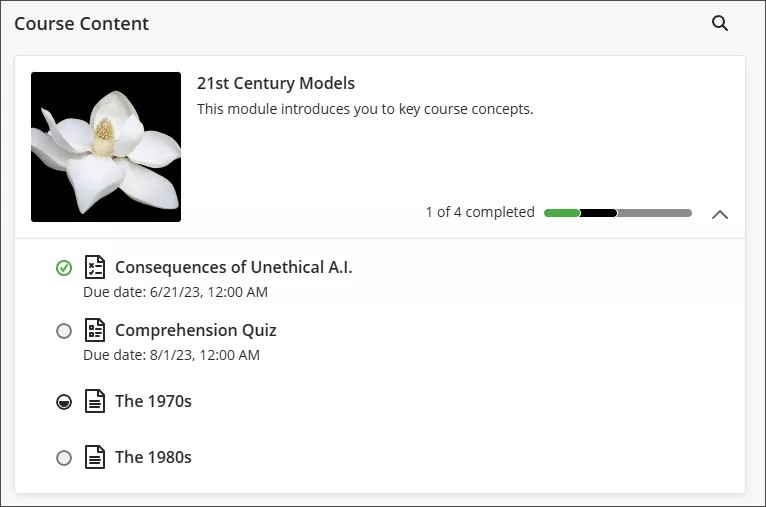
There are four types of progress icons:
A green circle with a check mark means the content is complete.
A partially filled gray circle means the content is in process.
An empty circle means you haven't started the content.
A lock icon means you don't meet the conditions to access the content yet.
Using assessments in Learning Modules
When you open an assessment from within a Learning Module, it appears in a full-page panel. This layout provides a consistent and focused experience, helping you stay engaged with the material.